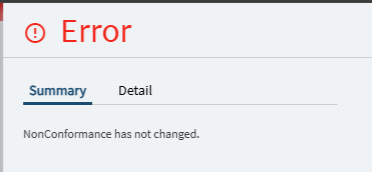
We’re for the first time trying to process an inventory non-conformance and I cannot enter the inspection results, instead getting the error “Non-conformance has not changed”.
*How do I correctly input the inspection results to get my material back to inventory / the failed units to DMR? Going through QA documentation, I expected this way to just work. *
Background:
During a production job, issues with a part were discovered that does not normally get inspected.
So, we created a non-conformance for all parts still inventory (NOT in the production job where the issue was first discovered) to have a colleague go over all of them to see if the issue was repeated, find root cause and fix.
Now, we’ve found the issue and largely fixed it, but two of the compontents tested are un-fixable.
What I expected to do:
Go to inspection processing, enter passed+failed QTYs plus Serial Nos and issue to the right warehouses (we have a separate warehouse specified for parts to be DMRd or coming in for RMA). Then the good ones can be returned to warehouse and a DMR created for the rest.
What happens:
When entering the inspection and saving, I get the error described above.