I am trying to tidy up a sluggish BAQ and one bit I would like to fix is the warning “There is no index for UDCodes which can be used in the join with Project_UD”.
I have joined these two tables to extract the Description for a UDCode using a custom field for Depot in the Project table as I cannot think of any other way.
The Table relation uses the custom Depot field in Project = CodeID in UDCodes.
It may be that this warning has no impact on performance and if that is the case I will ignore it, so I’d be grateful for advice thanks.
Can you add a table criteria for UDCodes where UDCodes.CodeTypeID = ‘ASpecificCodeType’ ?
This would prevent the query from having to scan the entire UDCodes table for every row in your query. I think that’s the potential issue.
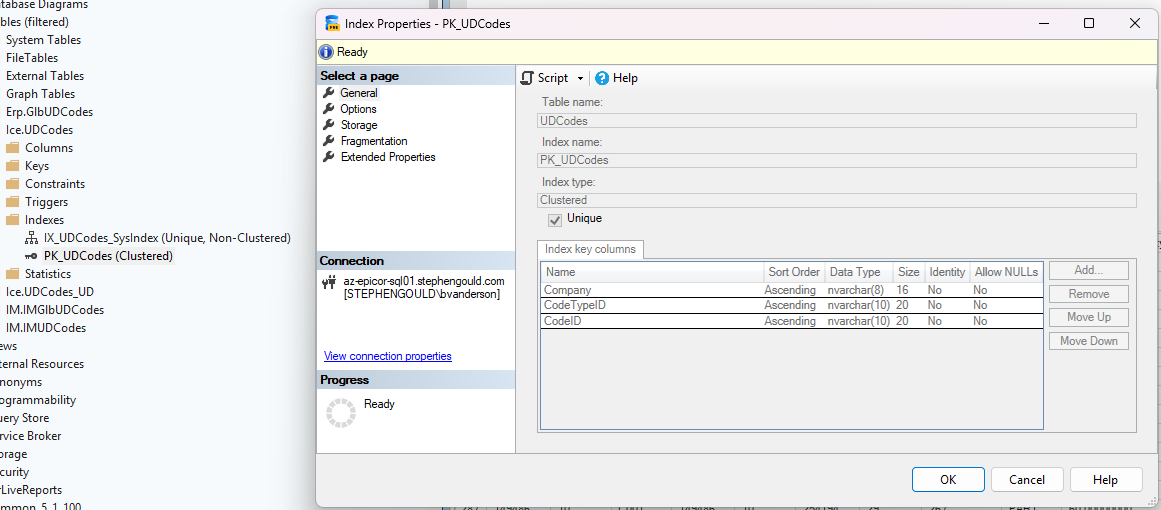
UDCodes uses Company, CodeTypeID and CodeID. If you only give it a CodeID, it will have to scan the entire UDCode table trying to find the matching record for every query row. But if you define the CodeTypeID, it would narrow the scope and may improve performance.
May not remove the error though. This doesn’t really address the “index” issue in the join itself.
It’s quite a simple join in a bigger BAQ converting a custom field created for Depot (which produces a number code) to it’s more user friendly corresponding text description which I get from the UDCodes table.
I have seen this error on many table joins it is just telling me there is no index that can be used in a join between those two tables but the join still works and gives me what I need.
Its not an error, its a new “helpful” message they added recently. Helpful is in quotes as we can’t actually add the necessary indexes so its more irritating than helpful. If you are on prem you can index away.
If you actually want to see why your baq is slow generate the execution plan.
Gross… More deaf ears on doing something about indexes. I’ve been asking them for years now for a review. I’ve been told at one of the breakfast things at insights last year that they had some new guy that was supposed to be good with SQL and making inroads on the problems (I saw problems, Epicor clearly doesn’t), but so far, I haven’t seen any evidence that anything is changing as far as crappy indexes go.
Crappy indexes, no indexes, its so frustrating. Even better is when they start emailing you that your BAQs are running too slowly (cloud team monitors this and “helpfully” notifies you). And the execution plan shows that the problem is 100% due to missing indexes/outdated statistics.
On the filtering of the table (I’m assuming that’s what you did, since you won’t show us) you said you added a filter for “=” “Depot”. You should also add a filter for company. Then it can use an index, and should make your BAQ faster, not slower. Without the Company added, it’s not going to use an index because almost all of epicors indexes start with company.
Just as an aside, I ran my BAQ without the criteria and it took 8665ms
with the criteria it ran in 1402ms so even though BAQ designer still gives me the Index warning, I am taking that as a solution, cheers Brandon!
Why don’t you think that would help @aosemwengie1 ? Primary key is Company, CodeTypeID, CodeID. Without the company it’s going to scan the whole UD Codes table for every join. With the company, it will seek.
Obviously it did help . . . but I have major issues joining to UDcodes even with company specified. Once you have tens of thousands of rows in there its a problem because the code types and code ids aren’t indexed.
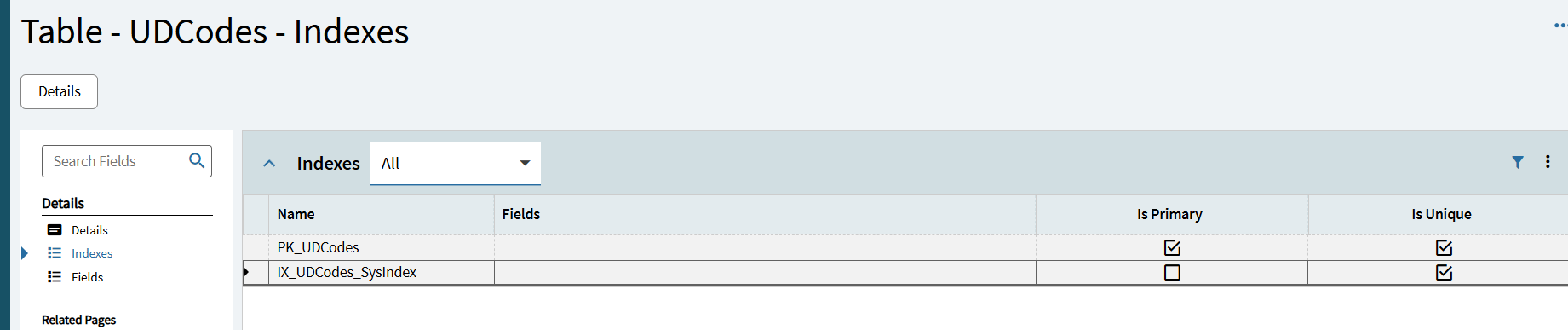
Why is the fields column blank in the data dictionary? That is what is making me think they aren’t indexed since I don’t have access to the database itself.
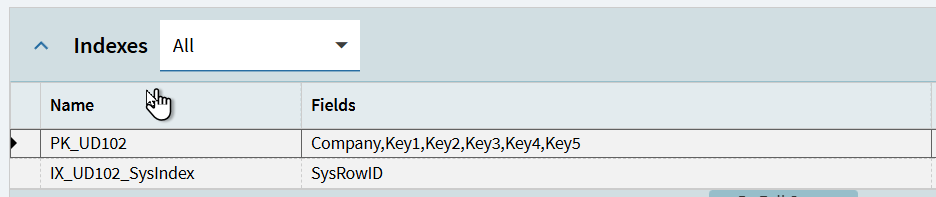
I am expecting it to look like this one, for comparison: