Hello Philip,
Hope you’re doing well.
This is a great post, thanks for outlining all of the information, makes it easy to spot what’s going wrong. One critique, we do need to see more than the fact you’re joining the JobHead to Memo next time. We need to know what fields you’re joining, as that is what’s actually causing your error.
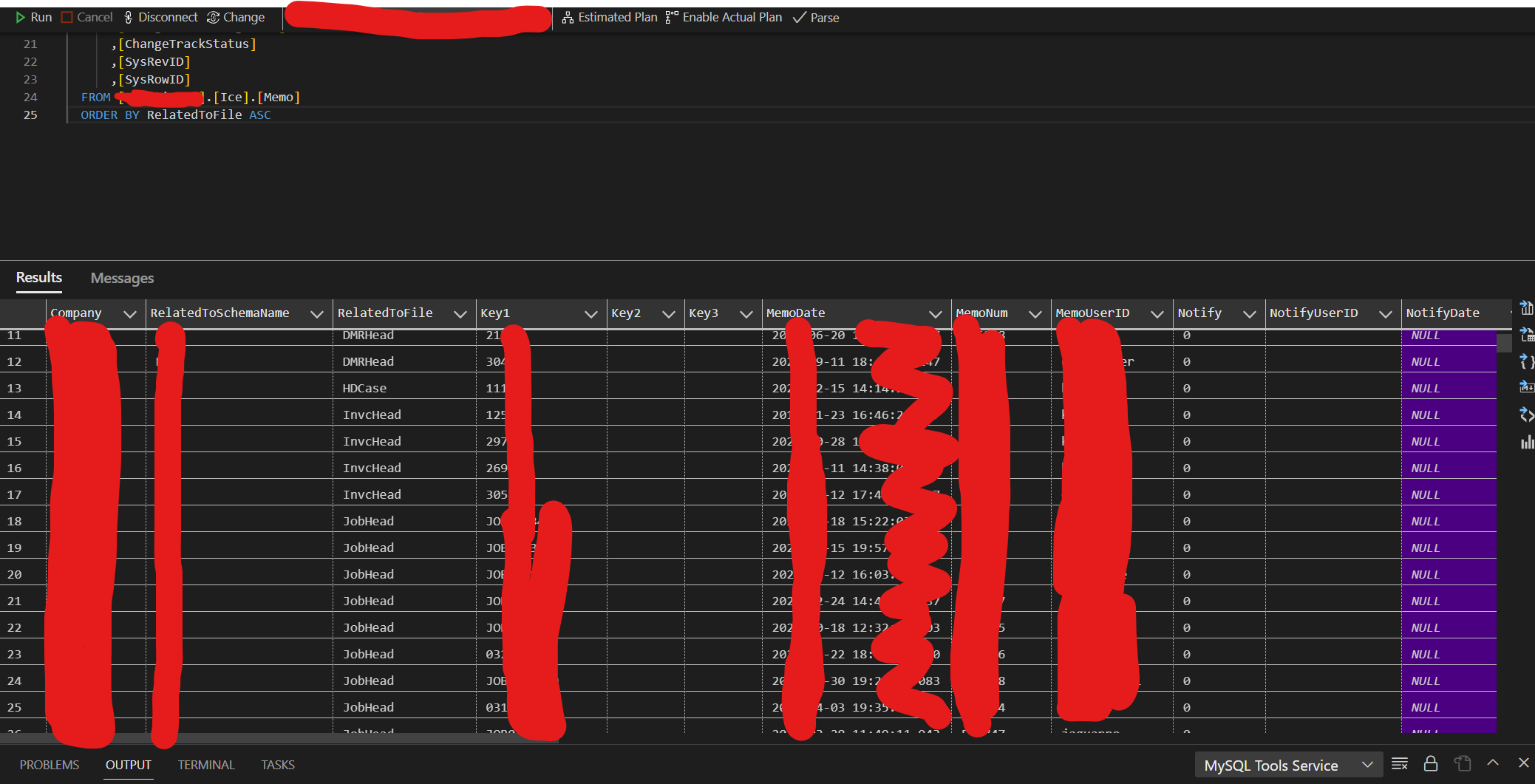
First step to doing anything with a BAQ is understanding your data, and how you can use logical connections to join tables. My first thought when I saw your post, was to go into my DB tool, and look at the schema. (Note, you can do this several ways, I just chose a SQL tool since we are on prem)
Here, you can see all of the fields you’ll need to get started. First, note the “RelatedToFile”, we will need this to filter only for the JobHead memos. (Note this is the Ice.Memo table, so many system objects use this)
Next, we can see the “Key1” field is the ID of the record.
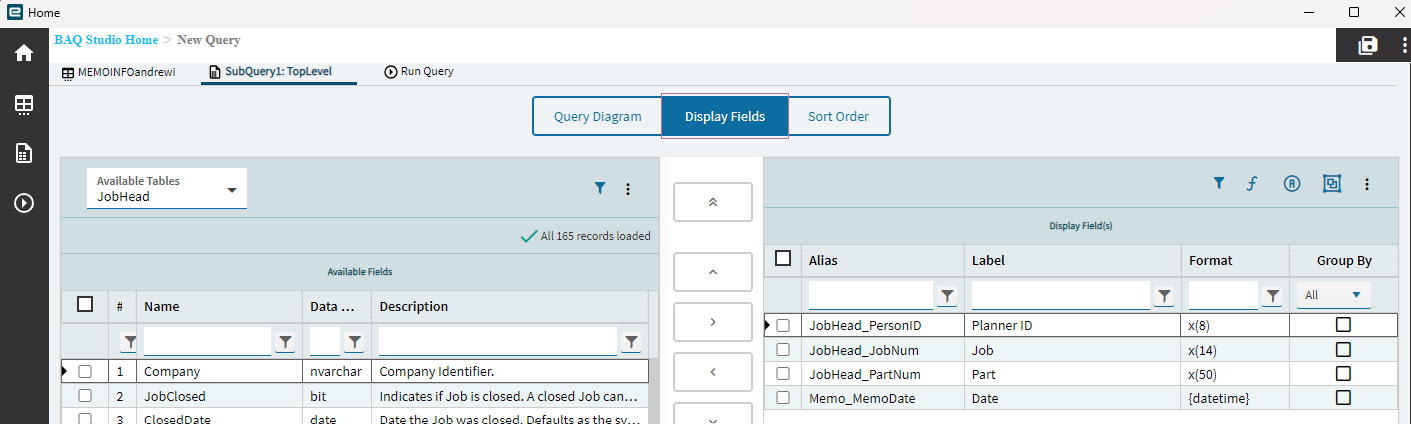
Then we see “MemoDate” is the field data we want.
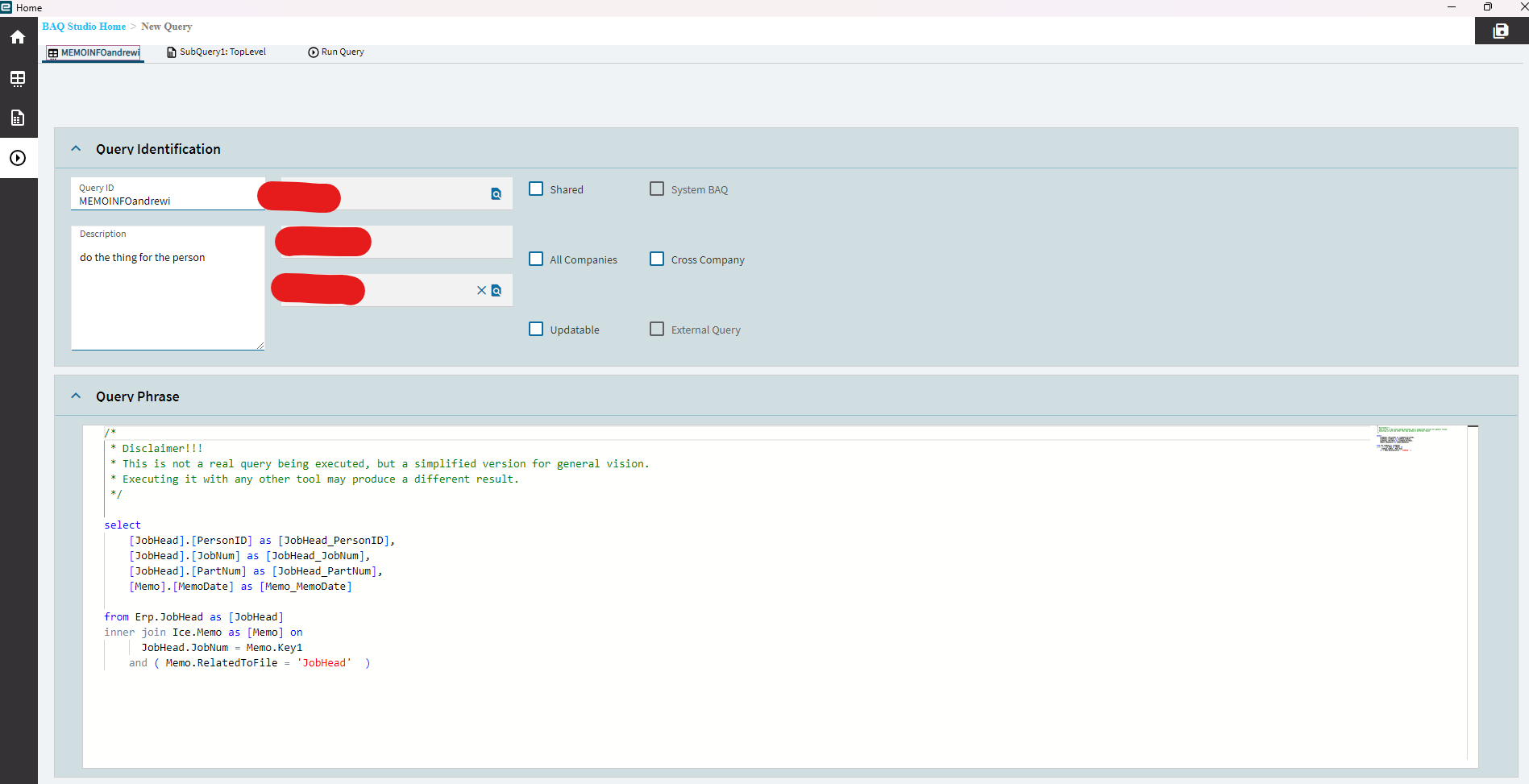
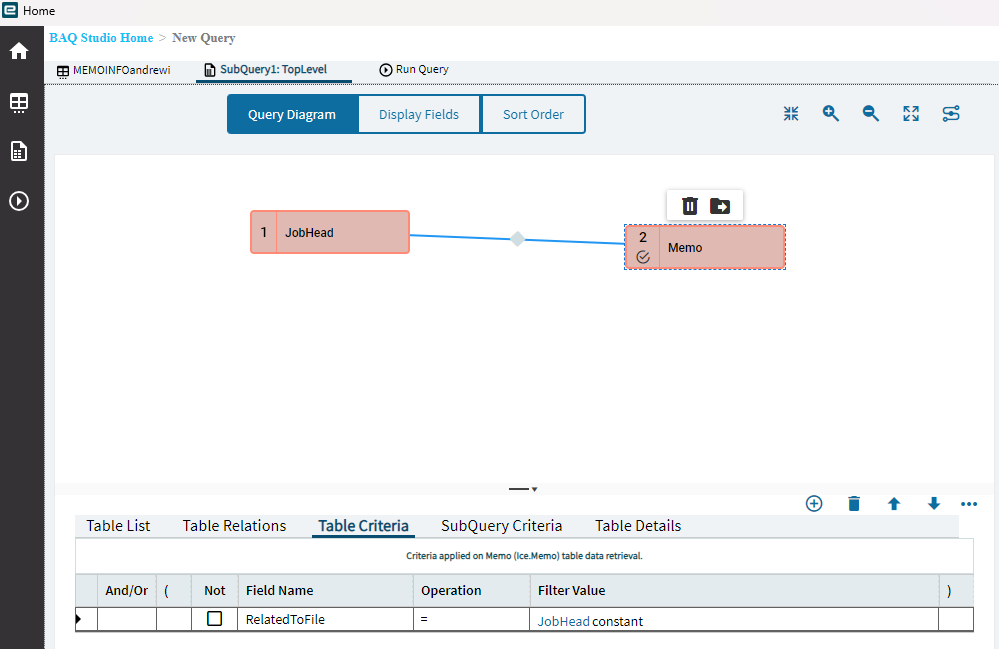
Therefore, I can “Join” my tables ON the JobHead.JobNum = Memo.Key1.
WHERE Memo.RelatedToFile = “JobHead”.
Here is what this looks like in Epicor’s BAQ program:
Final note, you will still see a warning stating:
But this isn’t a concern. Feel free to ignore it, you only see that because there isn’t a direct relationship set up in a traditional way, as you would see when you join the JobHead to the JobDtl.
Let me know if you have any questions, have a good weekend~