Kinetic 2025.2 - Show Less Controls button

has anyone figured how to Keep this activated without the need to press the button? I want to have that extra space in the head of the grid. before the update it was fine but now if I want to see everything I always have to press that button.

If I don’t press the button it looks like that.

So I need a way to leave it activated.

3 Likes

Have you found a way to fix this ? I’m testing the new version and have the same problem on some of our apps and it’s annoying to always click

I haven’t figured that out yet :confused:

Sad Cry GIF by Piñata Farms: The Meme App

What form is this? I’ve not ran into this issue but I also don’t recognize the screen in your shots.

This can be anywhere… its basically when you load too much stuff into a panel card header bar.

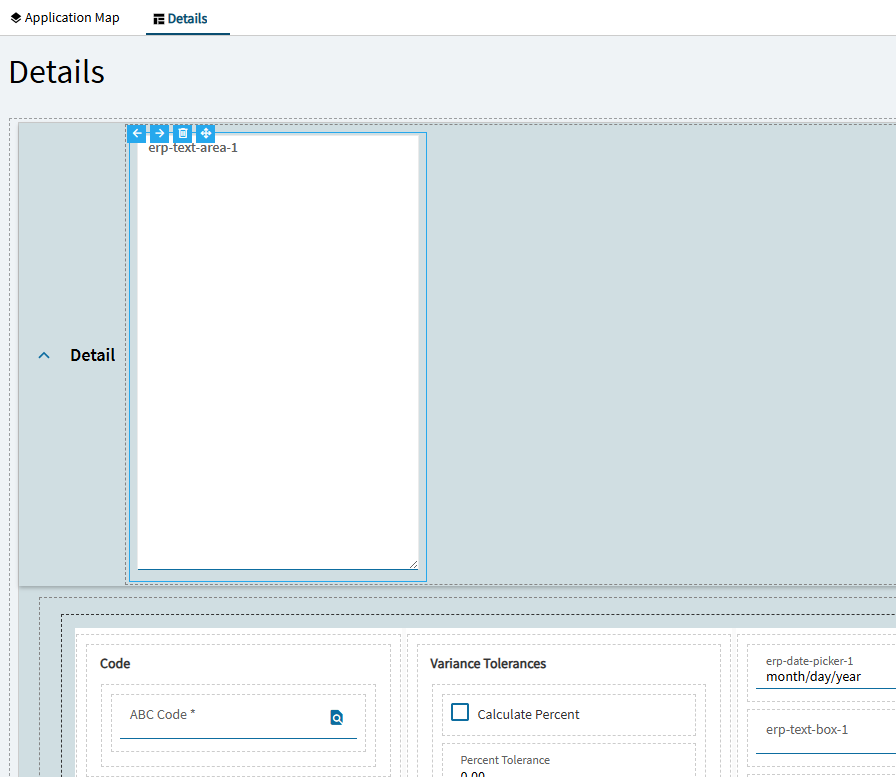
You can cause this if you toss in a text-area with a large default visible row setting:

The “unfold” icon magically appears:

I’ve played with it, but I don’t think its anything that is exposed in app studio. And I haven’t found that it is a control you can bounce a property-set against. Its just an artifact of the UI.

2 Likes

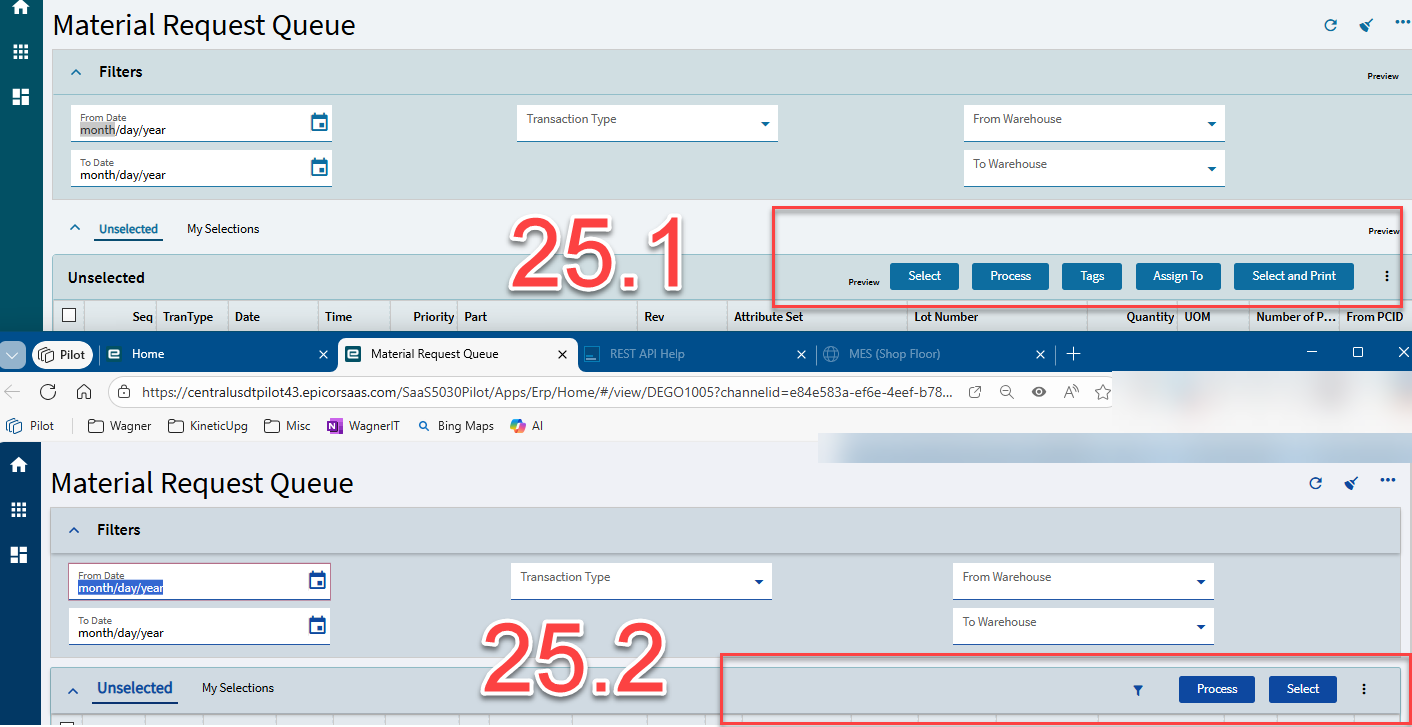
Yeah, they’ve totally changed the header bar in 25.2. I did notice they messed up the Material Request Queue buttons down to two. Our warehouse team is not happy.


1 Like