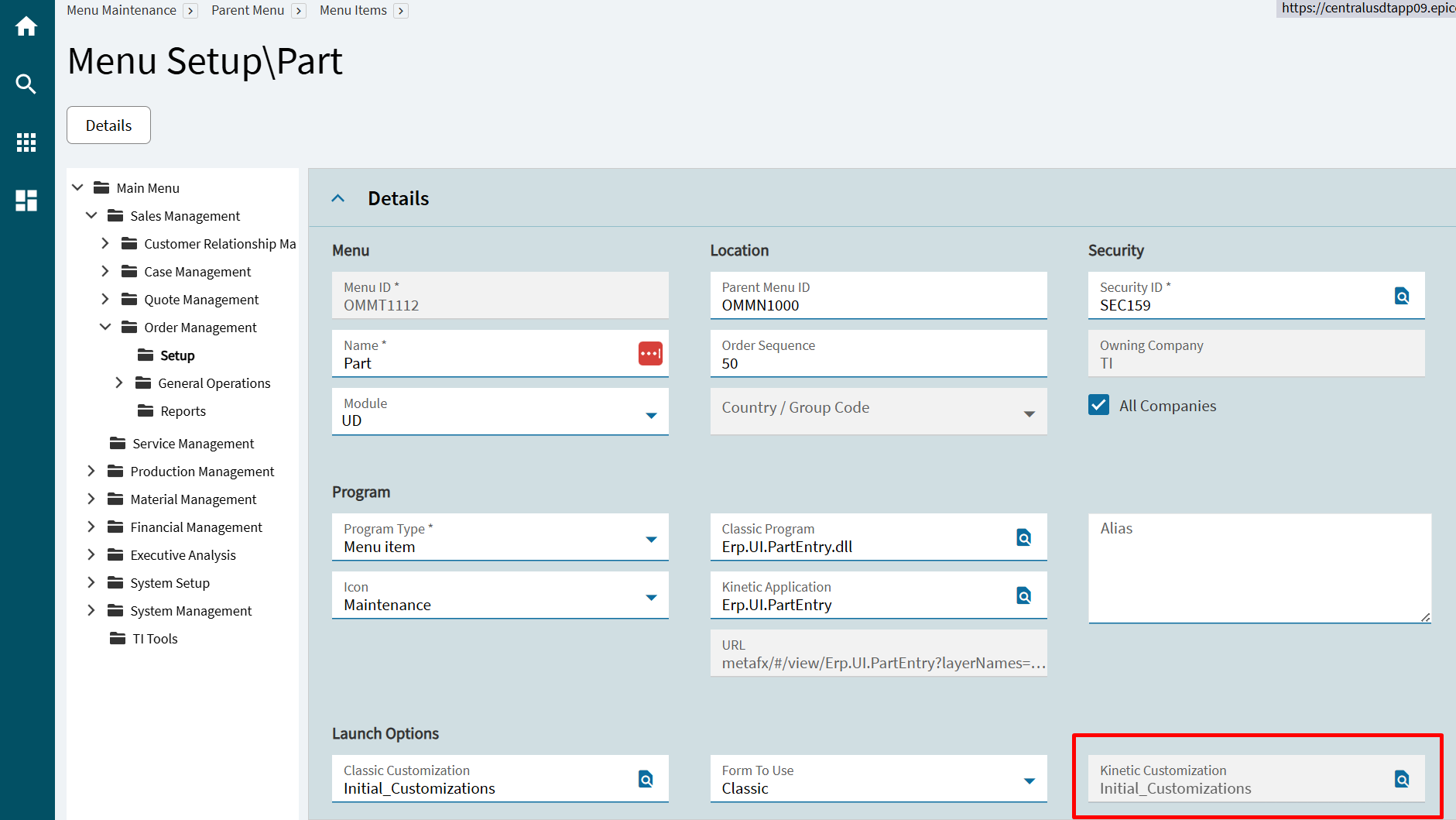
The problem (I believe) is each form has an independent app-open event… and those are calling the base layer of the target form. So, you can update Part Maintenance, but you then also have to customize (override) the app-open event in each form that opens Part Maintenance in order to have those app-open events to call your assigned custom layer.
I entered an “Idea” about this awhile back:
Add Ability (Option) to Add a Custom Layer to All App-Open Events
Below is the “text” from that Idea… I think we’re talking about the same thing:
I’ll admit I don’t know that I have the optimal solution to this issue, but it is a pain point.
We have the ability to override base Application Studio events with custom events, but often this is a lot of work to tweak one setting.
One particular such pain point are app-open events. Base events which utilize an app-open control to access other forms/applications.
** MES accessing Start Activity*
** MES accessing End Activity*
** MES accessing Start Rework, etc.*
** Case Entry accessing Quote Entry*
** Many, many others*
The base events are set-up to access the base form of these other applications.
If you have a customized layer for those other applications, you need to simply add the layer name(s) to the app-open portion of the event. However, because you cannot modify the base events, changing this one setting requires multiple customizations to be created.
Using Case Entry accessing Quote Entry as an example. If I have a custom layer on Quote Entry, it does not load when I “Create Quote” from Case Entry. Only the base Quote Entry form loads.
In order to get this to work I need to:
** Create a custom Case Entry layer.*
** Create a copy of the base CreateQuote event.*
** Set the trigger to override the base event.*
** Add my QuoteEntry layer name to the app-open portion of the event.*
** Publish the Case Entry layer.*
** Apply the new Case Entry layer in Menu Maintenance.*
Basically, the pain point is… I customized Quote Entry. But any form in the system that has an app-open event to access Quote Entry must then also be customized. Customizing one form ends up requiring the creation and maintenance of several others forms just to access it.
Again, I understand the reasoning for it and that a solution may not be straight forward. You could have app-open events where you want specific custom layers applied for various reasons, or not.
Once you understand the requirements, the customizing part of this is not that complex. I’m just wondering if there is a better way. Is there a way of skirting this custom layer domino effect where customizing one form then requires the customization of every other app in the system that provides access to it?
Perhaps a toggle when applying the layer in menu maintenance that will automatically add that layer to all app-open events for that application throughout the system. So, when adding my Quote Entry custom layer to my Quote Entry menu in Menu Maintenance, I have an option to “apply to all app-open events”. Best I can think of at this point, but certainly open to other solutions.