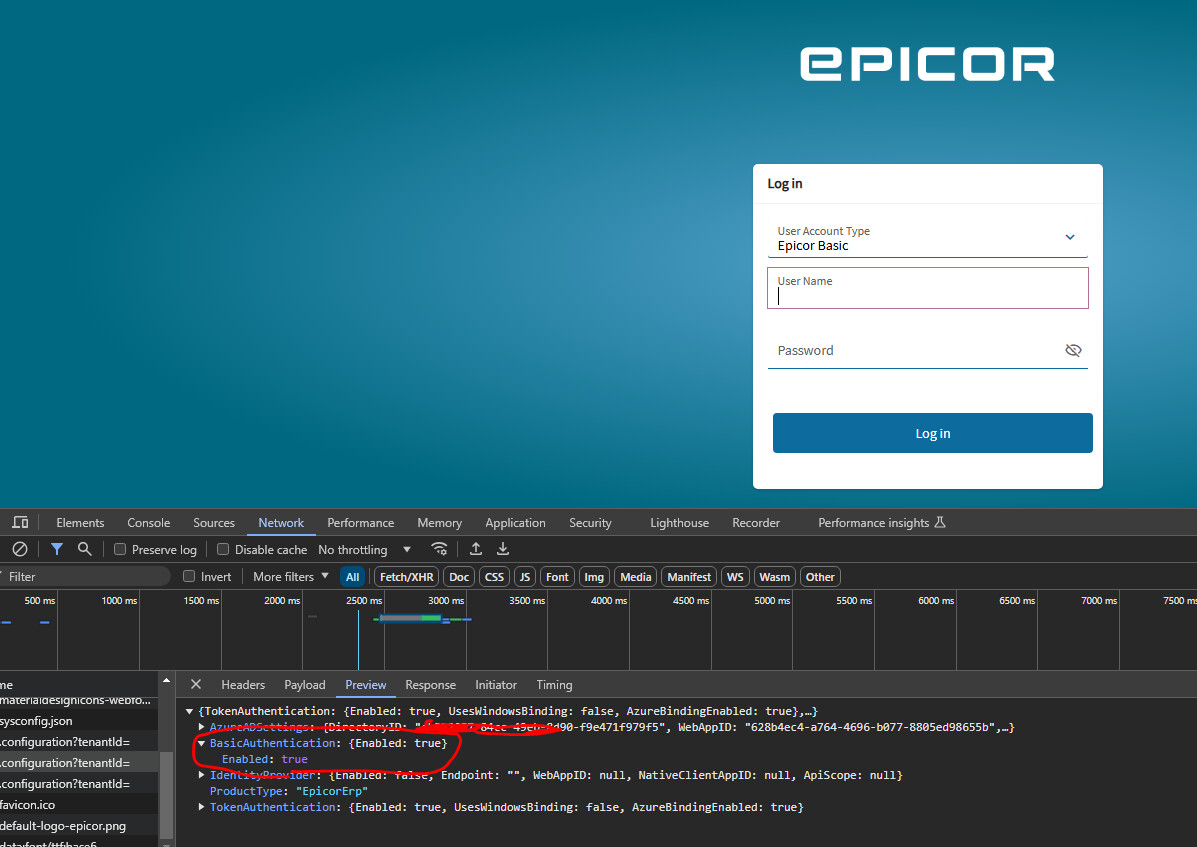
Kinetic - Azure AD Disable Basic Authentication in Browser

Thank you, that’s what I wanted everyone to see. I’ve tried to post about this and everyone tells me that the system has to show basic auth and other options because it can’t know what the user has allowed until they try.

But that’s just it, why then were you allowed to try basic auth and it works??

Thank you for doing this and great job dictating it to everyone. Wonderful post.

These are the types of posts and contributions that we look for from users… full discourse, someone invested in what they are doing. Thank you.

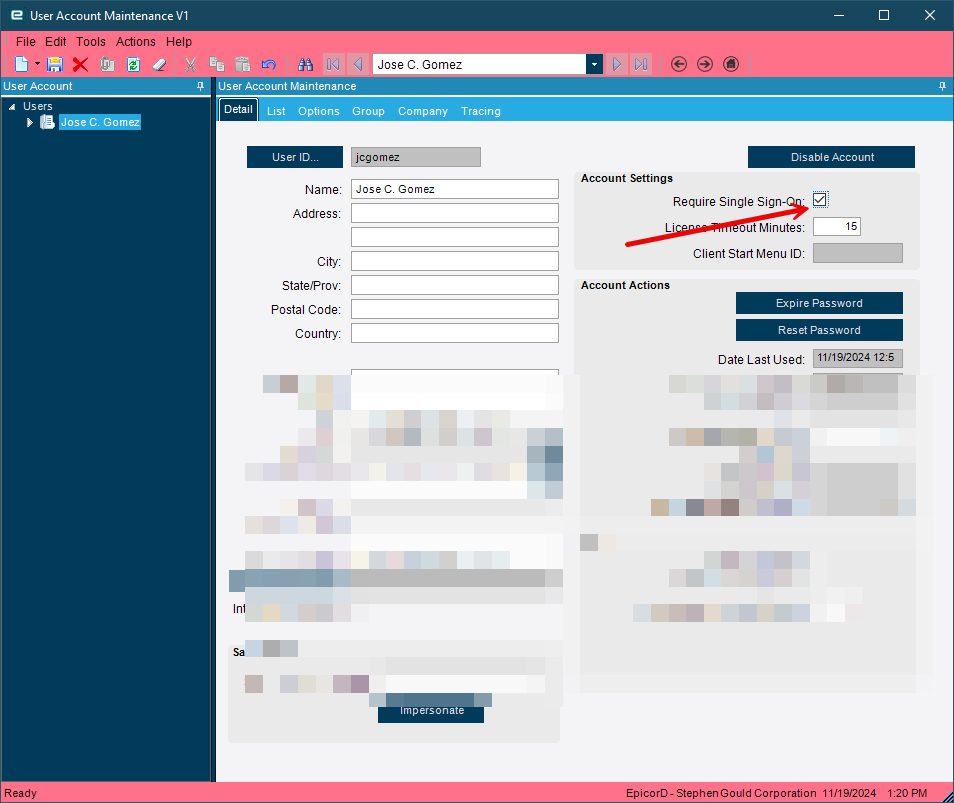
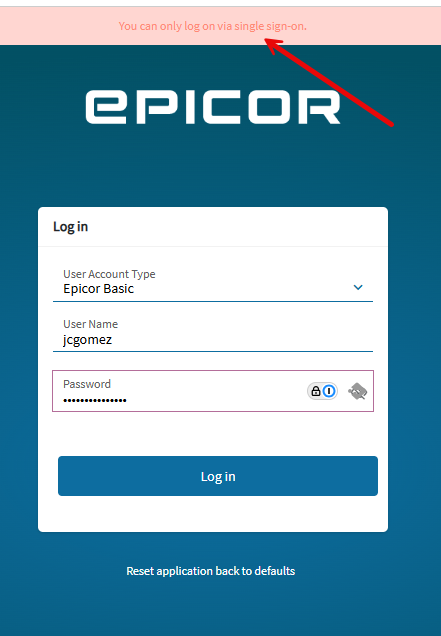
@josecgomez are you saying you can do this same workflow and it will stop you from using basic auth?

If you flag the individual user account as rquire SSO yes.

2 Likes

2 Likes

I am surprising why i am not getting this above error. Have you done any change in the sysconfig or Host file.

Even you can refer to my video its very straight forward setup . Is anything is missed out ?

1 Like

Thanks Jose, I know you are a busy dude and always appreciate when you take the time to chime in.

1 Like

Mohamed, I was about to look up DEV Task TASK7247870 which I think acknowledges this as a bug in your version. I am going to try and confirm now.

Yeah @Mohamed_Yusuff_S , PRB0254919 is all about what you are experiencing.

Submit an Epiccare ticket and ask them which version or release that this problem was fixed in.

You can see that @josecgomez has shown us it is fixed in 2024.1

Did anyone or epicor support team has provided any solution. I even tried of modifying the js script main.f2 which is handling the login request. No Success

There is no workaround Mohamed.

That’s why I am saying create a ticket and ask them what version they fixed it in. If you can’t do that I don’t mind doing that for you as I too am interested.

Simple man , if I raise ticket with them . They will say just upgrade your Epicor version it will work . Our problem is when we migrate from previous version to the current version 2022.6 we faced lot of issues and new bug arise that’s why our team is hesitate to migrate to newer version

1 Like

Possible workaround

Add the following Keys to Hosts.config file (or Web Config in order versions) under App Settings

        <add key="AdvertiseAuthentication:Basic" value="false"/>

NOTE… This will stop basic from being advertised as an option

It’ll look lke this
image

6 Likes

You can also add this as a record to Ice.Sysconfig to allow it to apply to all app servers and persist through upgrades etc.

As Jose says this does not disable basic auth. It just doesn’t advertise it on the base URL /apps/erp/home or /home

3 Likes

F’ing love this forum.

4 Likes

Yeah, that’s what it is at this time. I feel your pain, I was very frustrated when we implemented 2023.1 from vantage 8 to see that this limitation existed.

Looking to go to 2024.1.X next spring though as that seems to be relatively stable for us given our usage of the core system.

Hi Jose,

I tried but no luck (added the key in both host and web config no difference) still the response is having basic authentication. Even i have inserted record in sysconfig table
1

THat’s in the wrong spot it goes in AppSettings.

1 Like

nope i even tried not working

1 Like

Have you recycled your app server to pick up the changes?

2 Likes

I have tried all the possibility by recycling the pool & redeployed the application

1 Like