If it’s that large of a concern to your organization I would tell them you need to upgrade and let them know that they need to deal with the other bugs.
At the end of the day you’re really fighting it here.
I appreciate your willingness to try everyone’s recommendations and contribute to the forum on this matter though!
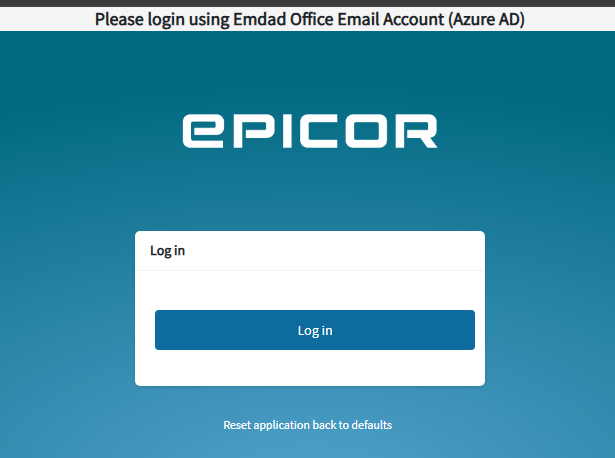
By the grace of god, I found the solution used my little html/css knowledge to trick the system to achieve this effort
I modified the index.html file of the web server in the www folder and added the below lines with small text for our office user thats it . Working like a champ
This workaround will definitely works for everyone regardless of any epicor version
Personally thanking everyone who shares their views and effort. Hope this will help someone
The one problem with this is that upgrades can overwrite the changes you made to the index.html file
Updating the app configuration would be preferred, either through hosts.config file as @josecgomez mentioned or using Ice.SysConfig table as @bconner mentioned in this post
@mbayley Even I will not prefer to do this way, unfortunately no way worked for me so i have tight deadline to finish the migration. epicor support team advised to upgrade the epicor version.
The version upgrade is in our control so no worries even after doing the version upgrade if the default option works then ok otherwise i have to rework to identity the js element and disable the view.
I think others were saying here Mark that on upgrade the file that @Mohamed_Yusuff_S modified would be overwritten, but should still be documented for sure!
Thank you!! Setting up IDP and have confirmed basic authentication not allowed when the “SSO Required” checkbox is selected on the User Account in Epicor. Whew!
Not sure, but we will be working on the setup of Epicor Kinetic Warehouse on a handheld device that currently uses basic authentication (E10) which uses REST API but not certain of version/details.