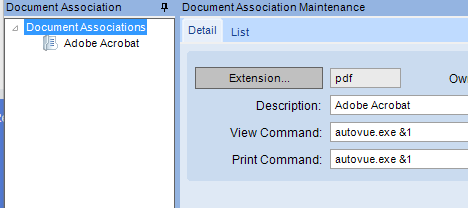
Our users print-preview a lot in Classic, which opens the report in Kofax PDF where they can mark it up as needed.
In Kinetic, it seems print preview only opens in the browser, for us MS Edge. We want to click Print Preview in Kinetic and have it open the generated PDF in Kofax PDF instead.
I’m assuming this is impossible, but thought I’d ask.
This is the way! In Firefox, it’s Settings, search “applications”, and it’ll be right there. Feels a little clunky but not more so than changing Windows default applications. Sometimes having to do that again after Windows updates revert them to MS products (yells at cloud).
The Windows policy change ended up being the same thing as settings in MS Edge (“Change to Download PDFs”), which displays a download button after preview is clicked. This, then, opens the downloads folder popup and you have to pick the desired download to open in your desired PDF viewer.
However, that Kofax link points out that you can right-click on the download and choose “always open with system viewer”, which eliminates one step for the user.
So, they click print preview, wait, see the download button, click that, then it opens in desired PDF viewer. HOWEVER, they now have files being added to their downloads folder… we may add a script to purge these files, as they will add up quickly.