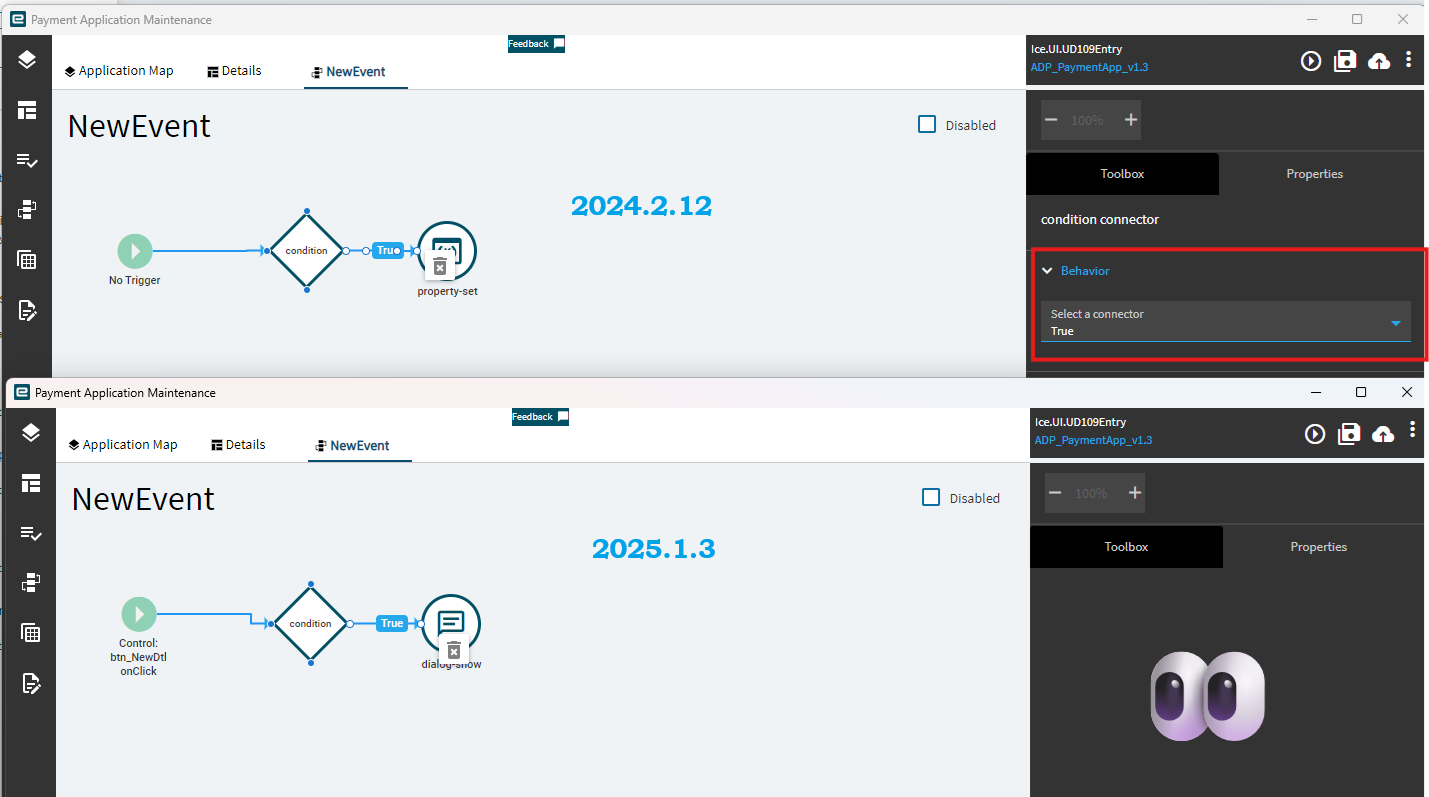
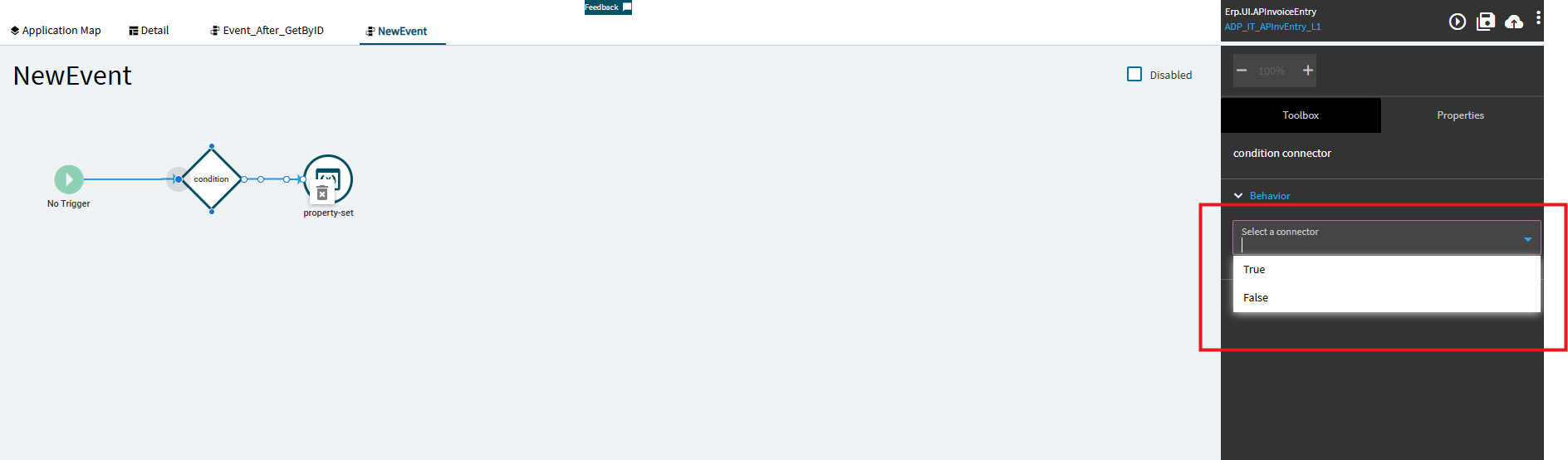
Highly appreciated to see your progress, Gabe—We’ve been hunting high and low without any catch so far. There’s no way forward without these Conditioncomponents in our customizations. My colleague and I agreed not to open any layers until a robust solution emerges. We also don’t want to disturb those mummified layers that are working smoothly, unaware of what’s happening in the outside world.
If it smells like a bug, support archive it in the ‘Do Not Disturb’ drawer
All I have is good news—the development team has accepted the bug! I’m now trying to push it through known connections inside Epicor. I request all fellow members to mass-report this issue to get more focus ; otherwise, these Classic sunset will be
This is the key. If you see this and you have changed nothing, click the X on your tab and completely close App Studio without saving. Any other actions will save the corruption to your layer. You may lose a small bit of progress by closing the tab, but it’s the least invasive in my experience.
Regarding the OnSuccess bit, I’ve had good luck going to the widget’s properties > Behavior and clicking OnSuccess that way. Every single time I try and draw a connector and add the OnSuccess property to it after the fact, some kind of corruption happens. In my case, it stops saving. You can click save/commit/publish/whatever, but the loading bar showing it’s actually saving doesn’t happen and when you close the event, everything you added after your drawn connector is gone.
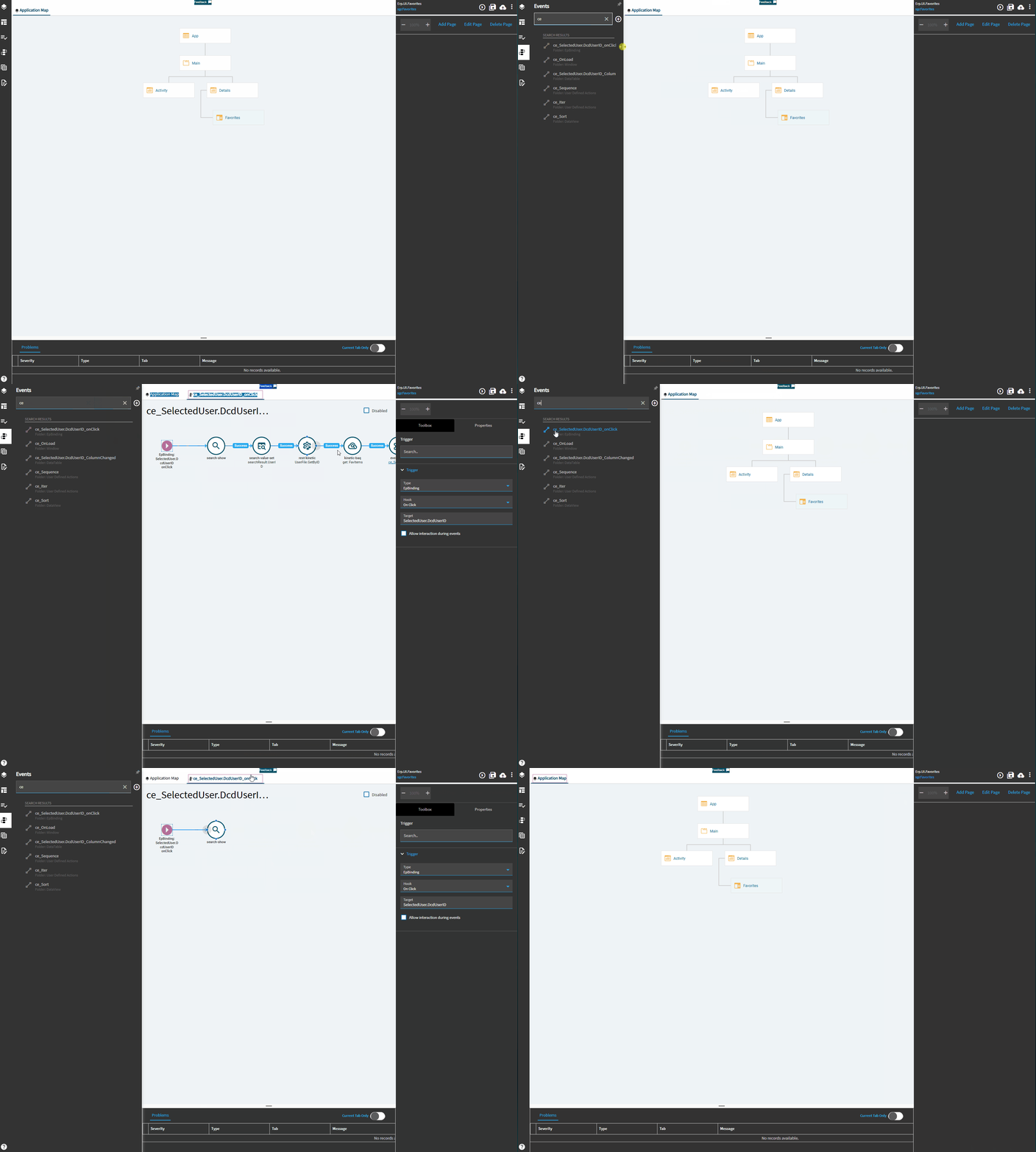
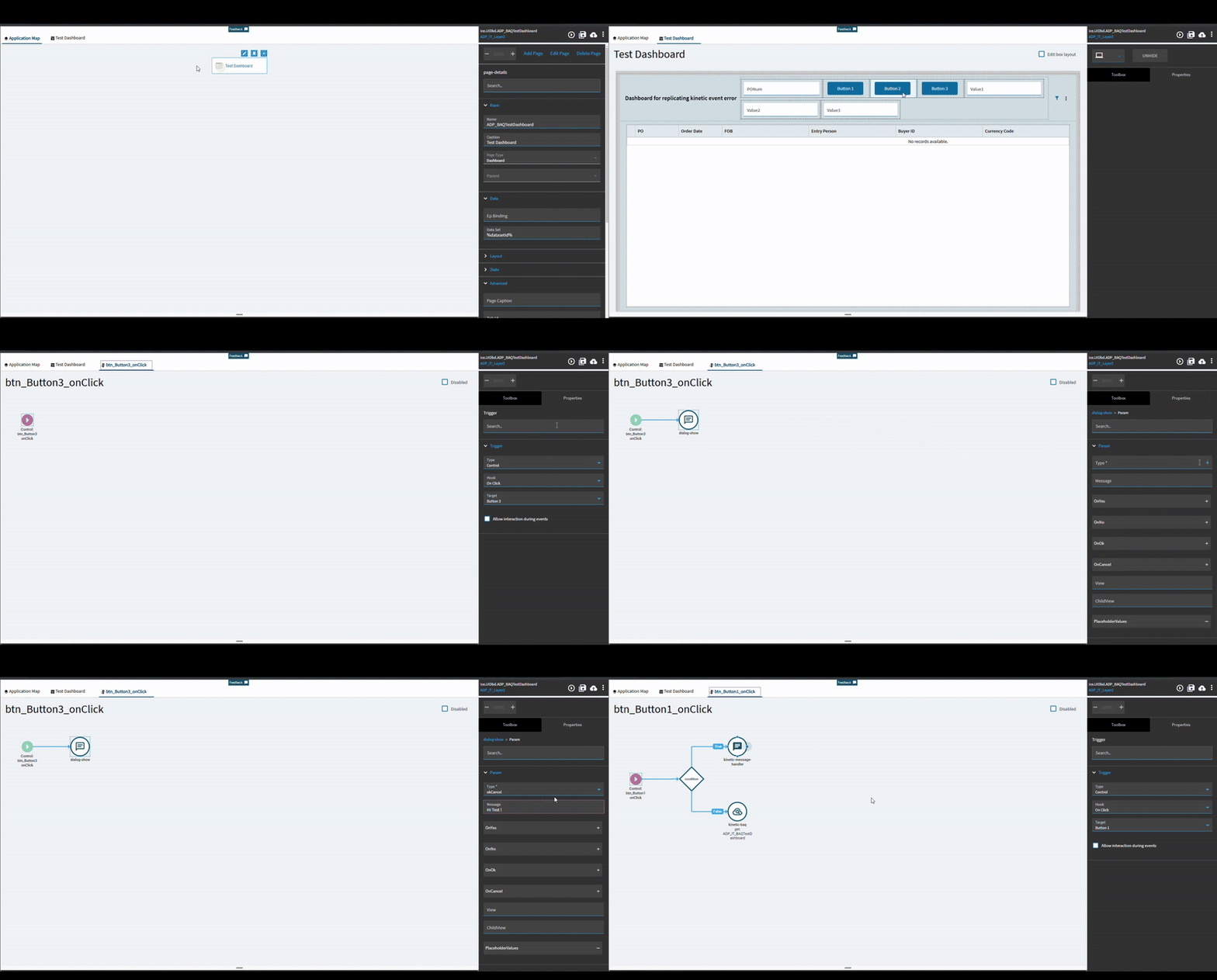
This is what we share with support ; whenever we mess with Button 3, the events in Button Click 1 and 2 just disappear out of nowhere
Good news and bad news!
The good news: the issue will be fixed. The bad news: you’ll have to wait for the 2025.1 release.
So, why not vibe to The Beatles until Bieber’s next track comes out!
This is really a frustrating issue. I’m assuming that Epicor will eventually resolve it. However, I discovered something last week that makes it a bit more manageable for me at least.
Often, after saving a change in an event, the changes didn’t seem to take effect. When I closed and restarted the program, the changes were either gone or, even worse, something else went wrong.
I found that if I close the event after saving and reopen it, there are no issues. It’s a few extra steps, but it saves a lot of frustration.
You know it’s funny I thought there were similar issues rithe at the beginning with this sort of behaviour back int 10.2.700… Could I be bothered installing it to check it out… maybe not:)
Yep its funny because they actually provided this as the official solution in the app studio training class at insights. I think it was even written in the lab book instructions.
Following this thread, I think what you all are talking about, we managed to get a PRB for it. Our PRB is complete now and is set to be in patch 12. We are currently testing 2024.2.10 and upgrading this weekend to that version.
This was our description of the ticket. I think it relates, but I thought I’d let everyone know what we received.
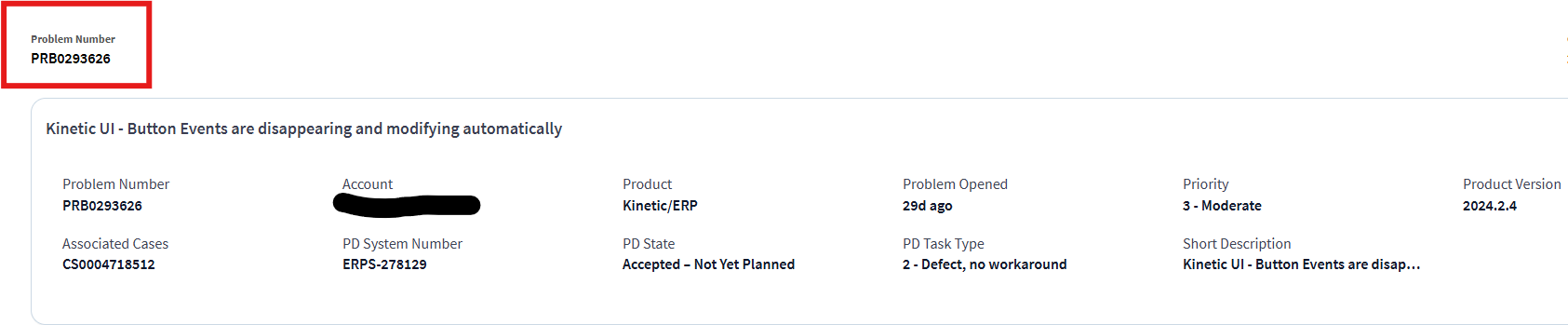
I’ve got PRB0295392, mine is Submitted to Development, “Workflow is prompting to save changes when no changes have been made, and widgets randomly disappearing from Event Workflow”
My simplest test case for this is to open Application Studio, go to Erp.UI.SplitJobEntry, open the “ValidateJobProd” event, and hit x to close the tab.
If you get a “save changes?” prompt, it’s not fixed.
I get a “save changes?” prompt on .12 on pilot. Whee!
Quick Update
The issue crawled back into its hole — looks like it’s fixed! Condition connector was the troublemaker and they removed behavior in 2025.1.3. I couldn’t get the issue to show up in my first tests. I’ll dig deeper and come back with more results soon!
I went through the entire release document and couldn’t find the problem number anywhere.
Looks like they followed the universal developer law: “If you can’t fix the code… just delete it.”
Thanks for the update!
Tested it on 2025.1.4 and looks like the condition connector finally decided to behave - issue’s gone. Let’s hope it stays that way this time.






 behavior in 2025.1.3. I couldn’t get the issue to show up in my first tests. I’ll dig deeper and come back with more results soon!