I’ve already submitted a ticket to EpicCare today about another issue, but now I’m running into another road block with these Kinetic Configurators. Working on a new configurator in Kinetic from scratch and I can work on the home page just fine. I’ve added combo boxes and they are performing just as they should when I preview. However, whenever I go to add a new page, give it a caption, and Save, it adds a branch called “Main”. This seems like it would be sort of correct to me, although I feel like maybe my second page should show up underneath “Main”.
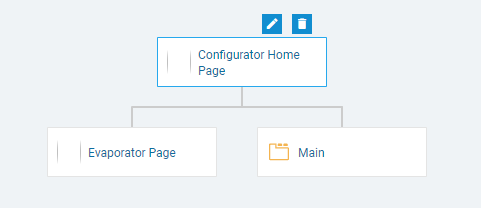
However, I keep chugging along and add a field to the “Evaporator” Page and preview to see if everything is alright. It’s not… Before anything loads, I get this error message:
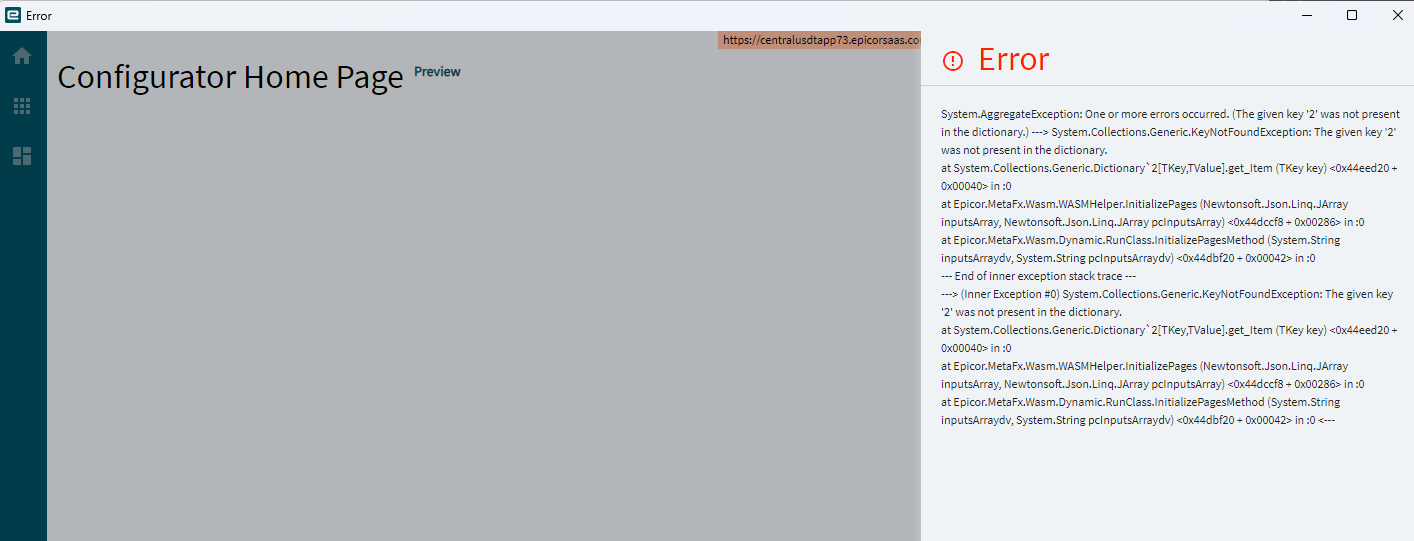
Having no clue what this means, I go back and delete that “Evaporator” Page to see if that’s the issue and sure enough, the configurator will preview just fine without that page, even with the “Main” page still in the Application Map. However, if I close out of the designer and open it back up, the “Main” page disappears.
Am I doing something wrong when adding a page? Is there a difference between hitting the plus sign on my home page and clicking the “Add Page” words? I have struggled to find any success with the Kinetic Configurators, even the one page configurator I worked on a little bit ago.