I (almost) finished the first of 6 quoting configurator screens and now I am looking at making another one. What I was told to do is make 6 separate screens for each of the production types that we go through. One screen for a part that is die cut, one that is sawcut, a die cut circle, etc. We currently have something like this in access database, where you can choose between one of the six and it brings up a new screen to enter in whatever information and calculates cost. They want something like this.
All that to say, would it be best to make a new configurator entirely for the separate screens, or add a new page to the first configurator that I made? Would adding a new configurator bring up a selection of configurators to choose from, or would new pages do that?
I’d recommend trying to keep this within a single configurator if possible. You could set something up on the first page that either navigates the user to a different screen or hides/shows pages based on what’s needed—depending on how you’ve structured your configurator.
I know this is a bit of a cop-out answer, but it really does depend on what you’re asking or doing within the configurator.
Do you have any screenshots or examples you can share of what’s going on? That might help clarify things.
Personally, if any of the logic is shared, I try to keep everything in the same configurator so I’m only maintaining it in one place. For example, I have a configurator that links to 15+ parts. Depending on which part number triggers it on a quote, different screens/options become available when it loads.
I agree with @Josh_Hudson. We have an extensive configurator - with separate pages per product line. I wouldn’t get into multiple configurators rather show and hide pages and options based on selections as they go.
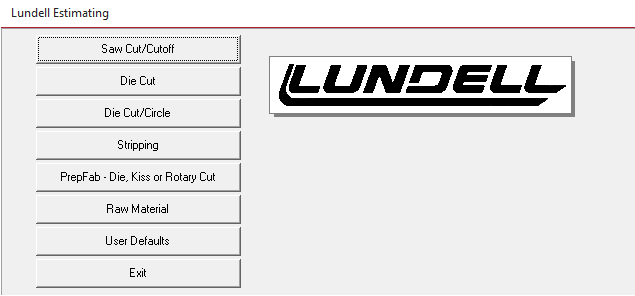
This is what the first screen of our access database program for quoting. It brings up a different menu depending on which one you click. They are all a bit different, diecut uses one calculation and diecut circle uses a different calculation to get the yield and cost. So, they all have to be different screens in Epicor.
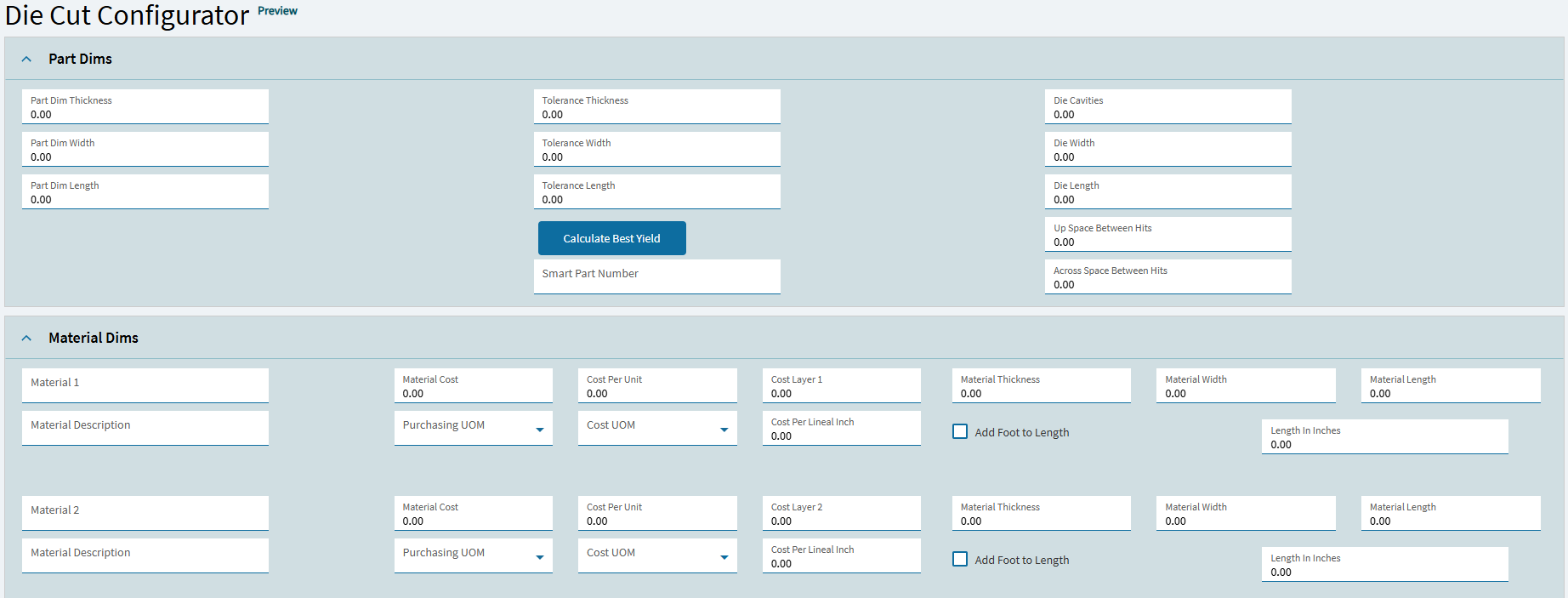
This is a small part of what I currently have for the diecut configurator screen. Below the screenshot is multiple materials, resources, labor and all that good stuff.
Whichever route you take, it should ultimately work. However, based on the information you’ve provided, I’d suggest using your existing database option as the foundation for Page 1. You can then use a dropdown to control which pages are visible, hiding the irrelevant ones depending on the user’s selection.
If there are fields that are common across all options (e.g. material input), it’s a good idea to keep those on Page 1. That way, the user only needs to enter that information once, regardless of their selection.
As I mentioned earlier, the benefit of this setup is that if something needs to change across all options, you only have to update it in a single configurator—rather than maintaining multiple versions with the same updates.
Hope that makes sense! - I’m deep into a data task at the moment so my head is a bit fried
As has been mentioned, either option will work and IMO there are pros and cons to either. We have both here, singular configurators that can do a dozen different product lines and have things change based on various selection points and stand alone ones that do a single product line.
What I use as the differentiator as to which way to go is how much overlap is there between the products in terms of how you manufacture them, if a group of products follows a similar/same flow through operations and share a number of common items in a BOM then I tend towards single large configurator but if they are completely separate BOO and/or BOM then I do individual configurators.
While it is nice to have the large singular one in that if something changes you have a single place to make the change (in theory & depending on how you have it all structured) the downside is that you will likely add a lot of complexity, particularly when you have a novel worth of rules on a material to call out all the different scenarios and that can become harder to maintain.