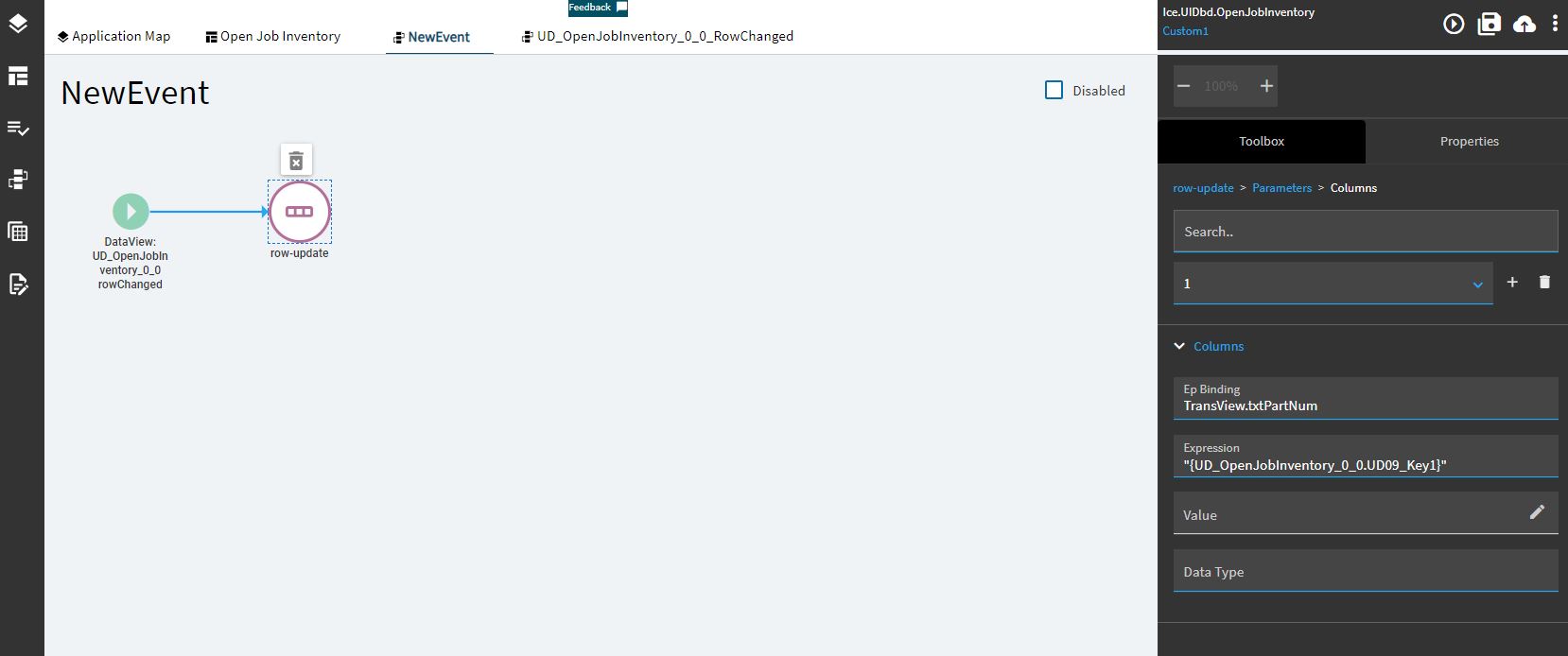
I created a custom event for my custom kinetic dashboard. The event looks at the native grid, and triggers each time the user chooses a new row. It works ok. See my post here.
Kinetic Grid Row Select Event - Kinetic ERP - Epicor User Help Forum (epiusers.help)
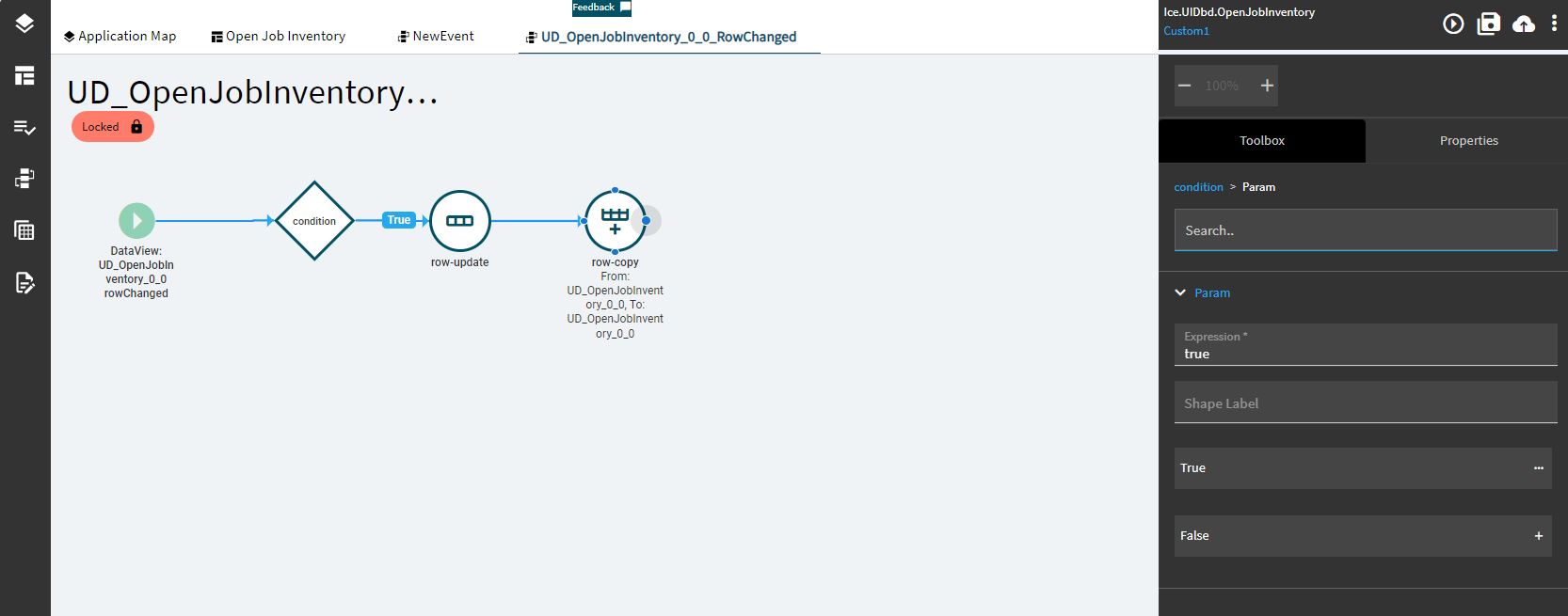
However, I forgot to name my event, and it saved with the name “NewEvent”. You can’t change event names after they are created. So I left it alone. Coming back a few days later and I have lots of server side errors that I can’t catch. I see that in my events Kinetic has created a new event (maybe at the same time I did?). The event it created is UD_OpenJobInventory_0_0_RowChanged. If I open this event and close it (without making any changes), it asks if I want to save the changes. No, I don’t. What is going on here? Why did it add an event that seemingly overrides my event? Do I need to start all over again, and make sure to name my event that name above so the system can’t make its own event?
The event I created:
The event Kinetic added:
Whatever is going on here, I relate it directly to this issue. Has anyone else dealt with event issues? What’s the deal?