datadaddy
September 17, 2025, 1:40pm
1
Wondering if anyone else has seen this, I don’t believe it worked this way previously
Situation:
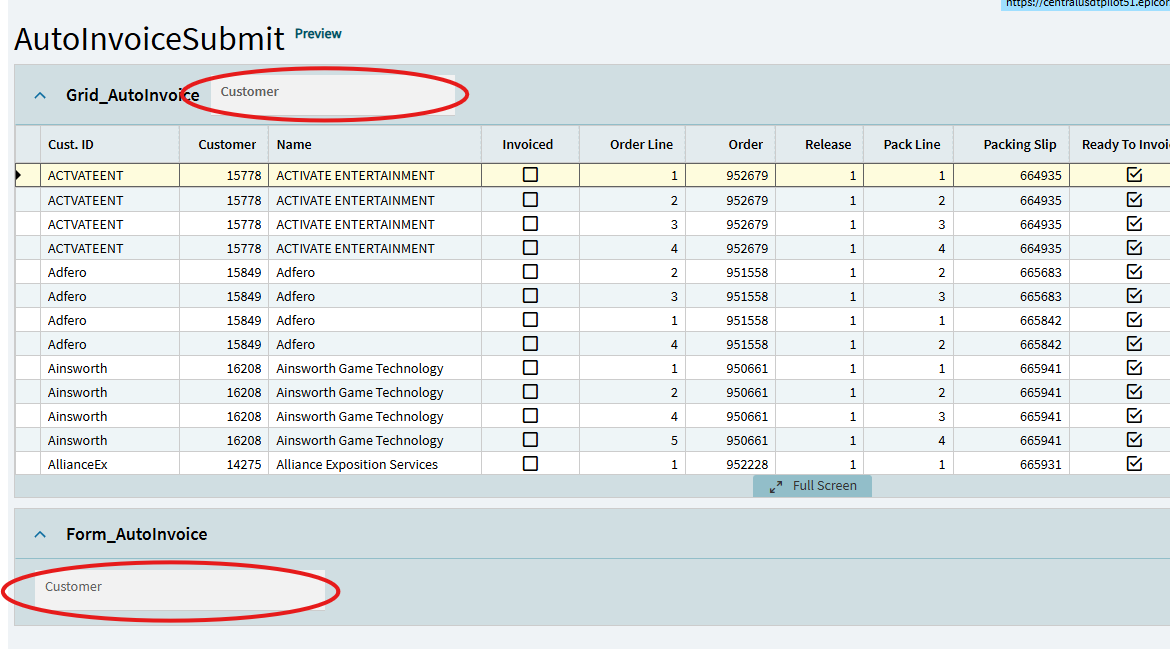
Created new Dashboard using application studio wizard
Data source for the grid/view is a new query, query is not updatable
Grid properly shows data when application loads
Added a text box in the Form section and set epiBinding to “TransView.Customer”
Also tried adding a text box in the Panel-Card-Grid above the grid
In both cases the text box is not allowing input
Thanks
carlosqt
September 17, 2025, 2:05pm
2
H Scott,
datadaddy
September 17, 2025, 2:31pm
3
Hi Carlos,
I did not even have a TransView view, so I added one,
What is the correct way to setup the TransView view so that it has a record ?
Thanks
carlosqt
September 17, 2025, 3:13pm
4
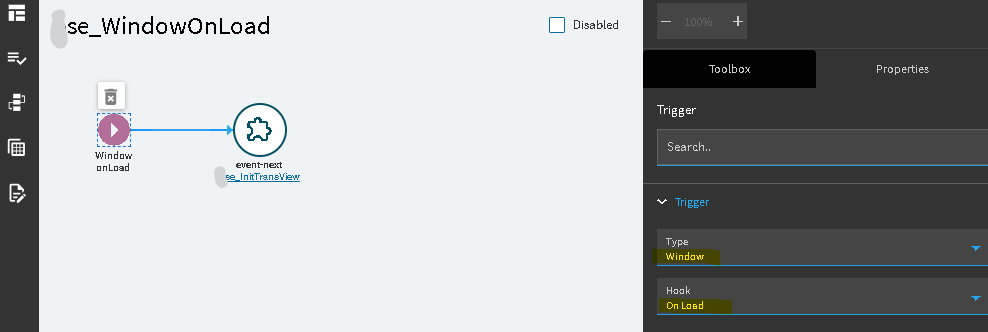
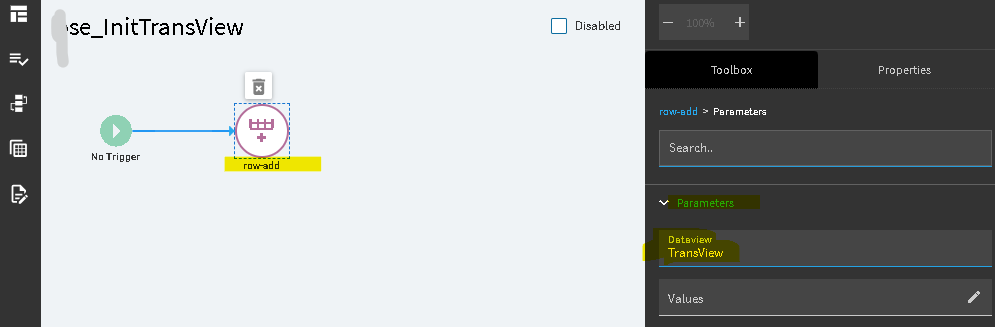
You need to add an event with a row-add widget on the Window On Load event.
Something like this:
1 Like
datadaddy
September 17, 2025, 3:14pm
5
Yep, just figured that out (I used row update and set a field, but I like your approach better)
Thanks
1 Like