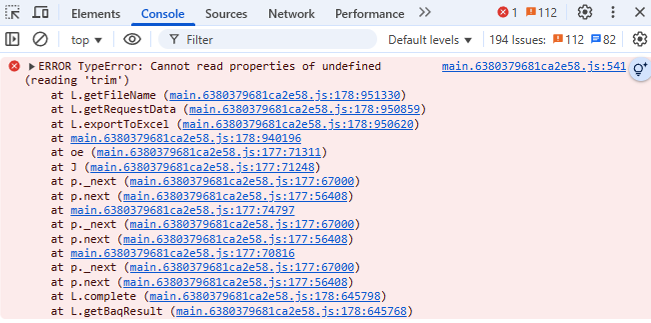
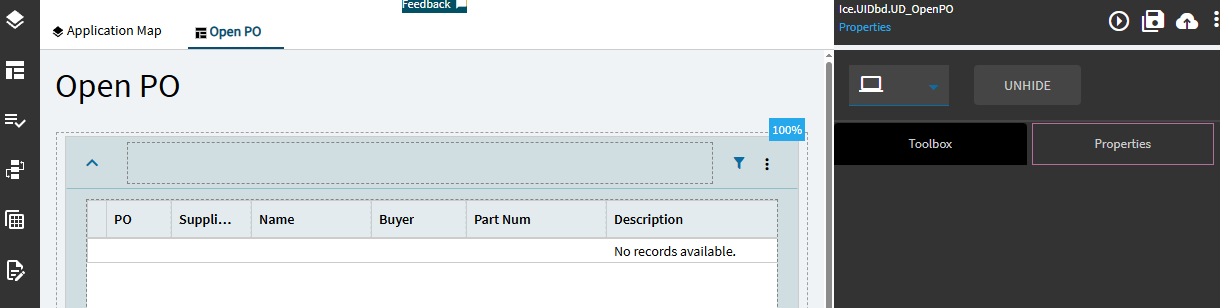
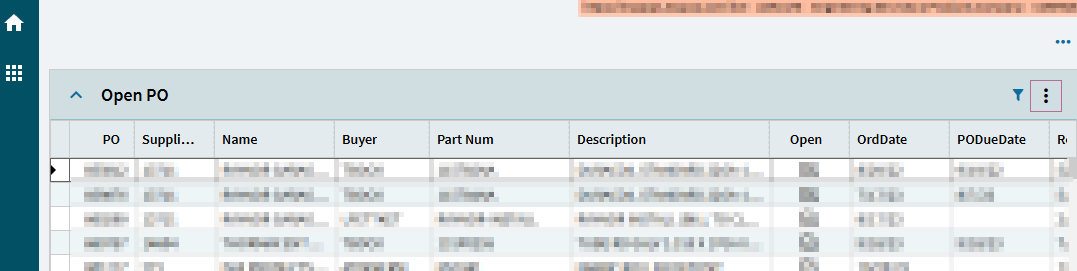
Any idea why I’m not able to export to excel in some of my simple single grid, non-updatable Kinetic dashboards? It doesn’t work in the client or on the browser. Nothing happens when I go to overflow… and click on ‘Export to Excel’, besides an error on the F12 developer tools console.
If I select rows, then overflow and ‘Export selected to Excel’, it works.
The console tab error is:
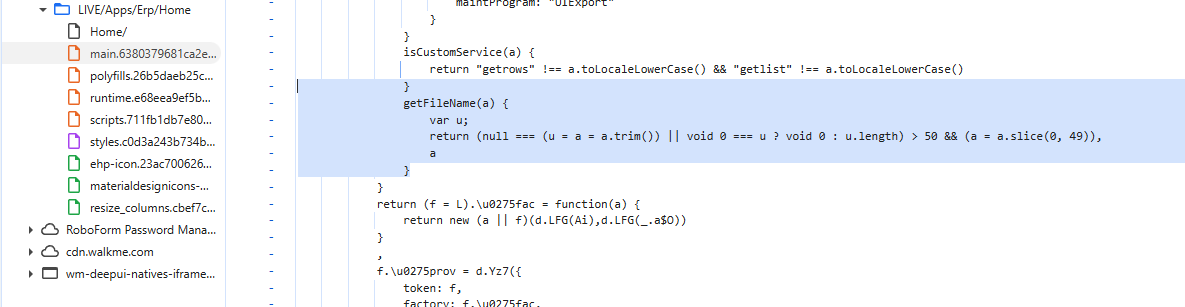
ERROR TypeError: Cannot read properties of undefined (reading 'trim')
I opened EpiCare case CS0004892374 a week ago, but would love to find a resolution faster.
The error “TypeError: Cannot read properties of undefined (reading ‘trim’)” arises when attempting to call the trim() method on an undefined variable. In JavaScript, trim() is a string method used to remove whitespace from both ends of a string. If a variable is undefined, it means it has not been assigned a value, and therefore, it does not have any properties or methods, including trim().
To resolve this error, ensure that the variable you are calling trim() on is not undefined.
I was just doing this yesterday from a dashboard grid in Kinetic, worked fine for me. I was exporting the entire grid, not trying to select certain rows.
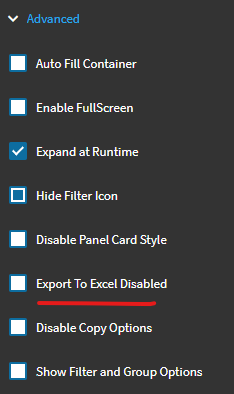
Assuming this isn’t checked on your panel-card-grid > Advanced?
For what its worth… i just did it again, to test. No Error… but I also didn’t see any activity in debugger in regards to Exporting to Excel (Console or Network). The error you’re seeing may be a red herring.
I tend to ignore those TypeErrors… but that may not be the best practice all the time
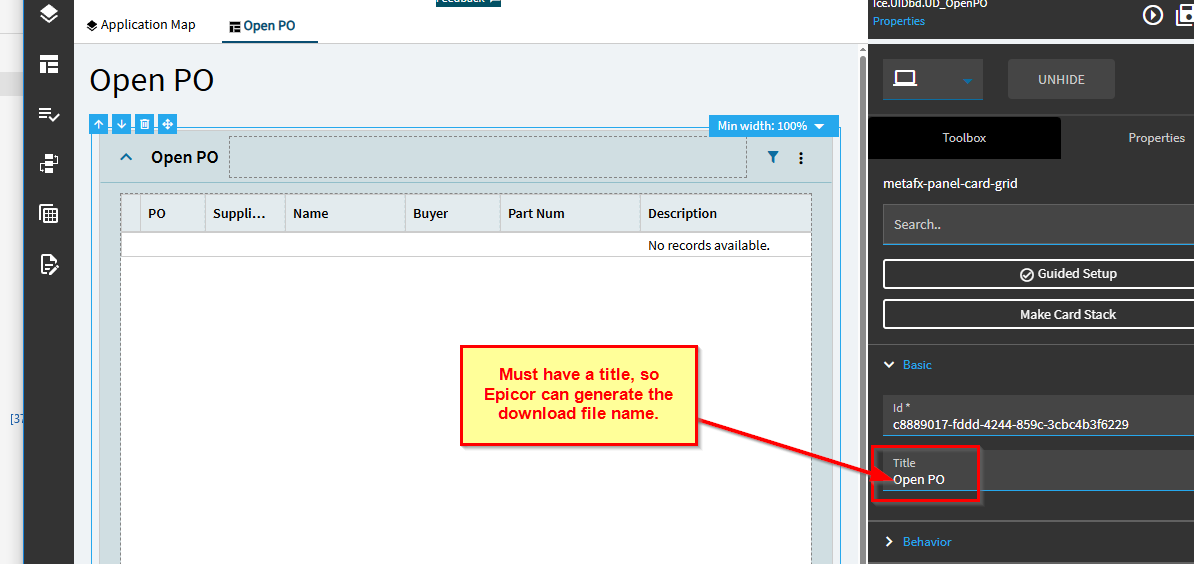
The error and AI response was sort-of helpful. I was looking for extra leading or trailing spaces on the column names, but they were fine. Then I noticed that the error was related to a filename, which made me think that it was something to do with the downloaded .xlsx filename. And it was - Epicor wants to use the grid title to name it, and when it’s not there, it silently does nothing.
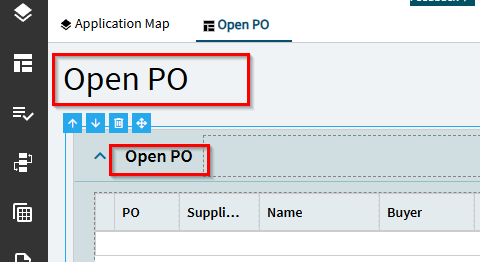
Any suggestions on how to remove or hide extra unnecessary titles? I don’t need to show ‘Open PO’ twice. Maybe I should have used a grid instead of a panel card card. Is it possible to change it? Or do I have to build it from scratch again (setting all 18 columns manually)?
There’s at least a little more syntax to break out of the file writing and do another shell thing. I left it out as an exercise for aspiring future members of the applicant pool.
I’ve been reading through @hmwillett’s control compendium (holy crap, that is a godsend. Beverages on me if you ever come to central CT!).
I thought I’d be able to have a blank title for the grid, and set the filename under Grid Model > Export Excel Settings, but it still errored in Chrome and didn’t create a download file. Kinetic Really wants a title for the grid.
I added a grid title back, and was able to download a file, but it disregarded the filename and used the title.
Best solution I found was to remove the caption on the dashboard’s main page, and set a page title.