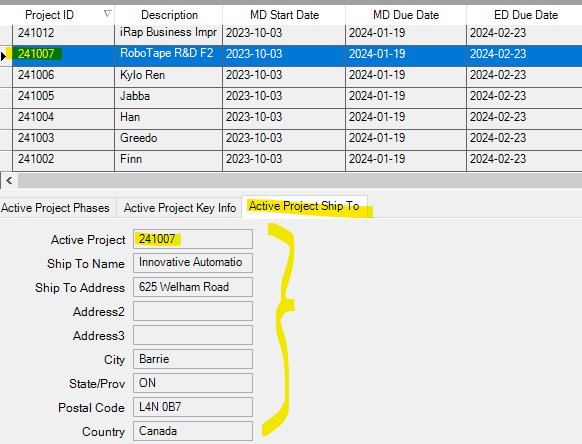
We have a dashboard in Classic that uses Publish/Subscribe to populate a bunch of grids and trackers. In the case of a single row, we lined up the fields nicely in a tracker view rather than a grid. When porting this over to Kinetic, the tracker views are not populating. I contacted Support and they promoted it to a Problem (link below). The workaround is to include a grid in the dashboard and populate the tracker via the grid. But I’d rather not have extra cards cluttering up the dashboard. Has anyone else encountered this and come up with a way to populate the tracker in Application Studio?
I don’t think you need an extra grid, you just need to bind those text controls to the dataview that your grid is using. I think you’ll probably need to bind View.Column to each text box individually because “trackers” don’t tracker in Kinerter.
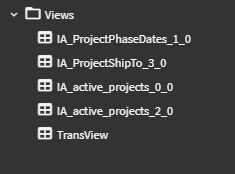
Thanks, Conley. That is exactly the way it is set up when the Kinetic app is first created. There is a dataview for the BAQ I’m using in the tracker (IA_ProjectShipTo_3_0), and each field is bound to that dataview. However, I don’t think that dataview is being populated from the BAQ. If I add a grid I can go through Grid Model > Provider Model > BAQ etc. but I don’t have that in the tracker since there’s no grid. I’m thinking I might need an event to populate that dataview? Simply adding the BAQ to the Server View for the dataview didn’t help.
There is no IA_ProjectShipTo_0_0 dataview—I assume because there’s no grid for that BAQ, just a tracker. Do you think there’s a way to populate the tracker dataview or create a new one and populate it—or should I just add a (temporary) grid and wait for Epicor to fix this?