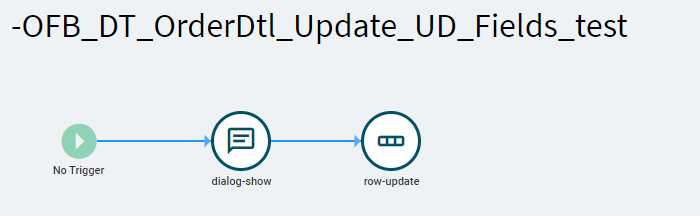
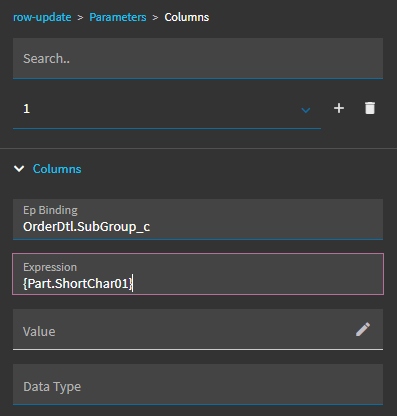
I’m trying to move some UD fields from Part into OrderDtl at that time, for row-update I have:
I have a dialog shown to stop just before the row-update so I can check the Part Dataview contents first.
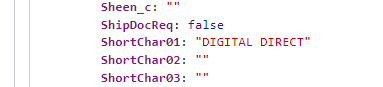
Everything is correct, the data is there for my new part number.
but when I trace, the debug output shows the following:
I’ve tried:
Part.ShortChar01
{Part.ShortChar01}
‘{Part.ShortChar01}’
they all give the same result
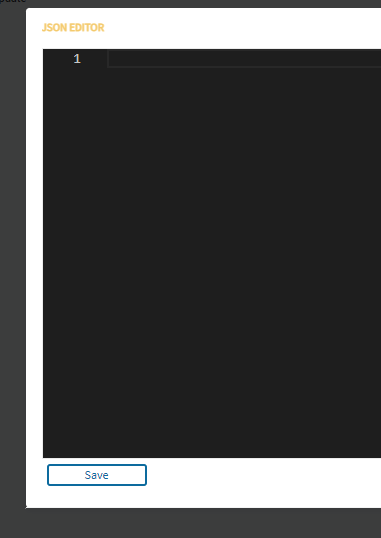
My belief is “Value” parameter is json formatted, which doesn’t seem to make a whole lot of sense here
I’ve also tried moving this to a function since I have quite a few fields to move from Part to OrderDtl, but that’s working on the Table not the DataView and I don’t want it automatically saved and then I would still need to refresh in my event after, which doesn’t feel right.
Because they all look like that. Including ones that take JSON. It doesn’t always need to be JSON, though. (I can’t tell you why, where, or when #TribalKnowledge).
The expression field allows you to use JavaScript to do special things whereas the value is just assigning a value with no other logic.
OMG, that worked, I recently convinced myself that single-quotes where needed/better and didn’t think to try that, so of course now would love to know when to use single vs double quotes…AAAARGH
and you’re correct @hmwillett, I had tried ‘{Part.ShortChar01}’ in the supposed json editor and got an error on the formatting, but with “{Part.ShortChar01}” it was syntactically correct at least