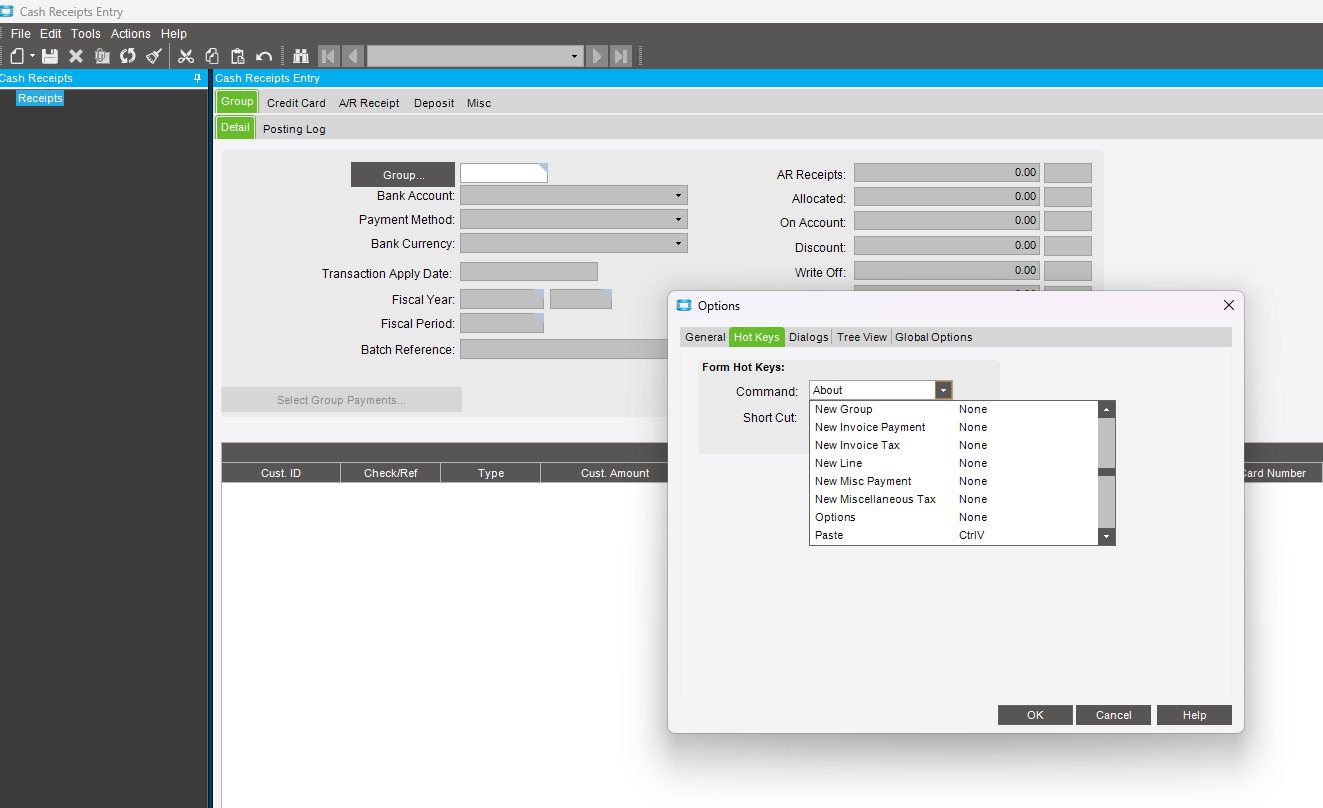
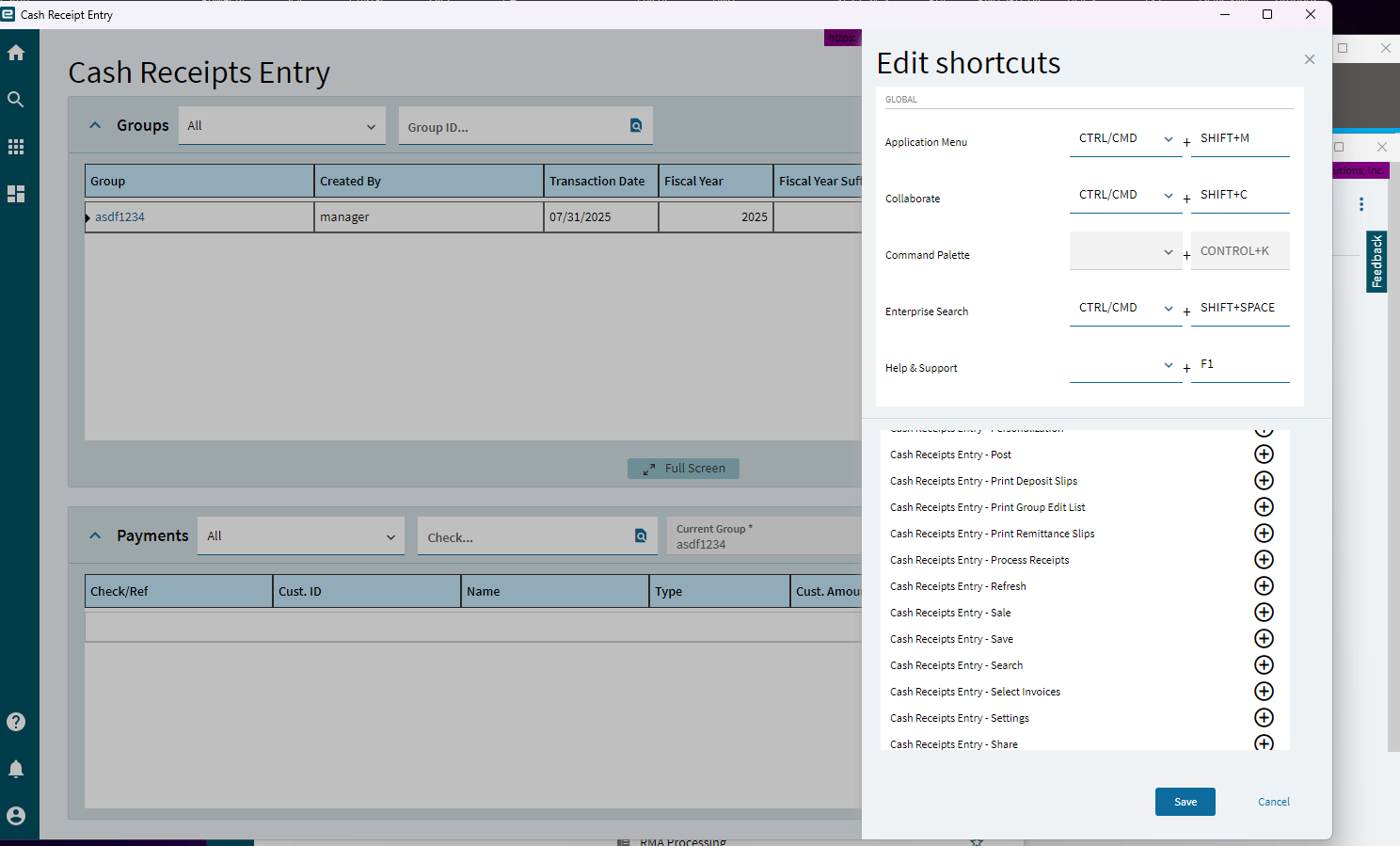
I get that moving away from Windows Forms makes keyboard navigation trickier but the keyboard shortcuts do exist, why are there so few actions available? I would think at least the New payment options would be there in Cash Receipt Entry, for example. Do you guys build additional hotkeys using appstudio?
5 Likes
What is worse is I have been unable to get Hot Keys to save in a layer and deploy it to the company. Unless I am missing something this just does not work. Extremely frustrating.
What version are you on? I was able to in 25.2.7 in our Pilot but not in 25.1 so maybe it was a bug. Note that even in 25.2.7 it took a few tries to get it to actually save in the layer.
We’re live with 2024.2.10 but we are beginning to test with latest 2025.2 and I couldnt get it to work on our test system.
Is there a correct process to setting keys and deploying as a layer because it’s very very not obvious.
If I find a magic way to get it to stick I’ll let ya know. So far it’s been trial and error until it saves.
Gotcha. Seems to be par for the course in Kinetic.
My experience thus far:
Save Keys → Open App Studio and save it as a layer (are keys saved to Personalization because they really made that even more confusing).
I deployed the layer and added it to the menu item customization list.
Hot keys showed up for every user on my local physical machine.
Switch to a new machine, keys are not there even though the layer is launching. Sigh.
 Ok, I haven’t tested that part so I could of been wasting my time…
Edit: You were right, it doesn’t “stick” even between browsers correctly. The set shortcuts will display in Ctrl-Alt-H but they won’t work until the user edits the shortcuts. 
2 Likes
and I was just confirmed from epicor support there is no intention of fixing hotkeys as a shareable option
they are re-doing hot keys anyway for the full browser 2026 release
FUN
5 Likes
Maybe the redo will be better
Of course one of the big issues is how do you prevent the overlap of hotkeys with other extensions or the browser itself… I have an extension that used to use Ctrl+Alt+H as well as one for Ctrl+Alt+V… That was a bit frustrating.
2 Likes