We use Multi-Site in our environment, and are finding that, when using the browser, Epicor is not always “really” in the Site indicated in the URL…
I’ve submitted tickets to EpicCare about this over the last 6 months, and the only solution I’ve been given is to have the user manually refresh their browser page after switching Sites, every single time.
Needless to say, this is resulting in a lot of SOs, POs, and Jobs accidentally created in the wrong Site.
The best workaround I’ve been able to come up with is adding a BAQ to the Home Page that shows the user’s current site, so that they can hopefully see that and remember to refresh their browser, and adding a bunch of BPMs that ask “Are you sure you want to create in site ?” which users find very annoying.
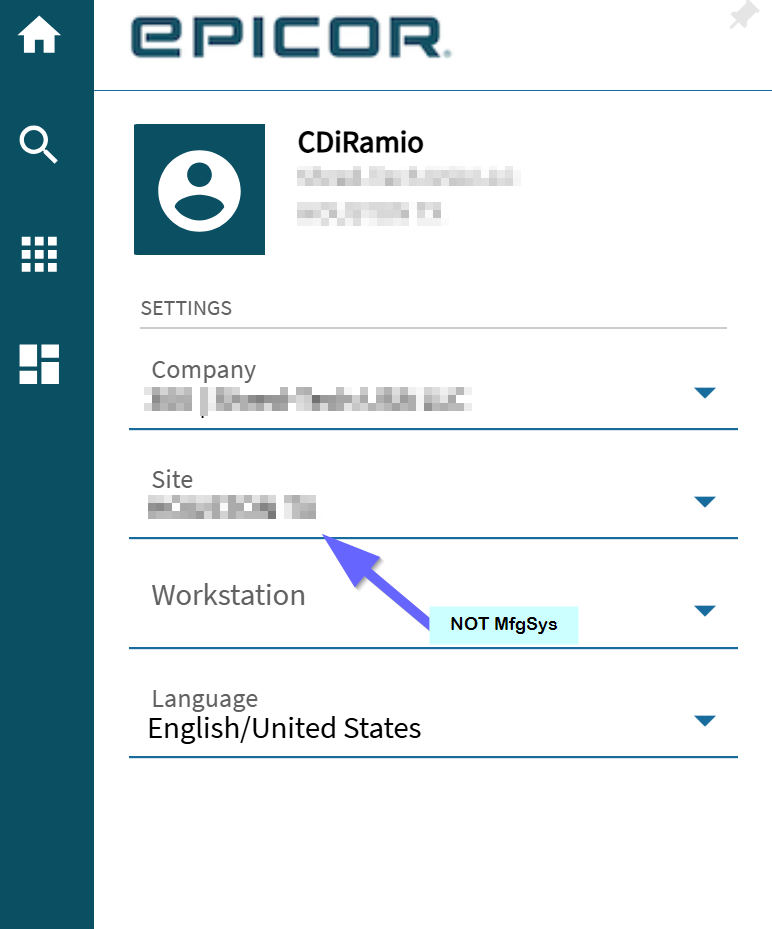
Below is what the BAQ on the Home Page looks like. As you can see, we’re clearly not in the Site that is indicated in the URL and in the top-right tag.
After several ticket escalations with no response, I’m wondering - are we the only ones this happens to? It happens for all of our users, in both Edge and Chrome, no matter their cache settings.
Are you 2025.1 (Profile says) ? We had a lot of problems with this behavior before 2025.2.10, it seems to have improved significantly with that release. The main thing I noted was that the first GetApp call that runs in a newly selected Company/Site loads the old Company/Site data, including the Main Menu, so it will load layers that belong to that Company only for example. The second time something is launched (or if the user presses refresh in their browser) it seems to work as expected.
Good catch, I’ll have to update that - we are on 2025.2.10. We’re “on cadence” on the cloud. I tested it again today, and still the same
Our biggest headache is that people switch sites, then launch Job Entry or Order Entry from a tile on their homepage, which opens in a new tab - but not in the Site they ‘thought’ they were in.
We have seen this going all the way back to v2022.2. In our case at least, it is not actually the browser screens, it is the Kinetic Homepage menu. We have the same struggle in the classic smartclient using the Kinetic Homepage.
Since they changed it so that you can switch site from any page, we have noticed that the Part transaction history randomly shows another site it is annoying, but I haven’t yet been able to see a pattern in the error
Are you sure the tiles aren’t set to launch a specific site?
100% sure that is not the case. We’ve tested it upside down and backwards, through all sorts of tiles, favorites, and main menu, and we still get the wrong site opening up.
It used to happen to us, randomly. I cannot recall if it has since our upgrade to 2024.2 in October.
But it was wild. We color-code the sites (the bar at the top) and the COLOR would be correct but the words might be wrong. So PDC site is green; bar would be green but it might say another site’s name. The color was the source of truth.
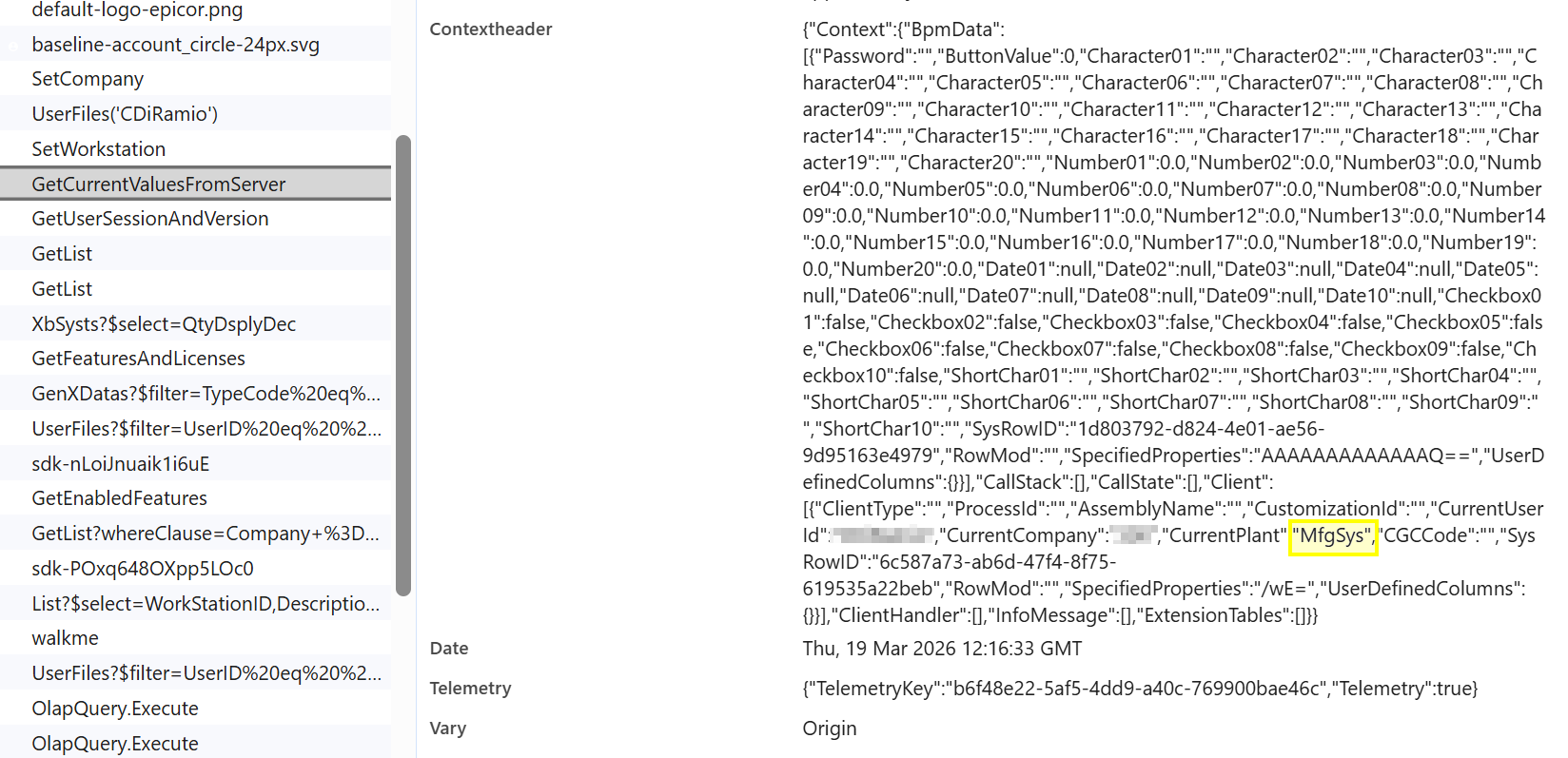
So, looking in the devtools, when I switch companies and look at the response from “GetCurrentValuesFromServer”, it’s receiving the wrong “CurrentPlant”
I should add - this happens when switching between companies.
So, say the user is in Company 1 Site Blue
switches to Company 2 Site Circle (because the UI remembers that last time they were in Company 2 they were in Site Circle), in the background CurrentPlant will be MfgSys
The UI is trying to ‘remember’ what the users’s last Site choice was in the other company, and shows it in the url and top-right tag, but it actually sends them to MfgSys every single time.
If the user navigates away from the homepage and back again, I’m seeing that too, but most of our users leave their homepage open in one tab and right-click ‘launch in new tab’ to open their apps. When they do that, I see the wrong company/site app opening each time.
Great news though - a PRB has been entered! PRB0315341