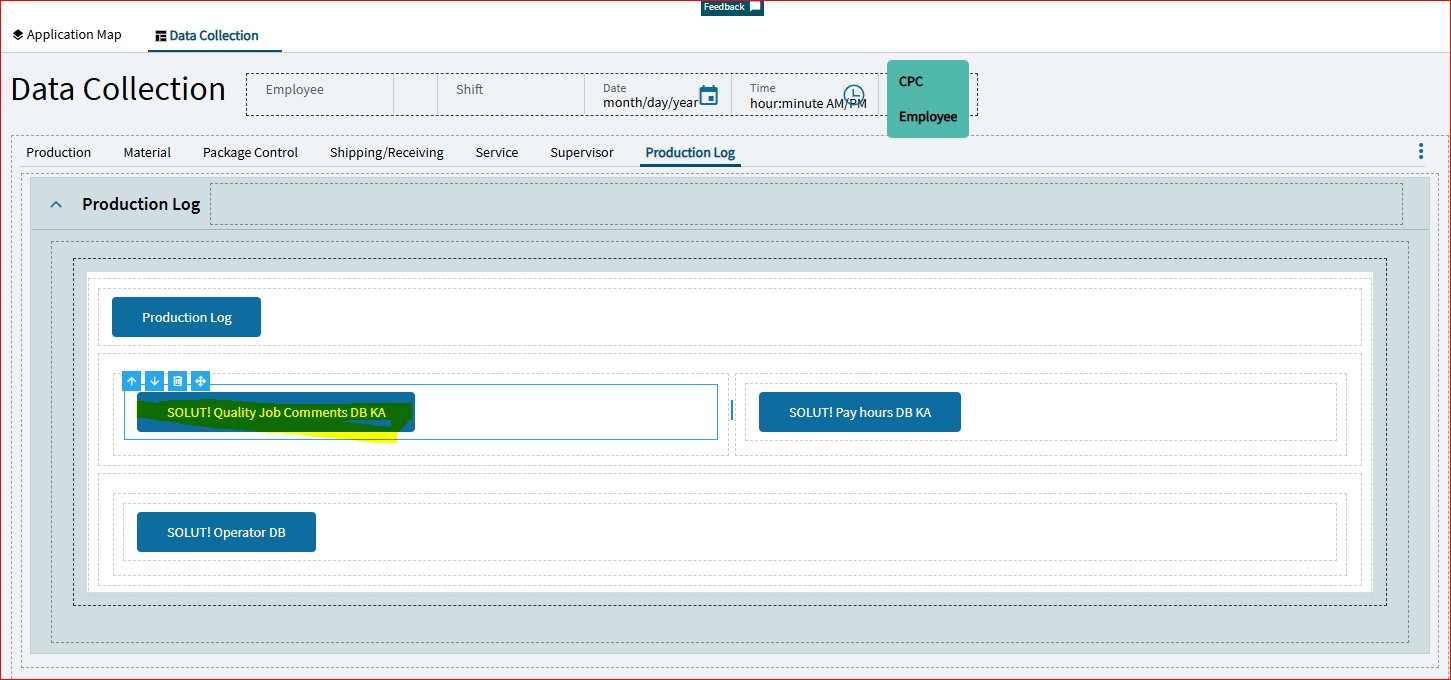
In Kinetic MES browser we have a customization and it is working good in the version 11.3.200.0(Kinetic 2024.2.12)
Recently our Pilot got upgraded to the version 12.0.100.0(Kinetic 2025.1.4) and I am testing the MES Customization.
When I click on one of the DB deployed, its throwing the below error, its the same for all the DB’s. Kindly help me to solve this error.
I wanted to pop in here to see if others are having the same issues we are.
I created a case on May 22 and Epicor was it’s usual tight lipped as to if it was our issue or was affecting others.
In MES
We cannot “Start Production” “Start Indirect” or “End Activity” Some on our second shift were clocked into a job when when the snapshot for Pilot was taken.
Because this affects so much of our testing I have not been able to get much further.
In Kinetic
We cannot run Job Closing because Production Detail Report errors.
Most reports I have tried will not print including, Customer Shipment, Purchase Order, Receipt Tags and Subcontract Shipment. I am able to Print Job Travelers. These errors are all occurring before selecting a report style.
In all cases the right 2/3 of the screen grays out.
After about 3 minutes it is replaced with "Application is not Accessible. Please contact your Administrator.
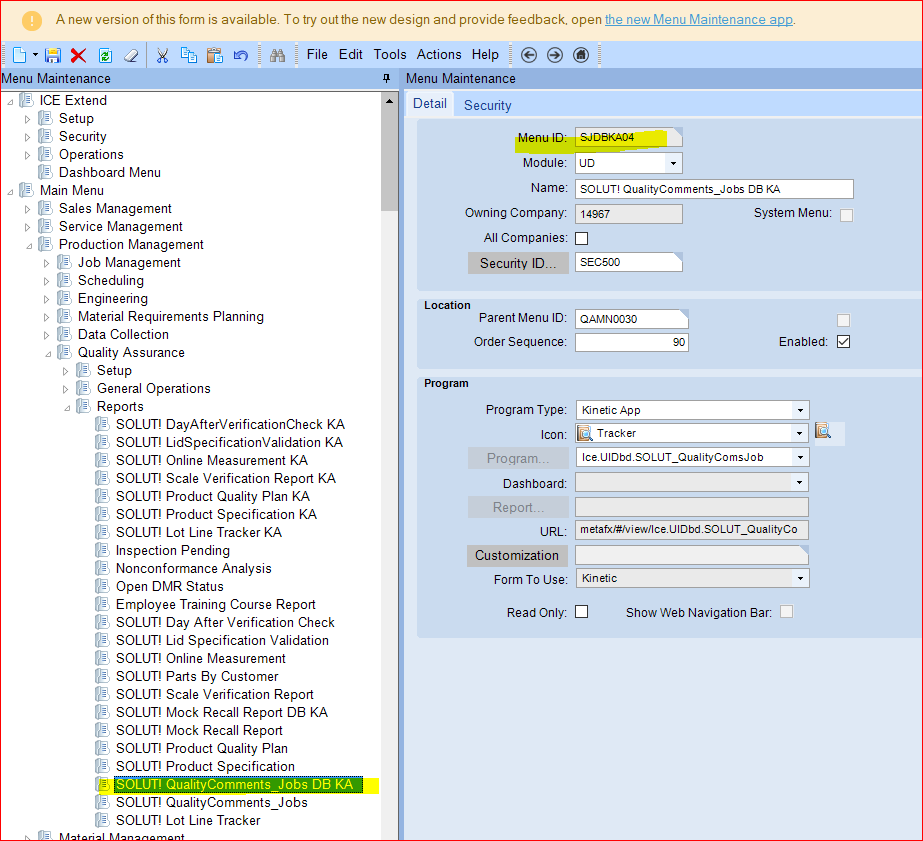
Can you launch that item & layer through Application Studio? I had a similar issue with my testing except that my live is 2024.1 and in it you assign a Menu ID and Layer but in 2025.1 it has changed to giving it the Program Name and Layer, updating mine from Menu ID to Program solved the problem for me. It looks like you already have the program in there so the next thing I would check is to make sure you can access it through Application Studio and that the layer is published.
Have you tried using the supervisor tab or End Activity on Active Labor Detail to end the ones where someone is actively logged into them?
I can’t comment on the reporting as I am on-prem and have not have any issues with any of my reports, miraculously this is the first time I don’t need to rebuild my AR Invoice form from scratch.
Yes, I went to the Supervisor tab to end activity. Then went to Time Entry to adjust time and quantity completed. I used that data for some other functionality testing.
Hi, For me part tracker was greyed out and i logged the case - CS0004925914, they asked me to reset the MES menu security and I did, it worked for me, please verify the case ID given above before applying the solution.
Thanks
Subha
From the looks of the error you are getting that is filled out though.
Back to the question of being able to open it in Application Studio, I meant the item you are calling so Ice.UD… not the MES, you should be able to launch that custom screen from Application Studio.
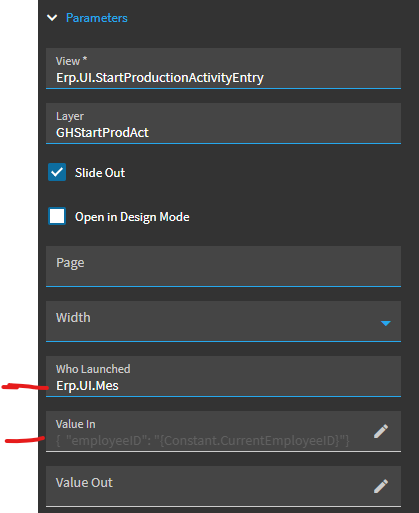
When looking at the on-click event that calls the app-open, we previously had the two marked properties (below) blank. The event used to work without them.
Now, in the new 2025.1, the app-open event would fail until I added those settings in.
Give that a try and see if you can get past your error.
NOTE: I did not have to change ANYTHING in my menu maintenance settings… just repaired the on-click event.
I’ve also had to repair a number of “onBlur” MES events that had previously been working (prior to 2025.1). I had to replace all the triggers with “Column Changed” triggers instead and they’re all now working again.
In Kinetic MES Browser it is not working both in Application studio as well as regular login. But in Kinetic MES app its working in both. something to do with Menu settings. But I am not sure
Thanks
Subha