Good Morning,
We are rolling out Kinetic MES and the End Activity Button is not working. We receive the error: Long Running Process “The request has not finished processing. You have the option to keep waiting or enable the UI to interact with it. Be aware that changes may occur if you decide to enable the UI and the request finishes processing while you interact with it.” It fails 100% of the time for 100% of the users.
I have run a trace on the button click for End Activity.
I am looking for any customization that is causing the app-open to fail and I am unable to find it.
Things that I have tried:
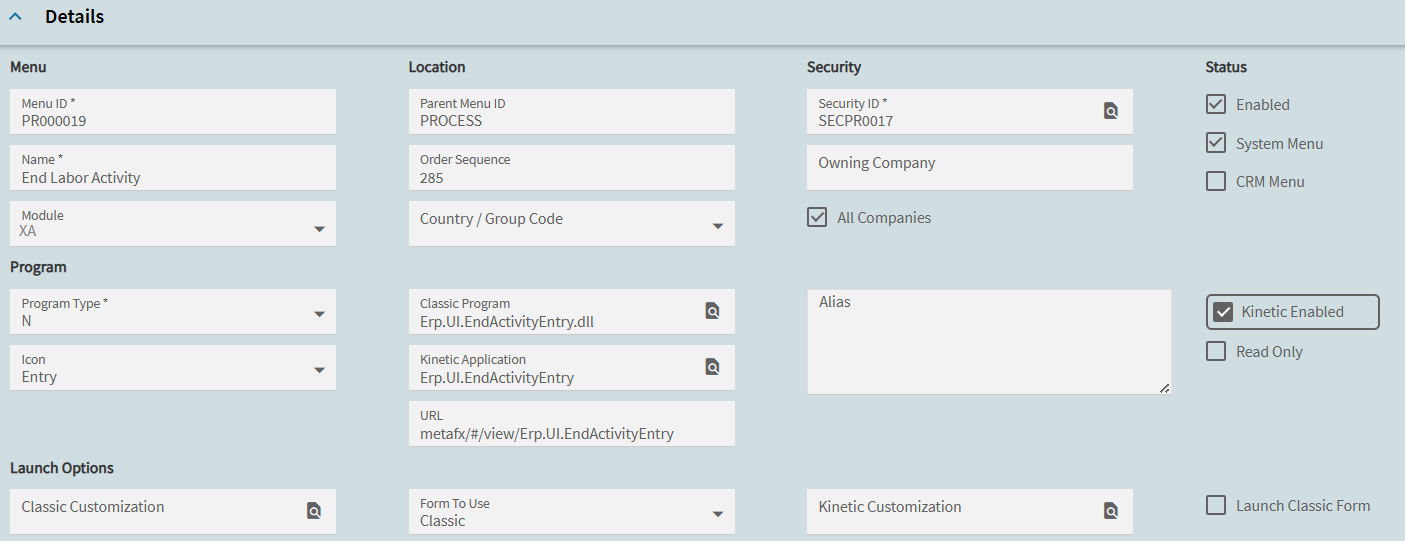
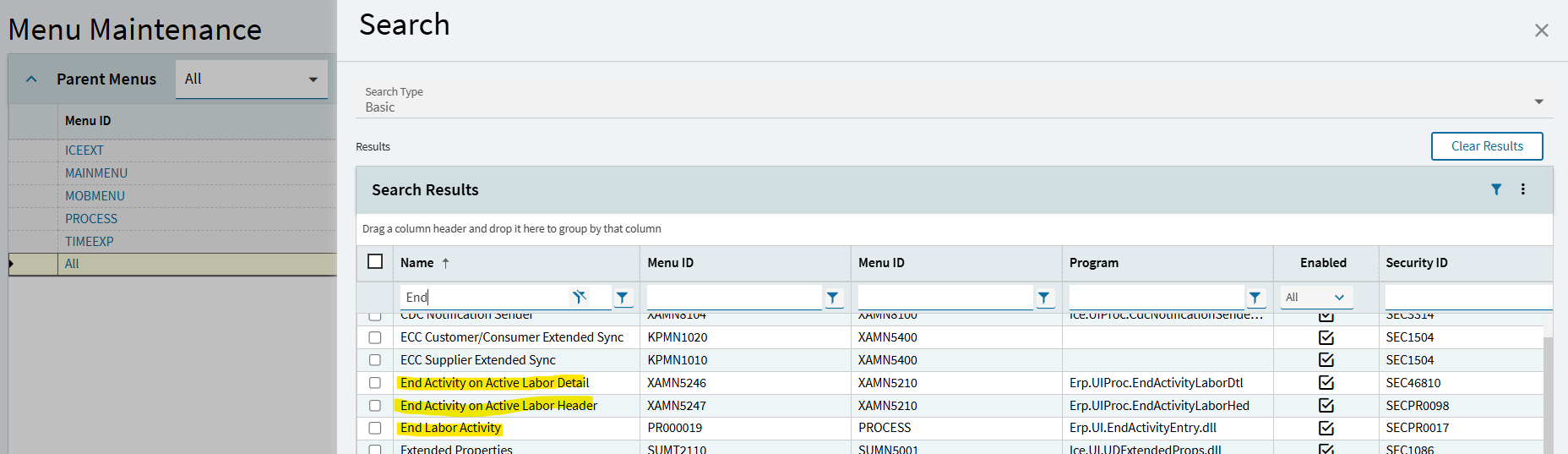
Menu PR000019, End Activity there are no classic or kinetic customizations
Menu PR000440, MES Shop Floor, again there are no classic or kinetic customizations
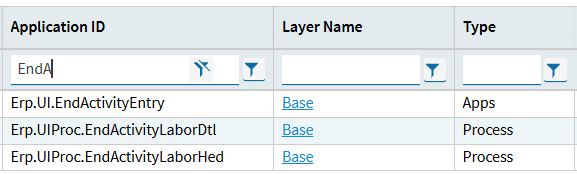
And again we only have the base layer for Erp.UI.Mes.
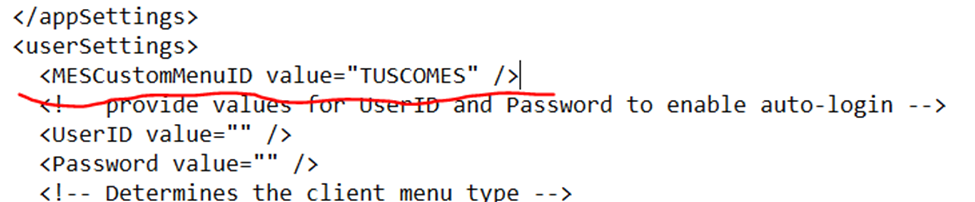
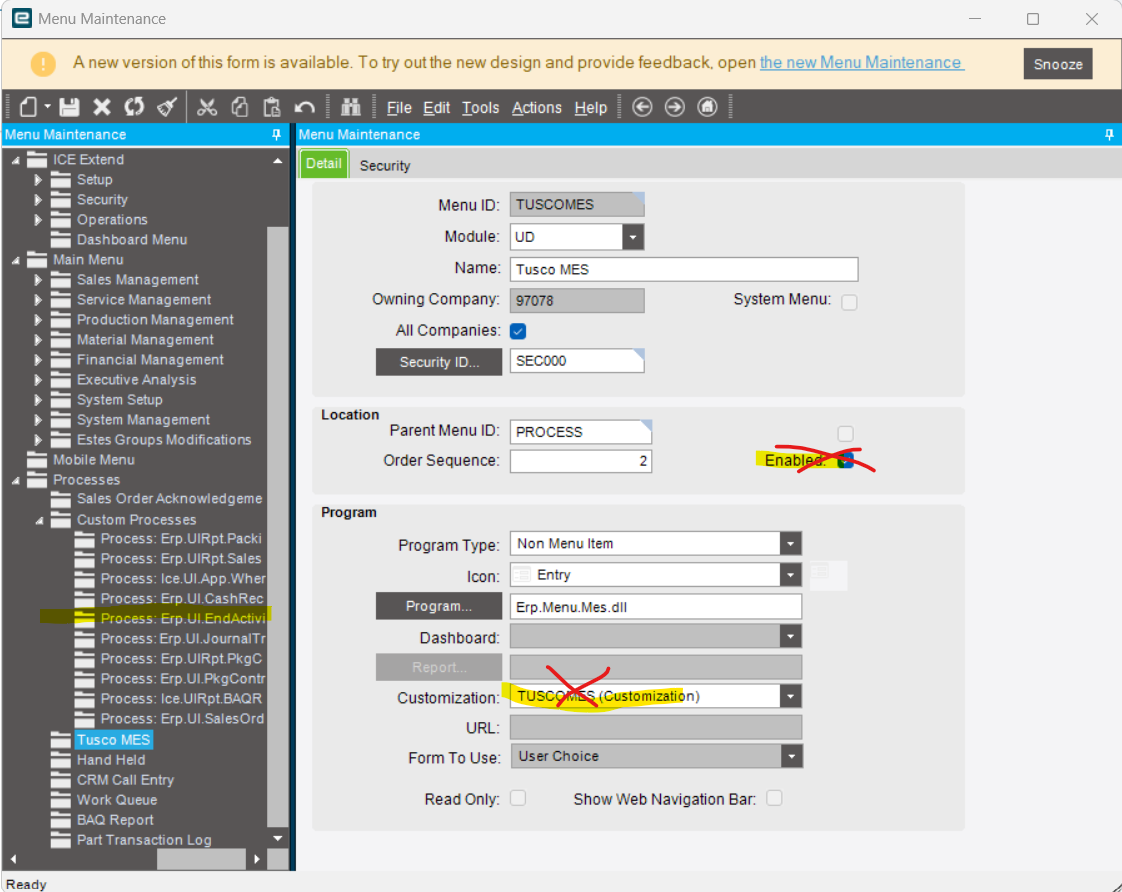
But, way back in Classic MES, we built buttons and created a custom MES menu. This custom MES menu was called TUSCOMES. To make sure the custom MES mene always appeared when MES opened we put this line of code in the SysConf file.
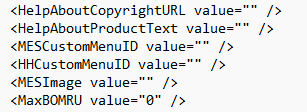
But with Kinetic we have a new sysconfig file and nowhere in the new sysconfig file can I find a reference to the TUSCOMES customization. Here is the current SysConfig file:
The Classic MES screen still has the buttons and it still must be opening TUSCOMES.
We are no longer using many of the buttons we added to Classic MES. I want to abandon them and start from scratch.
Question 1) If I think the TUSCOMES menu and sysconfig line of code is stopping the End Activity button, how do I eliminate it and go back to off the shelf MES?
Question 2) What more can I do to find what is stopping EndActivity?
Make sure your MES users are clocking out every day.
Not log out, clock out. Clocking out clears some kind of unseen list of jobs that pile up and can cause MES activities to take a really long time. This could be causing issues.
Thank you for the reply.
Yes, all users are clocking out. Currently, I am in Epicor Pilot for the testing. I have made sure that all users are clocked out and have only 6 active transactions to test EndActivity.
To clarify, when you start activity, it adds activity to a labor header record. This header record is your “clock in” and “clock out” for the day. If you never clock out. It’s adding all of your details to the same header, which is why it takes forever. (And frankly, that’s now the wrong date anyways if the worker has been clocked in for weeks, so it also opens up all kinds of other data issues as well). When you clock out, and back in, you have a new header record, and no other details tied to it, so the lookup is faster.
Just putting this out there for future readers as the OP (@Heide ) looks like she already understands this.
I used a BAQ to check the LaborHed table for any ActiveTrans as well as the LaborDtl table. The only active transactions are the ones that I have open.
Are you running MES in the browser? If you aren’t you should be. And when you run in the browser, the sysconfig has no effect on anything, because the browser doesn’t use it. (I don’t really think the kinetic version launching from classic does either, but it’s still generally better to run kinetic from the browser)
I hit a wall, so I am changing course and have opened Epicor Pilot in the Classic smart client. I am going to delete the customization on the TUSCOMES menu item. I am going to disable it as well.
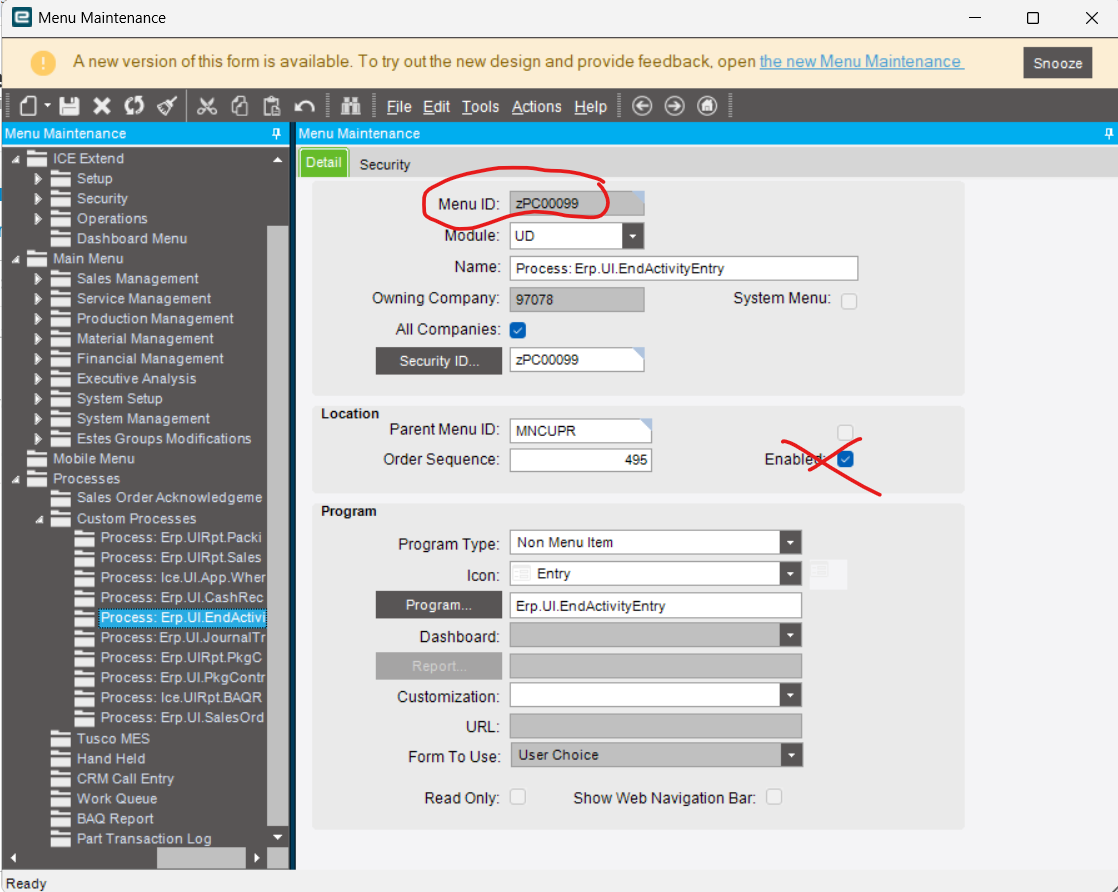
When I was in the menu tree, inside Process, there appears a Custom Processes list. That is a new find for me. There is an EndActivity inside this custom processes. The menu is not PR000019 for EndActivity but is zPC00099.
Currently, the factory is running MES in the smart client and it is working fine. I am trying to take us to MES Kinetic on the browser. That is where I am failing and seeing the EndActivity issue.