We are in the process of upgrading to 2025.2.5 (On Prem), our Job Traveler report contains multiple sub-reports which are direct reports looking at the database (not from BAQ’s or RDD’s).
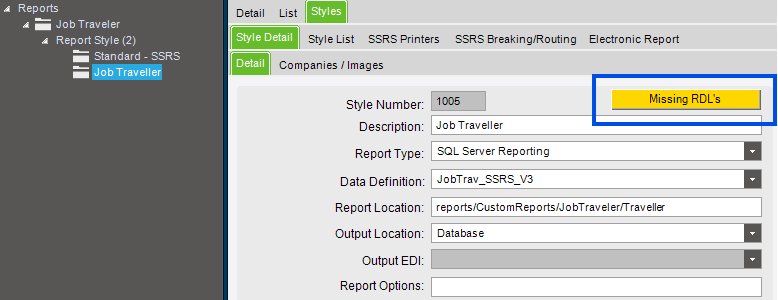
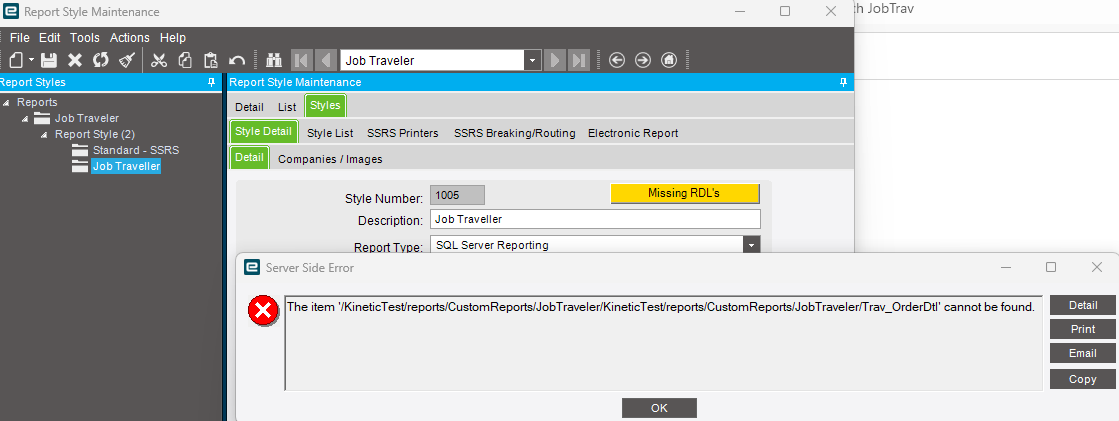
I am trying to download the report from report styles and it error’s as the subreport rdl’s don’t exist in the Kinetic database (it won’t download).
Can anyone advise how I can handle this, the subreports are in the Custom Reports folder in SSRS along with the main job traveler report.
I’m an infant when it comes to SSRS
Looks like your report doesn’t exist in that folder.
I always manually move mine because I like pain. There’s a utility on this website that one of the gods made to help migrate SSRS reports between servers.
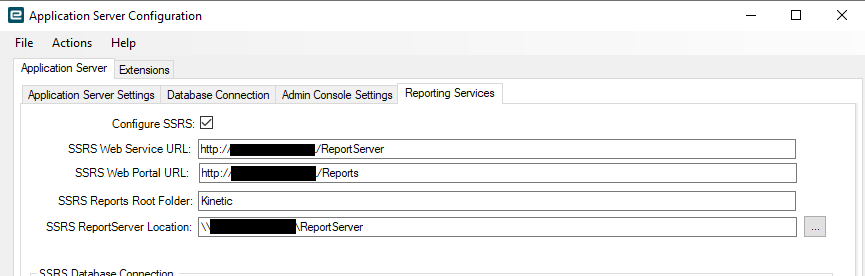
Go into Epicor Admin Portal > Application server configuration > Reporting Services. This has your SSRS Web Portal URL for your SSRS reports. Web Portal, not web service!
Go in the SSRS Web Portal and download the subreports from your live environment and upload them into your Kinetic Test Environment. Make sure you change any data sources to point to your test db.
Thanks for replying, my issue is with the subreports rather than the main report, the main report does exist in the Kinetic database but it won’t let me download it as the subreport rdl’s are not…
Sorry, you said that in your op. Still learning how to read…
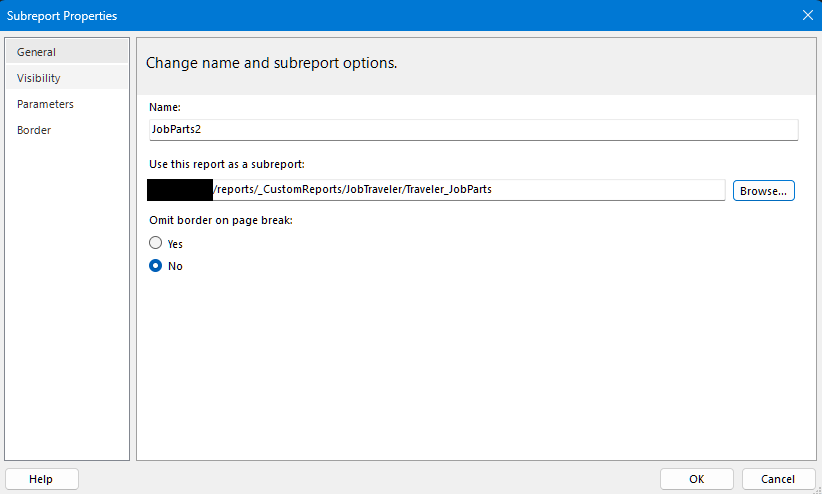
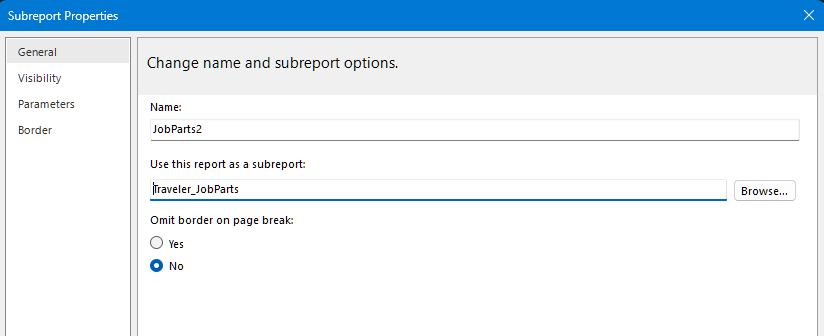
Open your job traveler report in report builder or whatever you use. Change the path on the sub-report so it is only the sub report name and not the whole file path.
As long as the sub-report is in the same folder as the main report the path is inherent. I was able to duplicate your issue by using the entire filepath instead of just the sub-report name.
 I’m an infant when it comes to SSRS