Hi Everyone,
We are looking into setting up labels for when we receive a product in. I’m not sure what would be the best way to go about this. Or how easy it is to set up a label printer with Epicor.
If someone has any insight on this, it would be greatly appreciated!
We use the Bartender software, connected to Epicor via API, and networked Zebra printers. A BPM fires on receipt, which auto-prints a label.
We tried using SSRS to create labels, but it was unreliable. Bartender has several ways of connecting, file drops are common (and perhaps easier to implement), but we chose the API route because it’s cleaner.
I’m actually in the early stages of expanding our barcoding from PO receipt (where it started) to job receipt and shipment out.
Anyone have a how to on this? New to Epicor. But trying to learn.
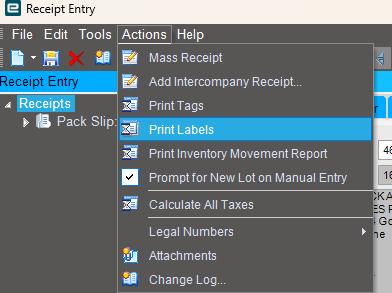
I need to setup a printer to print out receiving labels to help manage incoming inventory better.
Already have Bartender setup via API. But I cannot figure out how to setup a BPM.
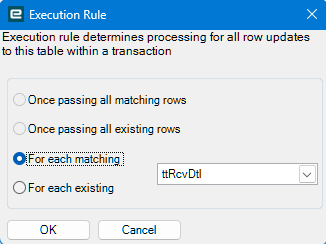
I have a standard data directive on RcvDtl that prints receipt labels automagically using bartender, except I use a file drop instead of API. I don’t have any experience printing through Bartender via API from a BPM so I can’t speak to the specifics of that.
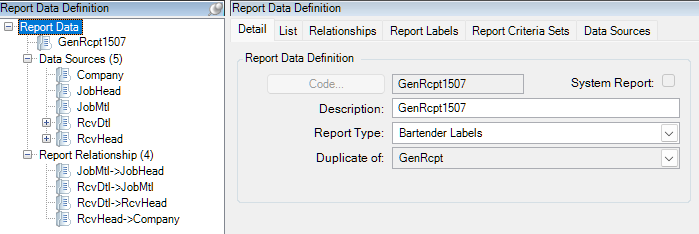
For anybody else that comes across this that’s using a file drop, this is how mine is set up. It works well.
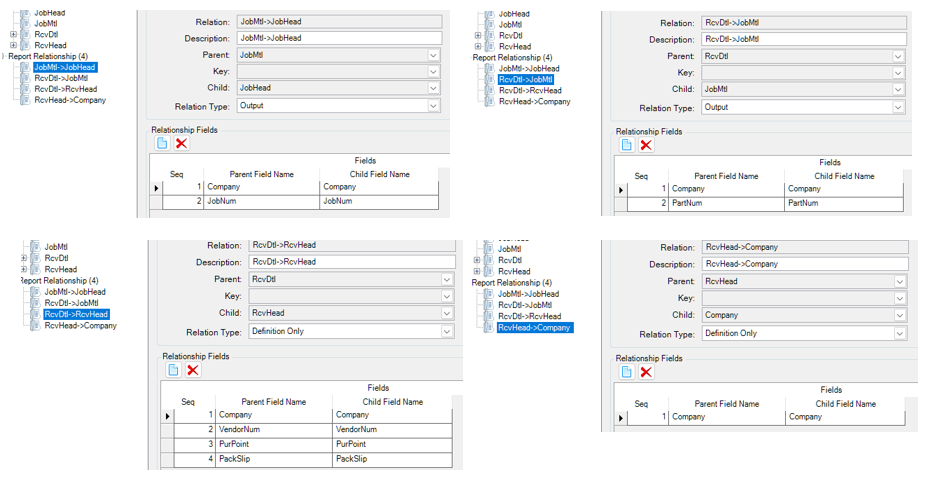
Be aware that during upgrades the RDD gets a relationship added to it which nukes the app server when this report is run. So make sure to check and remove it!
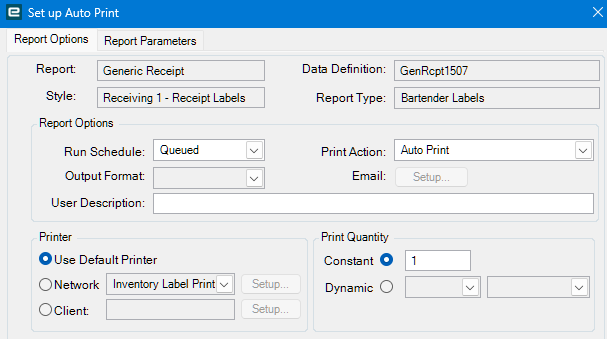
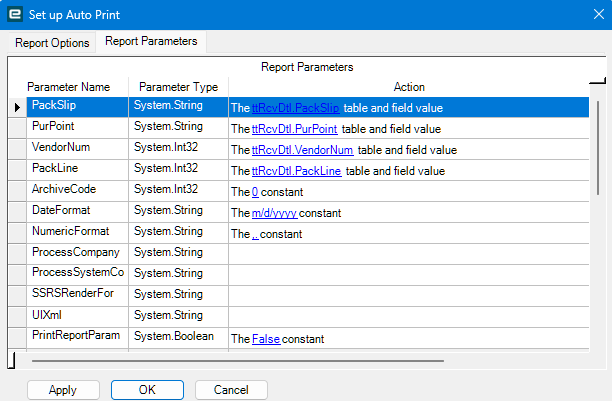
Using the Auto Print widget in the BPM, call your report style.
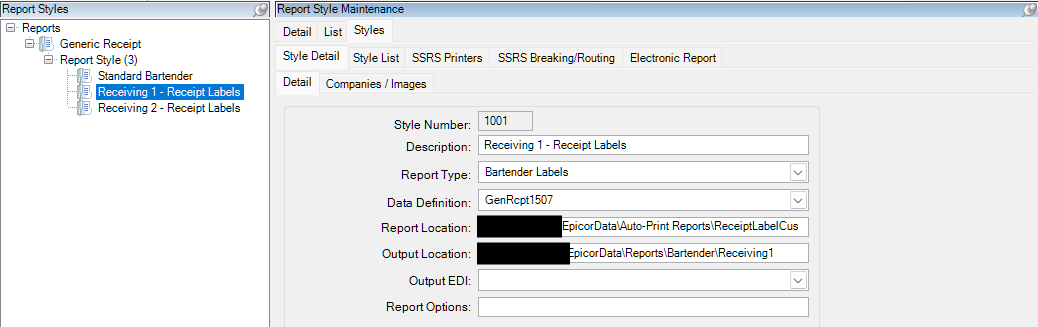
SS of the report style.
The Report Location is the .btw file. Output location is where Bartender is looking for the file drop.