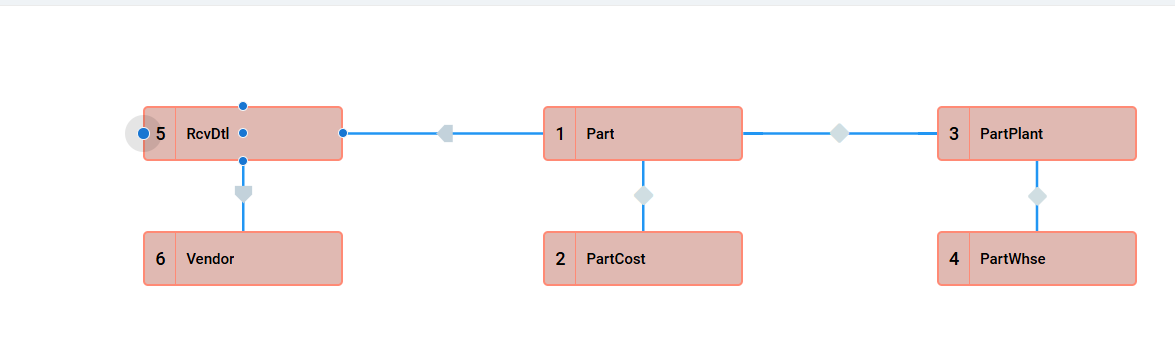
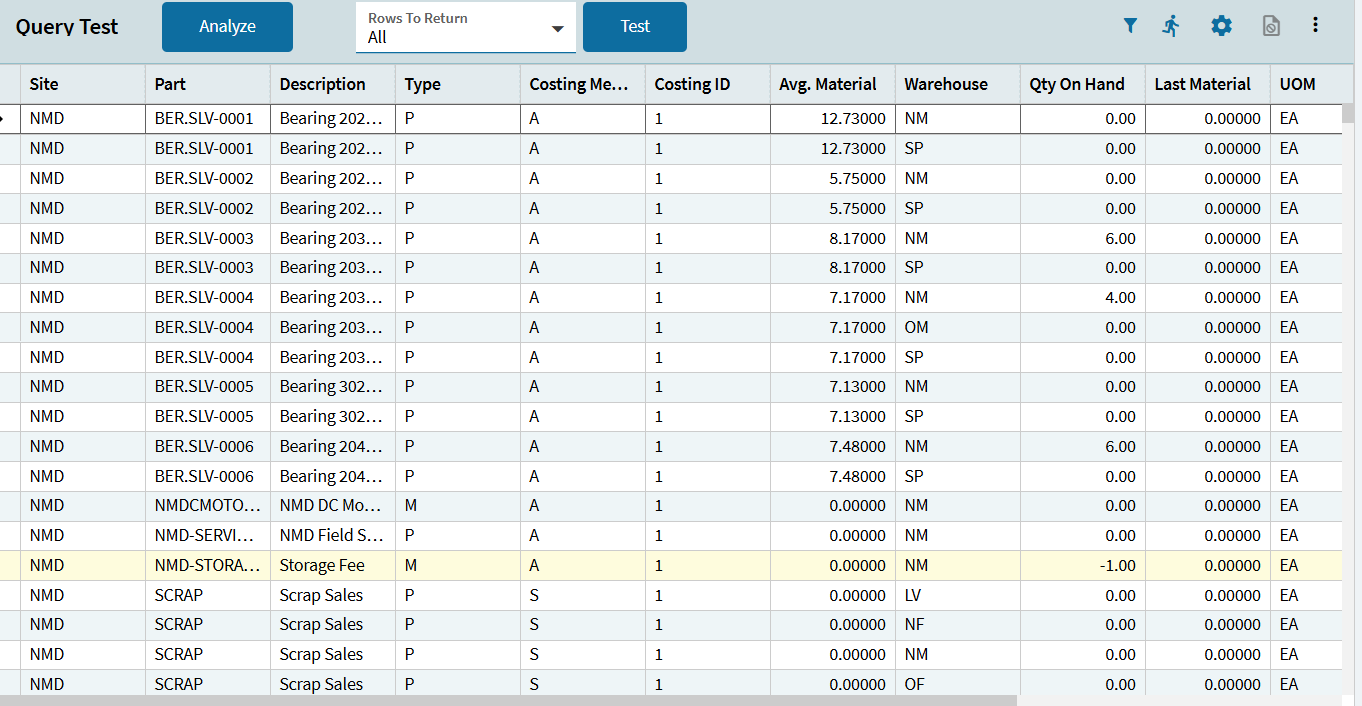
I have started creating a BAQ to show last received costs for parts using RcvDtl.
The end goal is to show the Part #, Desc, last received date (Calculated field), last received cost (Calculated field using DocUnitCost), minimum Qty on hand needed, on hand qty, vendor name, UOM, reserved material.
Tricky Part:
- We create Part Numbers for our “Models”, I would like to see the model number & JobNum associated to the purchased part. (Not sure how to pull in the model number that the part was used on when the modelnum itself is a part)
- I would like to create a calculated field to show the total number of parts needed for Orders on hand. So if we have 5 jobs and each job requires 3 of these specific parts, it would display 15 required for current Orders on hand. (Not sure how to reference this to epicor to recognize this part is being called for)
This will be used by our engineering & sales team to sort through all purchased parts when creating quotes.
Current issues: I am receiving multiples of the same PartNum, this is likely due to no calculated field created for Last Receipt Date. Some purchased parts aren’t displaying the vendor or unit cost from rcvdtl/vendor, likely due to a join issue.
Ideally the end result would look like this:
Site, PartNum, Desc, Last receipt date, UnitCost, UOM, VendorName, VendorID, Qty on Hand, Min Qty needed on hand, reserved material qty, ModelNum & JobNum that part was purchased for, Required Qty for Orders on Hand.
Any suggestions or help would be greatly appreciated!
Thank you