We are on the cloud, we have a few SSRS reports we’ve customized, where do i find these files so i can review them and/or make updates?
We have a customized ‘Customer Statements’ report style. This report style was working fine at the beginning of December when we sent out statements for November. After the Epicor upgrade mid December and sending statements out beginning of January the report is not calculating properly. We removed 120+ days past due, our report totals everything up into 90+ days past due, this field is no longer totalling everything up.
Strange part is this report style works fine in our test environment which i refreshed on Jan 12th. EpiCare suggested (though this was not his area of expertise he said) that each environment has their own copy of each report style and that during the upgrade our live environment report got corrupted but the test environment did not.
So i need to find the report from our live environment, but i’d also like to know where the reports for our test environments are as well and export that one into live to test.
EpiCare told me to submit a “Professional Service Request Form” and they could no longer help.
Well i suppose if i knew what i was doing i wouldn’t. Since the only person who knew how these things work has left im drinking through a firehose here.
RDD is Report Data Definition, i see i can duplicate and export that for backup purposes which is good.
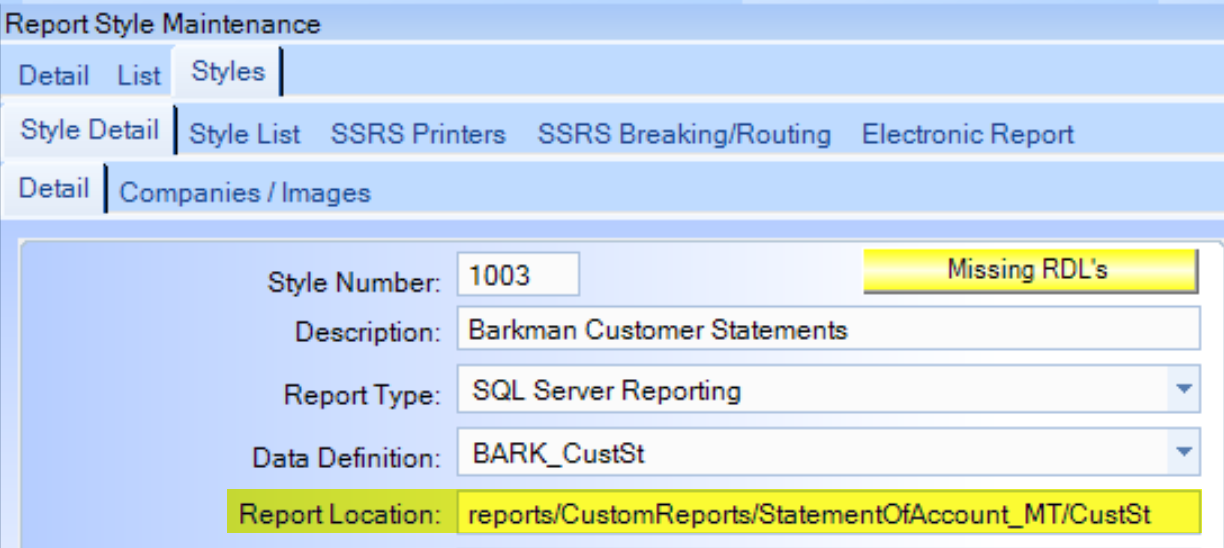
RDL is Report Data Language, or Report Styles i guess? When i go to Pilot, where the report is working correctly, i see this, ‘Missing RDL’s’. Where do i find that Report Location?
I have a recording from a previous employee where they are making edits to a report and he accessed the reports from his C drive, are these RDLs local or are they on the cloud? Since he’s no longer with the company and his access removed would this mean Epicor can no longer reach that Report Location and causing an issue?