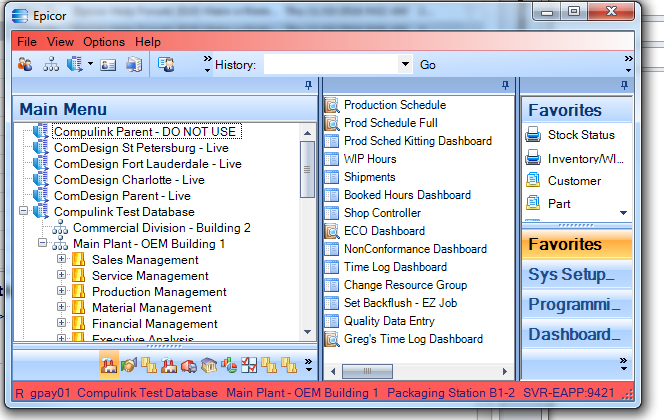
What’s the easiest way to set the them so that everyone uses the same one.
Want to do this so that it’s obvious when your in the test environment.
Since we often overwrite the test environment with the live company, I’d like it to be a way that doesn’t require much work each time we copy the the live to the test company.
Here is my sql script I use when I replicate Live to test in E9. I got it from the yahoo group some time ago. I set test to a red theme, so the users know where they are. I assume it will be different for E10, but this should point you in the right direction.
Attached is the isl file for the red theme.
Greg
USE EpicorTest905;
UPDATE COMPANY SET NAME = ‘Test Database’ WHERE COMPANY = ‘COMP01’ ; --UPDATE NAME HERE!!
UPDATE SYSAGENT
SET APPSERVERURL = ‘AppServerDC://localhost:9423’,
MFGSYSAPPSERVERURL = ‘AppServerDC://localhost:9425’
WHERE AGENTID = ‘SystemTaskAgent’;
UPDATE XXXChunk
SET Chunk = ‘RED’
WHERE (ProductID = ‘ep’) AND (TypeCode = ‘epitheme’) AND (Key1 = ‘default’);
delete from SysAgentTask
where TaskDesc like ‘Process%’ or TaskDesc like ‘Auto%’ or TaskDesc like ‘Rep%’
or TaskDesc like ‘Fill%’ or TaskDesc like ‘Back%’ or TaskDesc like ‘Gen%’
or TaskDesc like ‘Mul%’ or TaskDesc like ‘Stoc%’ or TaskDesc like ‘Mat%’
or TaskDesc like ‘Sal%’ or TaskDesc like ‘Insp%’ or TaskDesc like ‘Open%’
or TaskDesc like ‘BAQ%’ or TaskDesc like ‘AR A%’ or TaskDesc like ‘Work%’
or TaskDesc like ‘Inv%’