I have created the following UD columns in the PODetail_UD table:
 UD_POLineHot_c Boolean CheckBox to flag PO line as "HOT"
 UD_POLineHotText_c string text area to provide special handling instructions.
These have been added to a new layer for the POEntry form in Application studio, published, customization added to menu and are working flawlessly.
I have also created similiar UD fields in the RcvDtl_UD table in case that they would be needed.
UD_RcvDtlHot_c Boolean CheckBox to flag PO line as “HOT”
UD_RcvDtlHotText_c string text area to provide special handling instructions.
I need to be able to display the same information that would be entered in the PODetail_UD fields above in the Receipt Entry form (RcvDtl_UD Table) at the time of receipt.
Column Mapping looks like it would be the ideal solution, but that doesn’t appear to be an option between these two tables. What would be the easiest way to accomplish this?
Any suggestions and/or examples would be greatly appreciated.
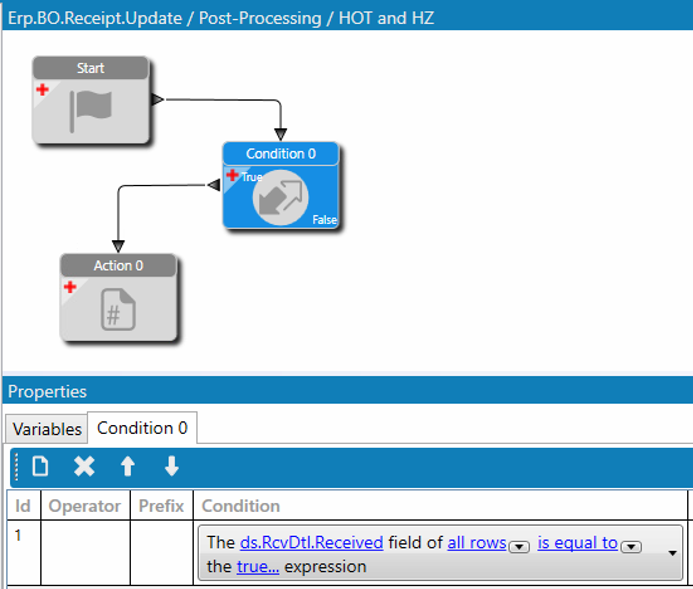
I do this in a bpm post processing on Receipt.Update
I have a condition that the received checkbox is true then the code below runs for all received lines. I stripped it down to just the Hot checkbox for the example. Obviously you will need to swap my variables for yours, but otherwise it should fire for Classic and Kinetic.
/*  Check for HOT or Hazerdous*/
object MESSAGE_ERR = null;

string InfoMsg = string.Empty;

Ice.Diagnostics.Log.WriteEntry(" DEBUG B4 HOT ");
foreach (var ttRcvDtlRow in ds.RcvDtl.Where(ttRcvDtl_Row => ttRcvDtl_Row.Company == Session.CompanyID && ttRcvDtl_Row.Received == true))
{

    var PORel = Db.PORel.With(LockHint.NoLock).Where(PORel_Row => ttRcvDtlRow.PONum == PORel_Row.PONum && ttRcvDtlRow.POLine == PORel_Row.POLine && ttRcvDtlRow.PORelNum == PORel_Row.PORelNum && PORel_Row.Company == Session.CompanyID).Select(PORel_Row=> new{ PORel_Row.CheckBox01,PORel_Row.CheckBox02,PORel_Row.Character01}).FirstOrDefault();


    Ice.Diagnostics.Log.WriteEntry(" DEBUG  In the HOT message" + ttRcvDtlRow.PONum.ToString());
    if (PORel.CheckBox02 == true && !InfoMsg.Contains(ttRcvDtlRow.PartNum))
    {

        InfoMsg = InfoMsg + $"{ttRcvDtlRow.PartNum} is HOT - Follow the Red Bin Procedure \n {((string)PORel.Character01).Trim()}\n";

    }

}

if (InfoMsg.Length > 0)
{
  this.PublishInfoMessage(InfoMsg, Ice.Common.BusinessObjectMessageType.Information, Ice.Bpm.InfoMessageDisplayMode.Individual, "FirstVar","SecondVar");

}
Thanks for this Greg! Unfortunately I have not advanced to the “coder” level… yet. How would this be done by the “lay person” using the Classic user interface tool?
If I read your code example right, it appears that it actually takes it to the next level of displaying a message to the user. To display a Warning pop up upon opening the PO line to receive that has the flag on it to help assure that they read the Alert Instructions that we display from the PODetail table would be the final goal of this project.
The wizards don’t really have a good way to loop thru the received lines yet, so this is the best way to do this alert. If you can read this code enough to understand that it is going to show a message then we can substitute your checkbox and message for mine and it should work. I have a complete file of code snips I have gotten from this site I refer to that I have gleaned over the years that help me.
This is the bpm condition and the code below should work with your variables.
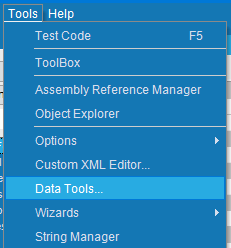
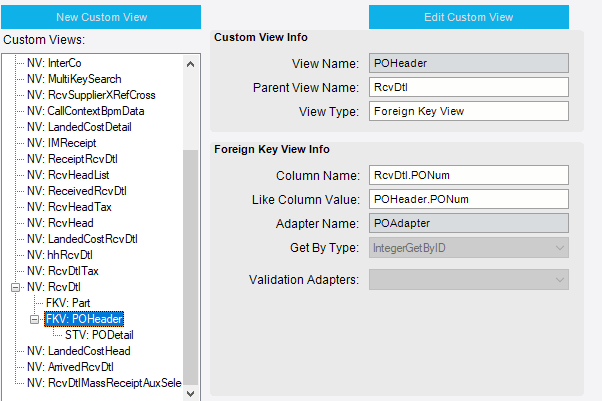
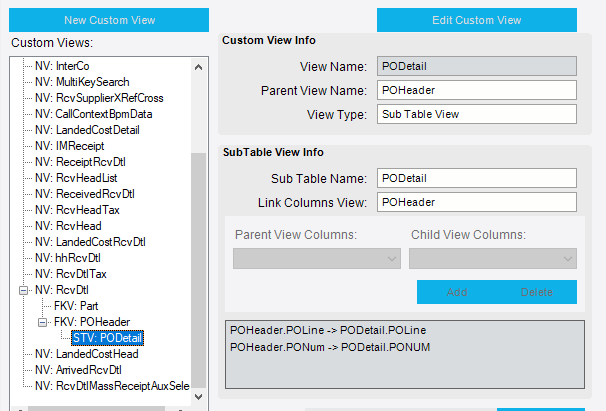
If you are just trying to simply display data from the PO on the receipt screen, you would just need to add in a foreign key view for the two tables in your Data Tools part of the customization, then you can map it like any other field to a text box etc.
Thanks for the added direction. The biggest plus is that I now understand where and how to apply code snips moving forward. Will definitely start up a file of my own now to store and refer back on code example shared!