In Sales Order Entry if someone checks/unchecks the OTS box a pop up comes up with a message. I can’t find where that message is set. I have looked in the customization code and BPM pre/post processing for sales order and can’t find the code to generate this pop up.
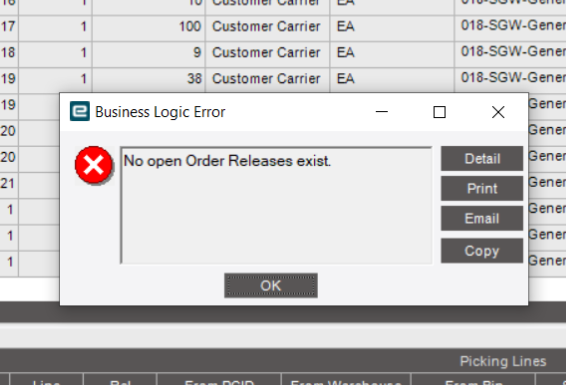
Back End Messages that is Generated by the Back End BPMs or Business Logic Generally Look like this
They have that Detail / Print / Email / Copy and the Sunken in Textbox in the Middle
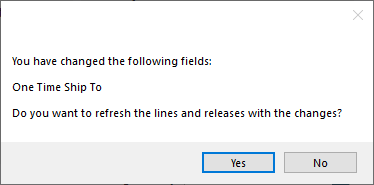
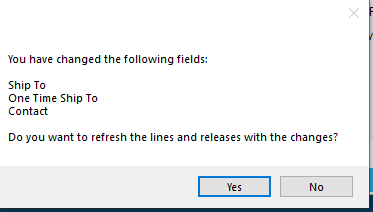
While front end generated Messages use the MessageBox Class in C# and look more like
In your case this message is generated by the Client in Response to a parameter sent from the server, but the Message Itself comes from the Client (Front End)
There are exceptions to every rule but its a good place to start. If it looks like the first one it is almost guaranteed that it was generated from a Back end Process and pushed through the stack to the client from the server side.

 To me it looked very home grown.