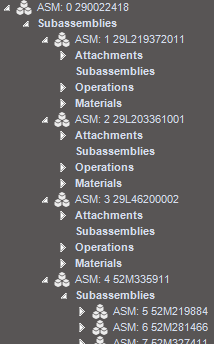
We setup a test with an assembly part with sub-assemblies ( production sub-assemblies ) with Plan-as-Assembly in the BOM. According to the MRP-technical-reference MRP should create a subassembly job as Make To Job ( if not enough stock quantity is available and within the cum. leadtime )
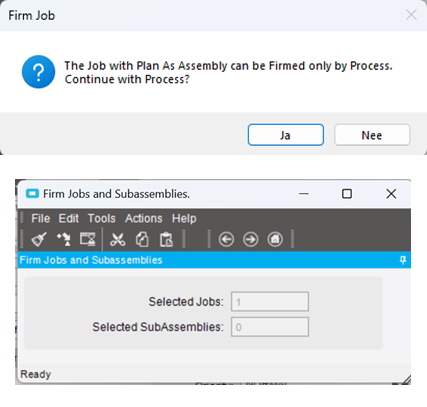
What we see is that MRP creates a job with the Plan-as-Assembly sub-assy pulled in and when firming the job ( manually from Job Entry) we receive the notification “The job with Plan as Assembly can be Firmed only by Process. Continue with Process ?”.
We executed this proces and get a separate job for de sub-assembly, but as Make To Stock and NOT Make To Job ( related to the original job/part ).
Of course, when setting the sub-assembly part as non-stock we will get a Make-To Job / Direct. But that’s not what we (always ) want for this sub-assembly part.
Can anyone inform us how to get the firm job of the sub-assembly (with Plan-as-Assembly ) created with demand link Make-To-Job ?
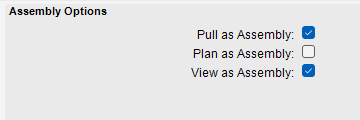
From MRP technical reference : Plan As Assembly Run the Plan As Assembly calculation when you want to automatically generate firm jobs for materials within a method of manufacturing. You activate this functionality within the Engineering Workbench, as you can select this option on a material node within the bill of materials. When a Plan As Assembly material is evaluated through MRP processing, the MRP engine checks to see if enough on-hand quantity is available within inventory to satisfy this demand material requirement. If enough quantity is available either through current stock or estimated future stock, the material quantity is considered satisfied and it is turned into a material requirement. If not enough quantity is available however, the MRP engine then splits off a new unfirm job for the subassembly that contains this material. This new job contains a Make to Job demand link for the original job record, and the subassembly node within the original job record is automatically changed into a material node.
Quite interesting to see that this post has received no response. Just shows how complex Epicor MRP really is I guess.
My understanding of plan as assembly is a bit different to what you have written (i might be completely off the point here)
I would have assumed that if there is only one demand calling for a part it would plan itself as a subassembly (within the same job) instead of splitting to a new unfirm job. However, if suppose to parent parts call for the same child part, then it would create a make to stock unfirm job (separate jobs) that goes to stock with qty that can satisfy both parent jobs.
To make a Plan As Assembly subassembly create a Job with a demand of Make To Job, you have to make the subassembly part Non-Stock. This will tell the system to treat demand as a make direct.
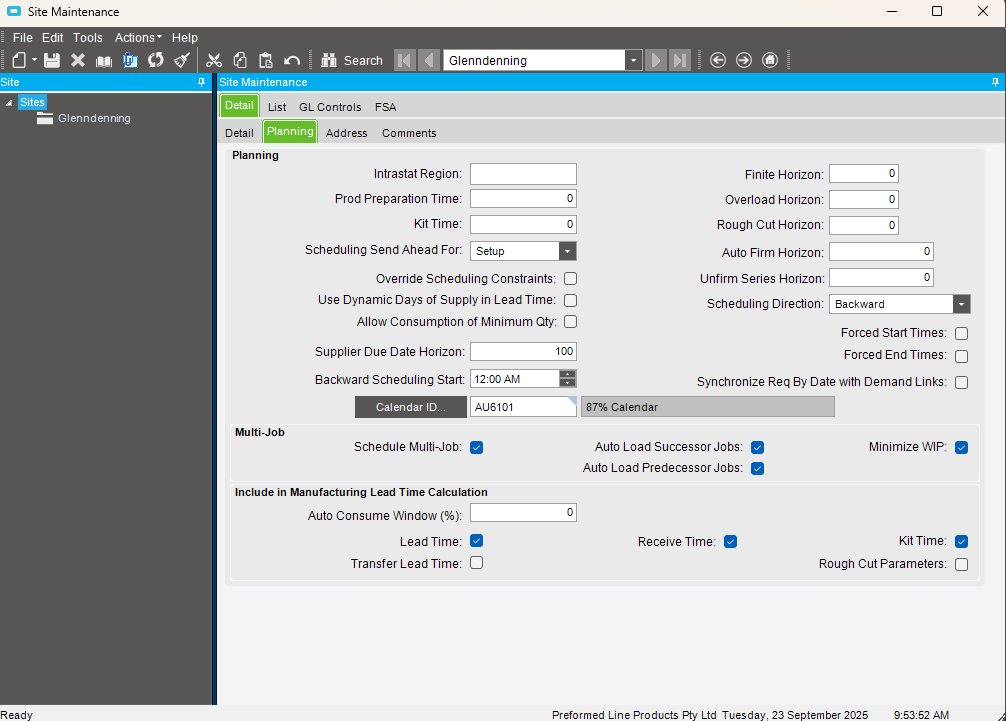
Additionally, if you want to have all subassemblies create Jobs during the MRP run, you need to turn on Multi-Job. This will do what you are looking for.
I’ve tried doing this - have a non-stock part be in a BoM as a plan as assembly item - this does not work and creates a make to stock job after splitting even though the part is non-stock. is there any other setting we need to be vary of?
Yes. I always forget this one. You need to turn on Multi-Job in Site Maintenance. I would also turn on Auto Load Successor Jobs and Auto Load Predecessor Jobs.
What am I missing? Or is this something not available in my version (10.2.6.13)?
If I have a mfg part marked as non-stock and it’s in the BoM for a parent part, then MRP run creates the job-to-job links (make to job demand on child job)
However, plan as assembly isn’t doing that - after I run the process for firm jobs and subassemblies like OP, I don’t see any make to job demand links on parts that were originally subassemblies in the unfirm job.