Summary
MRP has been failing when unrelated BPMs on the JobHead table trigger incorrectly. DbUpdateConcurrencyExceptions are thrown when the BPM should not even be fired.
The Error
I have built a number of Data Directives over the JobHead table, including a changelog and a default field set for maintenance jobs. These worked just fine in Kinetic until our test environments were upgraded to 2026.100. Now, MRP is throwing errors whenever we try to run it due to a "BPM runtime [catching] an unexpected exception of ‘BLException’ type. The full error message is as follows:
Ice.Common.EpicorServerException: BPM runtime caught an unexpected exception of 'BLException' type.
See more info in the Inner Exception section of Exception Details.
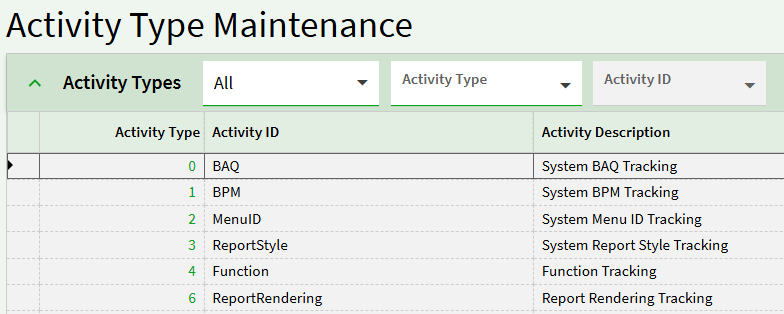
 ---> Ice.BLException: Unable to update activity with type: '1'. ActivityID: 'BPM' Key1: '44ec2567-a792-4f7e-823a-81e177b123f4'
 ---> Microsoft.EntityFrameworkCore.DbUpdateConcurrencyException: The database operation was expected to affect 1 row(s), but actually affected 0 row(s); data may have been modified or deleted since entities were loaded. See https://go.microsoft.com/fwlink/?LinkId=527962 for information on understanding and handling optimistic concurrency exceptions.
The Investigation
I searched for the “Key1” value and found it in the BpDirective table in BAQ designer. Filtering down the Directive ID to the Key1, I found that the faulty BPM was the changelog BPM. All it had was a condition checking for certain fields being updated, then a changelog node for the same fields. While I considered that the insert into the changelog table could be the update the error was talking about, I did still consider it strange. I opened an EpicCare ticket and our team tried running MRP again, this time without the changelog active.
MRP locked up again, so after 5 hours just to be sure it wasn’t just really slow we cancelled it and reviewed the logs again. This time, it was the same error, but pointing to a different Key1. I followed the same steps and found that it was now erroring off of a BPM designed to set default values for maintenance jobs. Once again, it started with a condition that should have deterred MRP entirely (JobType = “MNT”).
EpicCare’s Advice
I updated the EpicCare ticket to receive the advice, “You don’t want to run MRP while running any BPMs - potentially could be touching the same tables at the same time which causes MRP to have issues.” I asked some follow-up questions, and the support agent said they would bring it up with their cloud team.
Conclusion
Has this been discovered and/or resolved by anyone else?
I’ll update this thread if I get anything helpful or interesting from EpicCare.