A few thoughts…
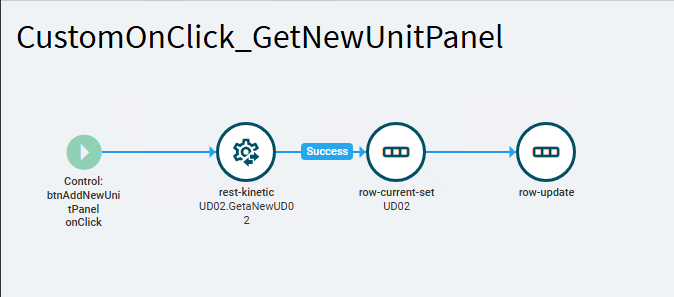
There are two methods on UD tables… GetNewUD02 and GetaNewUD02… I typically use the GetaNew method.

What form are you working on? Part Entry, for example?
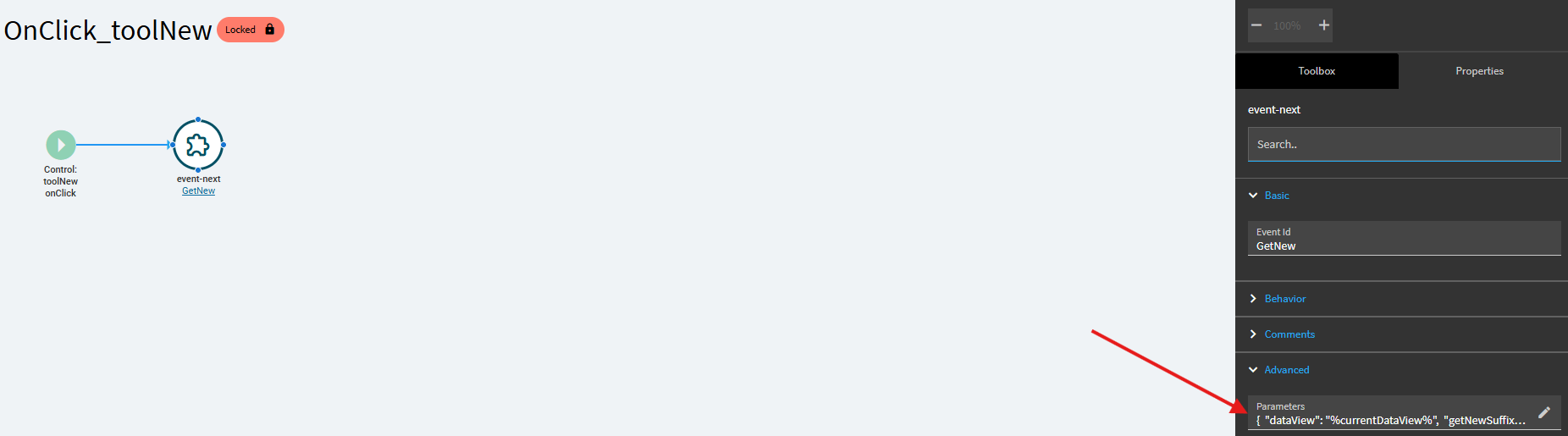
On Part Entry (since I’ve wrestled that demon before), the New button is used across the application, but the event(s) include a “switch” of sorts. First the OnClick_ToolNew event triggers the GetNew event… but it does so by passing some parameters which sets the “dataview” and “getnewsuffix” to the dataview the new button was tied to.
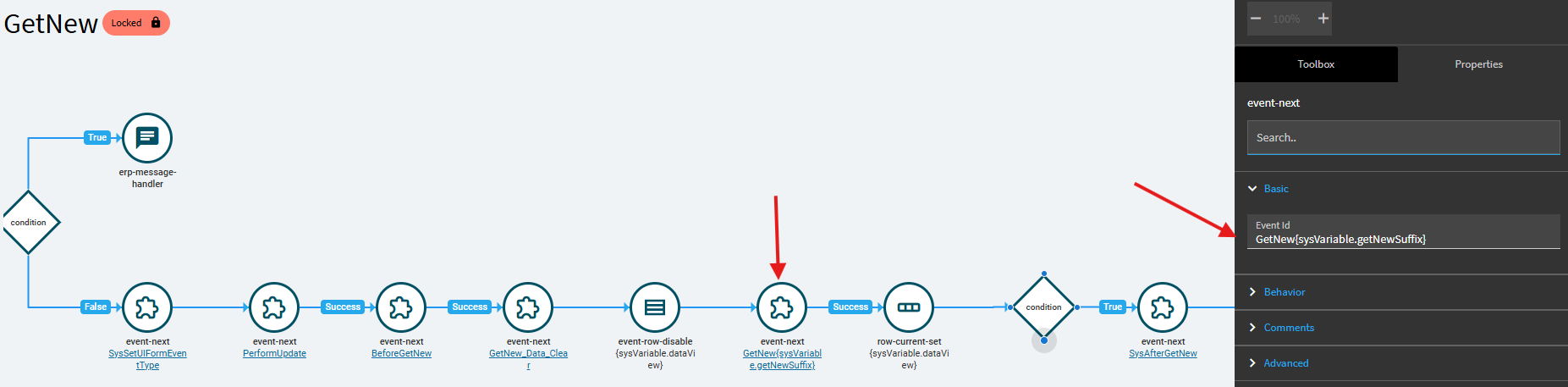
In the middle of the GetNew event, there is an event-next with a value of:
GetNew{sysVariable.getNewSuffix}
This effectively runs a GetNew{currentdataview}… so if the new button was bound to Part, or PartRev… it would trigger GetNewPart, or GetNewPartRev.
In our case clicking the plus button on a grid bound to UD02… that becomes GetNewUD02
So.. this leads to answering another of your questions:
The plus button appears when your grid is tied to a DataView in the Grid Model.
If I delete that binding, my plus button disappears.
~*~
I have a very similar set-up (it sounds like) to what you’re trying to achieve. I use UD02 to track various external part references against a part record. Could be drawings, specifications, customer part numbers, vendor part numbers, various keywords we use for categorizing and searching. Primarily carryover from our Legacy system, but we built it out in Epicor when we transitioned.
All of these records are on the UD02 table… and we pull them up based on their key values.
What we did for this form was to actually populate each of my (5) grids by BAQ/DataViews. Each grid has its own BAQ which only returns rows from UD02 with the proper keys.
But, because they’re tied to their own dataview (bound in the grid model), each grid gets it own “plus button”.
~*~
So… longwinded set-up summary:
I have one dataview called UD02_View… this it tied directly to the UD02 table. But I never populate this table. Its only there for when I add a new record (I’ll explain later).
I then have (5) different BAQ/Dataviews, one for each of my (5) grids.
Because Part Entry performs the “switch” I described above… clicking the plus button on one grid results in calling event-next: GetNewMyDataView1… or GetNewMyDataView2
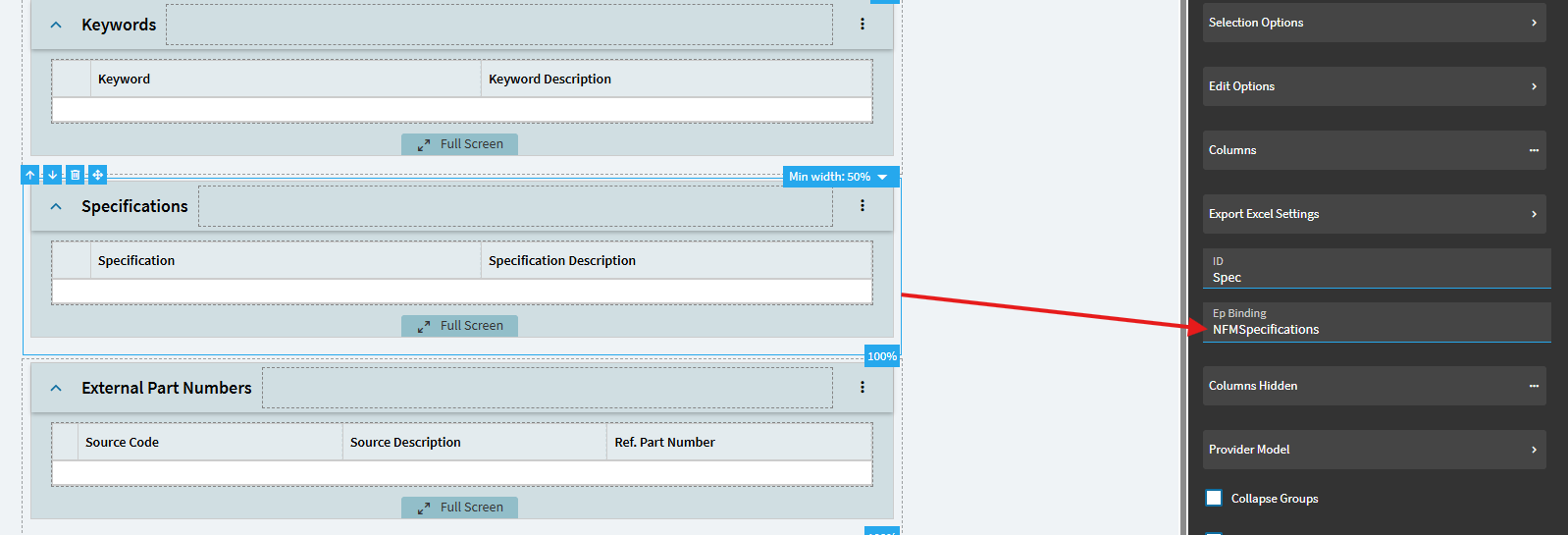
We then created events for each one. So, if the base GetNew event-next results in GetNewNFMSpecifications (the grid I pictured above)… I have an event called GetNewNFMSpecifications that then fires.
It gets a little muddy because of all the event switching going on… and unfortunately we have another layer of chaos here…
Like the base OnClick_ToolNew button, which calls the GetNew event while passing parameters… we did the same thing.
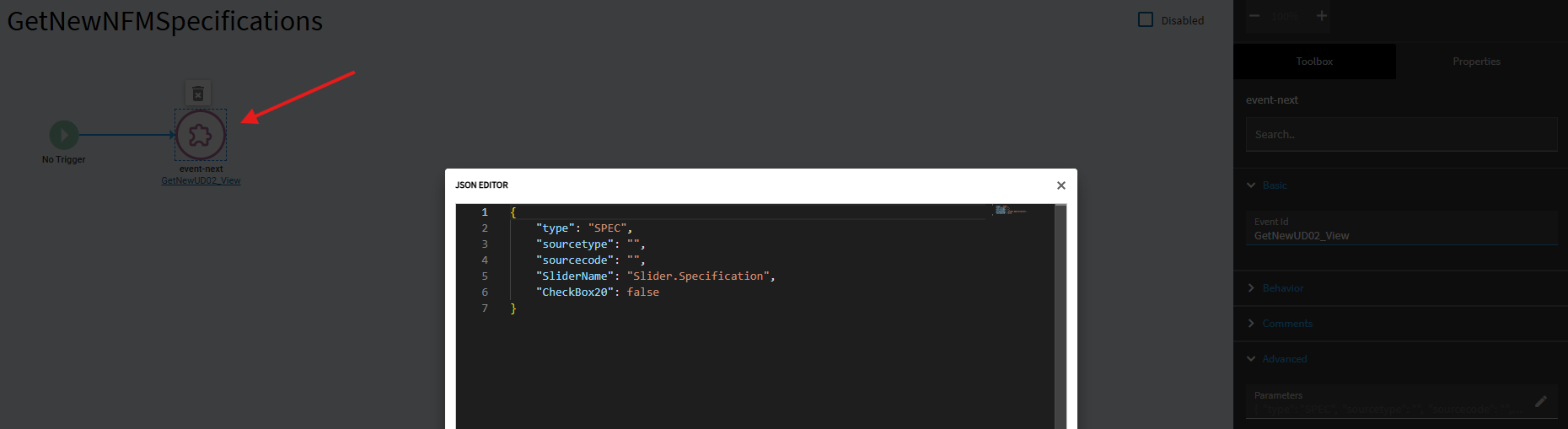
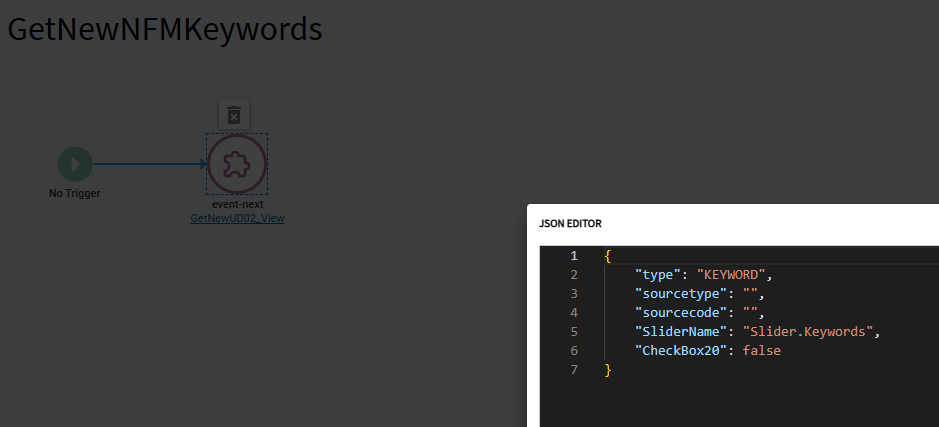
My GetNewNFMSpecifications event performs another Event_Next which calls up our “master GetaNewUD02 Event”. But we added our own set of parameters on the Event-Next action.
Below are the parameters being passed to my master GetaNewUD02 event if I click the plus button on my Specification Grid.
But… had I clicked the plus button on my Keywords grid… that results in passing different parameters to my “master GetaNewUD02” event:
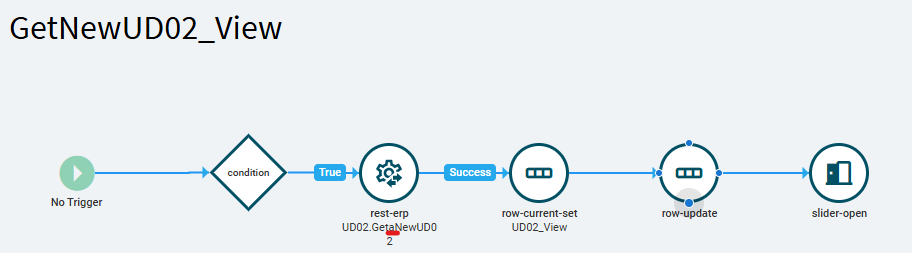
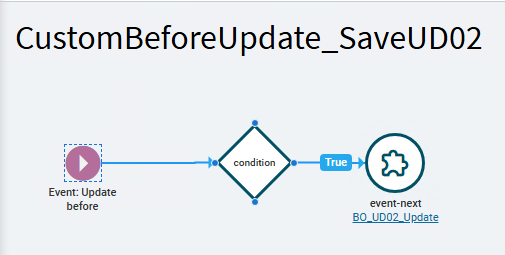
Below is my actual GetaNew event:
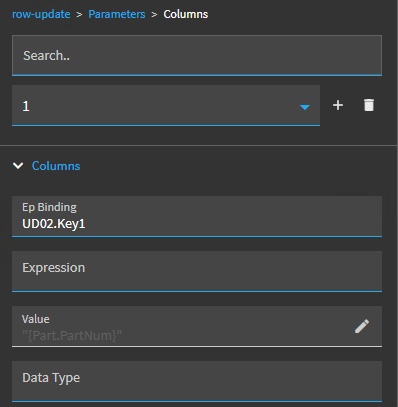
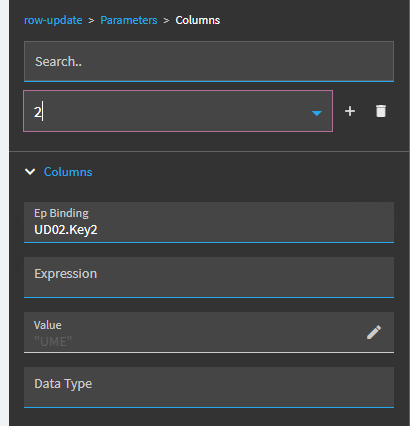
I check to make sure the PartNum is valid, then perform the GetaNew rest call, this new row is created on my UD02_View dataview (it is the only row in that dataview). We set that new row as the current one (may or may not be necessary) and perform a row-update. This is where I use some of those parameters we created earlier…
I set Key1 to a value of “{Part.PartNum}”
I set Key2 to “{SysVariable.type}”
I set ShortChar19 to “{SysVariable.sourcetype}”
etc.
It THEN open up a slideout which contains additional entry fields tied to various UD02 columns for the user to input more information.
We then have a save event which performs a UD02Svc.Update call to save that new record to the UD02 table. At the end of the save event, I have another event that refreshes all my BAQs. They re-run, re-populate their respective dataviews, and the grids then update to show the new records.
I know this is… a LOT. But this was our successful path.
~*~
One last thought…
If, you go a BAQ route and you include a calculated column of max(UD02.Key3)… this would be returned to your dataview(s). I would make sure your calculated field converts that to an int as Keys are strings.
A simple Calculation action in your events (prior to saving the record) could then take your {Calculated_maxKey3} + 1 and set that value to your new UD02_Key3 row (may have to convert that back to string?).
When you save that record, your BAQs would re-run and that new value would become your new max.
Just a potential non-function way of doing it (not tested).