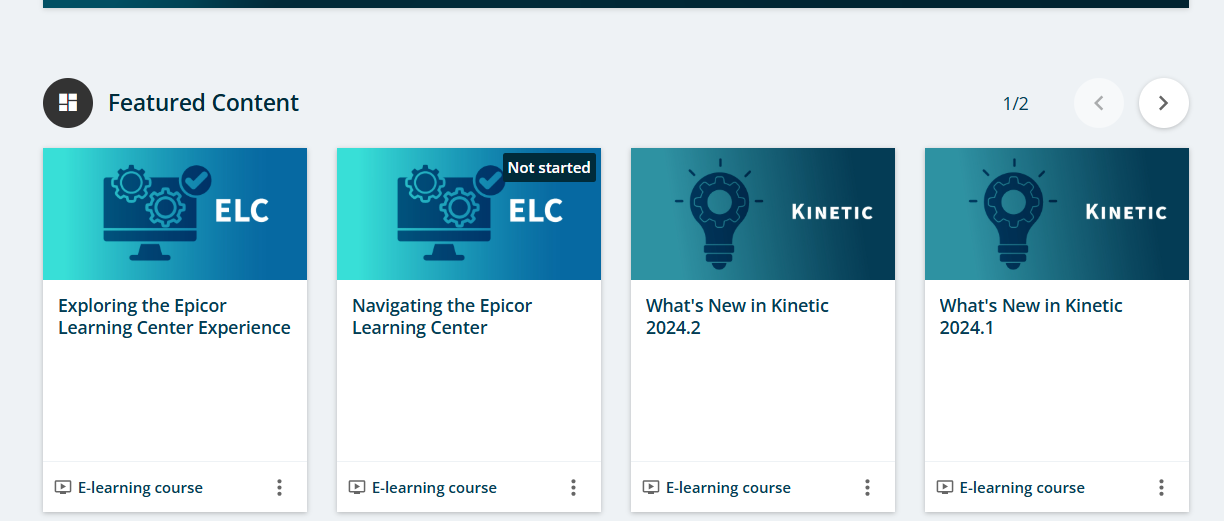
I didn’t even realize it had moved. I find it amusing that the featured content is a year out of date on a brand new site.
5 Likes
Yeah I can’t seem to find our custom agendas on the new site so I guess we just have to make new ones.
1 Like
None of the previous assigned and completed content in there either 
I had just got my finance team using the ELC, they are going to love me when i tell them they have to do it again 
3 Likes
I knew this was coming, didnt know it was ready for primetime yet. I am ready for a refresh on the learning portal.
@karihagedorn Is there a release coming (or one I missed)?
Also, any best practices for folks with training agendas in process?
Hi Alisa - Thanks for your feedback, not all customers are on the latest release so we feature the last three releases in the featured content to support all users. These are set to display ELC first, core product next followed by any modules that you own. If you move to the next page using the arrow above you will see the 2025.1 whats new content.
1 Like
Customizing agenda is no longer available in the new ELC experience. You will still be able to create your own courses in the ELC with your own company content. This is a new feature currently on track to be released in early September **Safe Harbor.
2 Likes
HI Brian,
We did our best to notify all power users in EpicCare of the upcoming change including steps to prepare for migration. Additionally we hosted a live webinar with Q&A to cover new features and migration process. You can access the recording here: Get Ready for the Next Generation Epicor Learning Center
3 Likes
Thanks Kari!
Hi Daniel,
All user who have been active in ELC in the last three years were migrated to the new ELC experience. Active user means that they have atleast logged into ELC. Learning records do not automatically migrate but you can pull them into the new experience. In order to pull in legacy learning records you will need to reenroll your users in the courses and learning paths. Once enrollment occurs, our system will review any legacy records and update the enrollment status based on previous progress.
With the move to the new system we have had some critical functionality changes. I would encourage you to check out the Exploring the Epicor Learning Center Experience course for more information. We also have a terminology guide available from ELC help to support the transition.
Roles in the legacy ELC managed both people and content. In the new ELC we have split up this functionality to provide a more dynamic experience. The people element of Roles is now called Groups. The content element of roles are now called Learning Paths. You can setup groups for each of your business units and then use groups to mass enroll users into the various learning paths or courses in the new system. As I mentioned, once the enrollment occurs our system will review legacy learning records and update assignment status based on previous progress.
In summary:
Legacy Course = Training Material in New ELC
Legacy Agenda = Course in New ELC
Legacy Role (Content) = Learning Path in New ELC
Legacy Role (People) = Groups in New ELC
- Create your groups
- Add users to groups
- Enroll groups into learning paths or courses.
6 Likes
@karihagedorn If i create a ‘Group’ and assign courses to that group, when i add someone at a later stage to that group, do they automatically get assigned the courses in the group?
Hi Daniel,
Yes this is possible with an automated enrollment rule. Once you get your users into the groups and learning paths or courses reassigned. I would then setup enrollment rules for each group so any new users that are onboarded are assigned the respective content. A few things to consider:
- Groups can be automated or manual
- You can leverage the Business Unit field to set a rule to automate your groups, if you like. i.e. if in purchasing business unit, then enroll in purchasing group
- Enrollment rules do not mix courses or learning paths, so if you want to assign a mixture you would need to setup two enrollment rules. one for course enrollment rules and one for learning path enrollment rules.
We have documentation available in the ELC help that dives further into groups and enrollment rules. We will also have a course coming out soon on this topic as well.
4 Likes
I created a group but another admin in ELC can’t see that group. Can you not share groups between admins?
One more thing, is there a way to stop users self-enrolling?
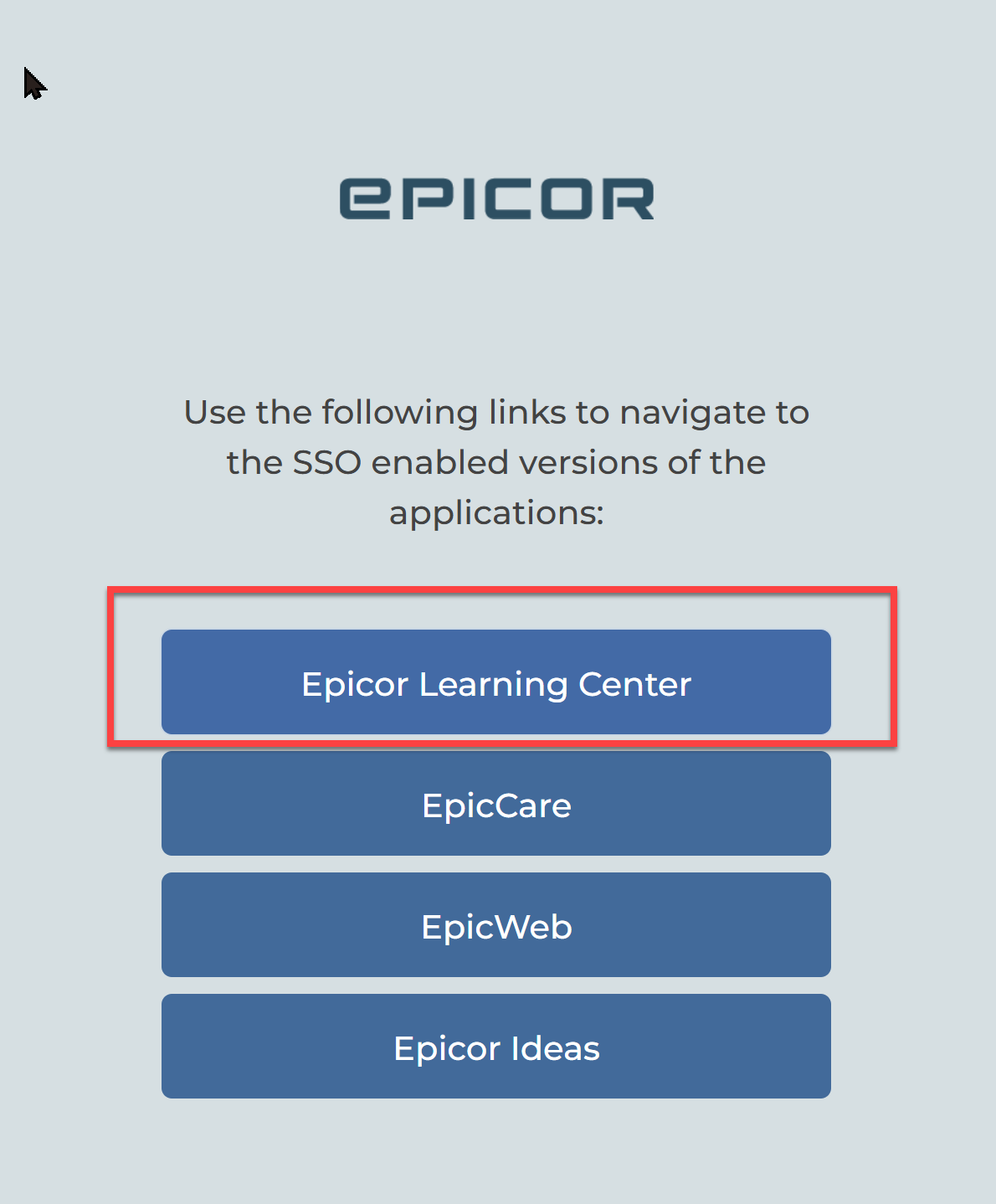
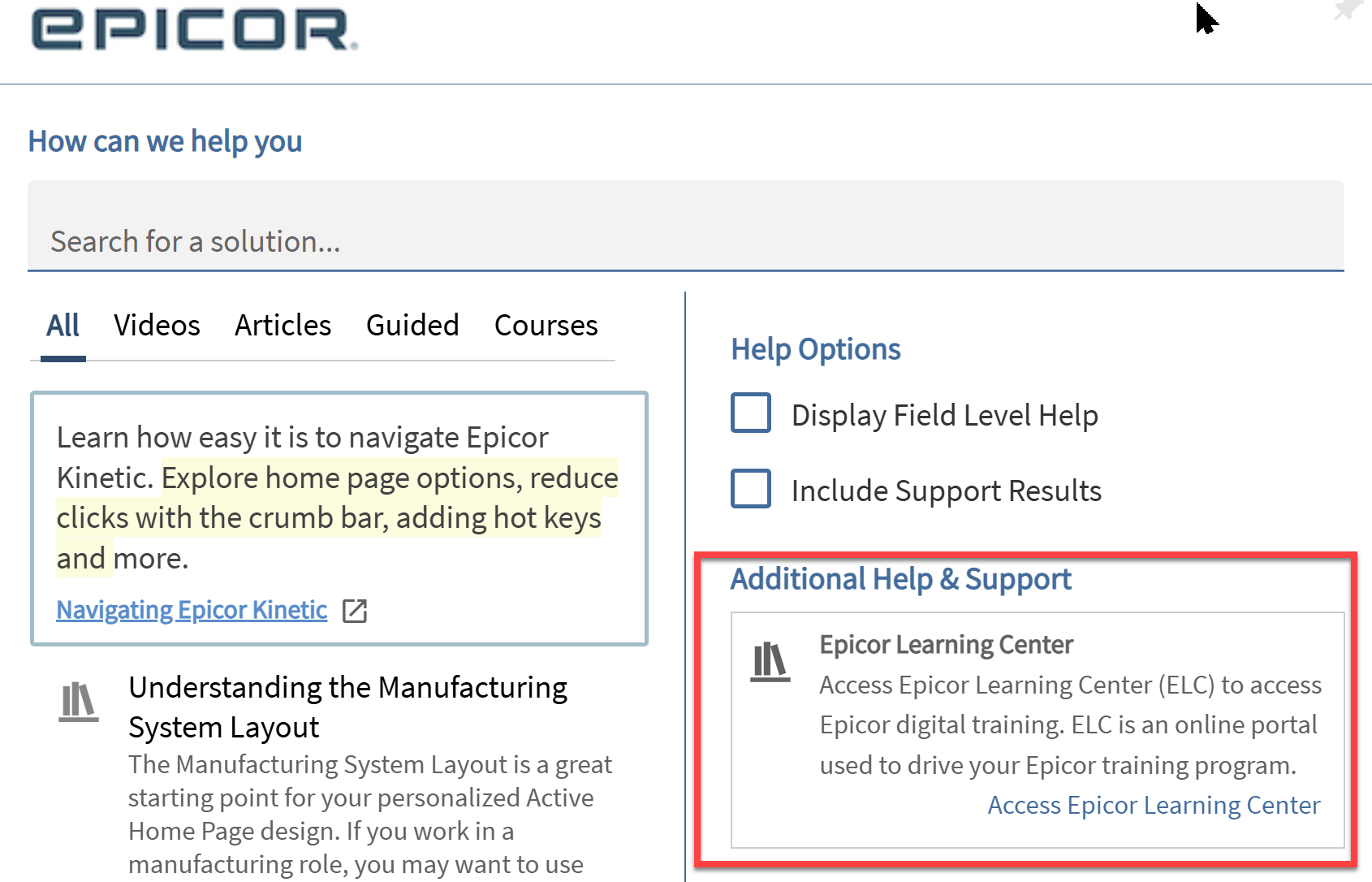
I find it surprising that links from single sign on and when you log in from the application the link takes you to the legacy learning center.
2 Likes
HI Bruce - Launch day for Epicor Learning Center does not align with a product release, these are scheduled to be updated on the next release. Their are redirect banners on legacy ELC until that time.
2 Likes
Self Enrolling in the ELC or in a course? Administrators have to approve new users sign ups before the account is activated in ELC.
For courses and learning paths, no there is not a way to restrict them from enrolling in a course.
Yes you should be able to, please raise this as a support case so we can investigate further.
@karihagedorn are the courses setup in the order one should take them? For example in the Project Manager - Kinetic learning path the first class is a nearly 6 hours Engineering Methods of Manufacture course then all the want as the last course is a 1 hour Method of Manufacture Foundations course which sounds like it’d make more sense as one of the first ones a user would take.
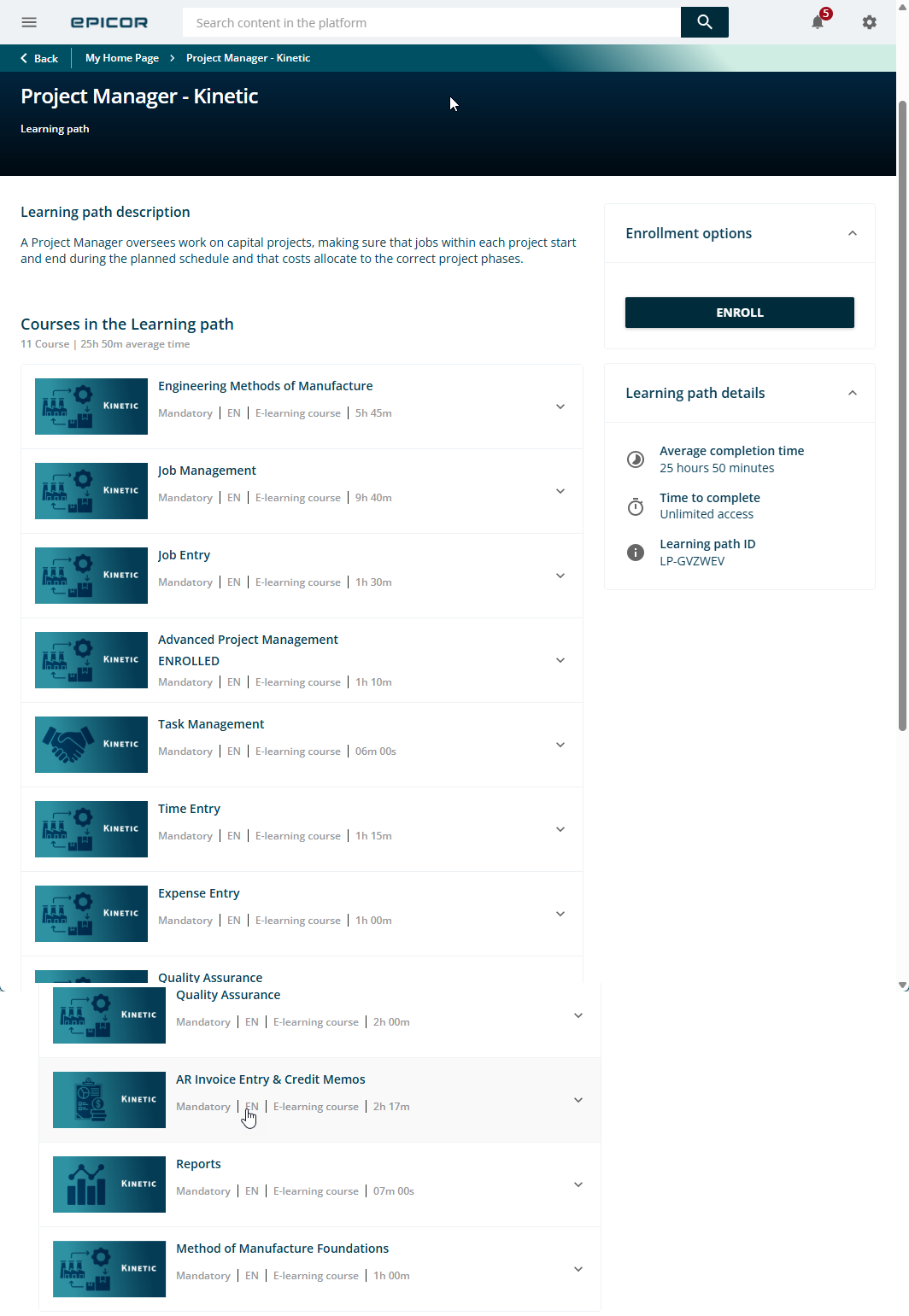
Another example is the APM course inside the above learning path. The first course in APM Project Journal. At about 1:05 in this video it references a project created , “in the previous course” yet it’s the first course of this series.
3 Likes
I guess some of the courses require a downloadable .ZIP file. I don’t think those migrated over, leaving it impossible to do those courses (ticket has been submitted).
1 Like
Hi Randy -
Yes the learning paths and courses should follow a progressive flow. I have shared this with our content team to investigate further and update accordingly.
Thank you!
2 Likes