New field on Mass Issue to Mfg

I need to add a new text field to the Mass Issue to Mfg option that allows me to save the person to whom the material was delivered.

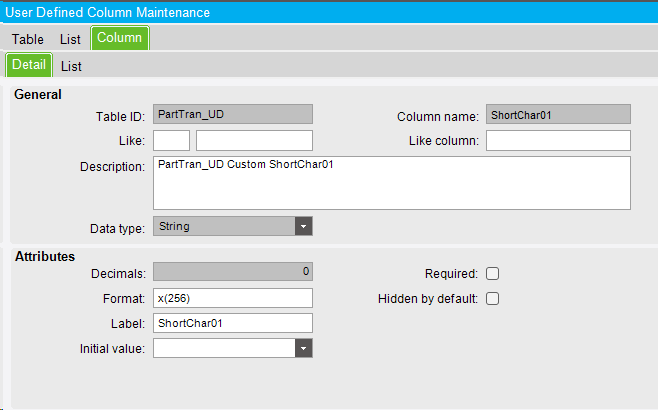
  1. Add a field called TranDelReference_c to the PartTran table by UD Column Maintenance
  2. Add the Textbox to the Mass Issue to Mfg
    but when looking for it within the available fields of the EpiBinding of the textbox, I cannot find it, this leads me to the conclusion that I have to add it through a customization that allows me to place the EpiBinding manually with all its characteristics to be able to save the information that place in the textbox.

Does anyone have any idea how to do it or any better idea to accomplish this requirement?

@MEMFabila I would bind your textbox to a field like CallContextBpmData.ShortChar01 and then on the add of PartTran slide it into your UD and clear the BpmData field.

This should also work in the new UX when converted.

1 Like

By default, you can use Reference field. It will be saved to PartTran. If need more UD, use gpayne’s way.

2 Likes

Did you do a data model regen, recycle appserver, and restart your client? The way you are going about it sounds right.

Yes, I did, the model was regenerated. I can’t see the new field since the only fields they show seem to be defined in a view

Did you verify field is not being hidden by default?

I also verified that it was not disabled by default.

Only that field is used by Epicor to save the user who makes the Mass Issue to Mfg

Fair fair, yeah that dataview isn’t going to contain part tran. Use call context then.

@gpayne
Could you give me more detail about this?
then on the add of PartTran slide it into your UD and clear the BpmData field.

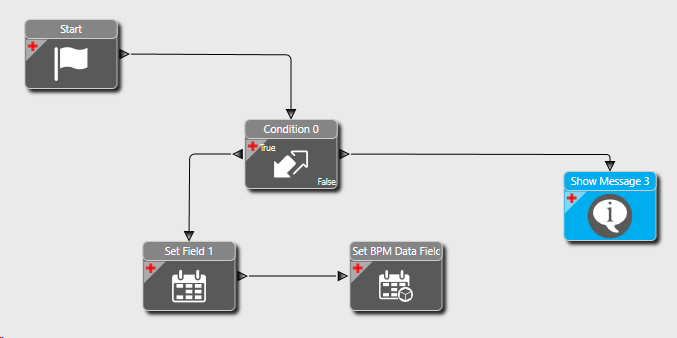
I did this in a DD that is all widgets. I have not tested this, but it is the same as I have done in code for 10 years.

image
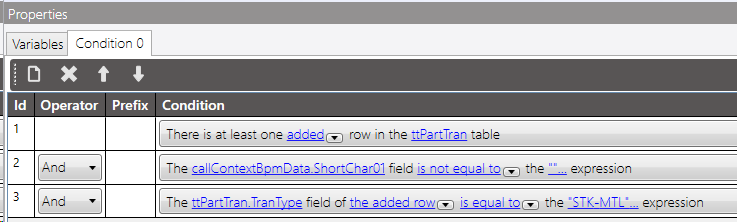
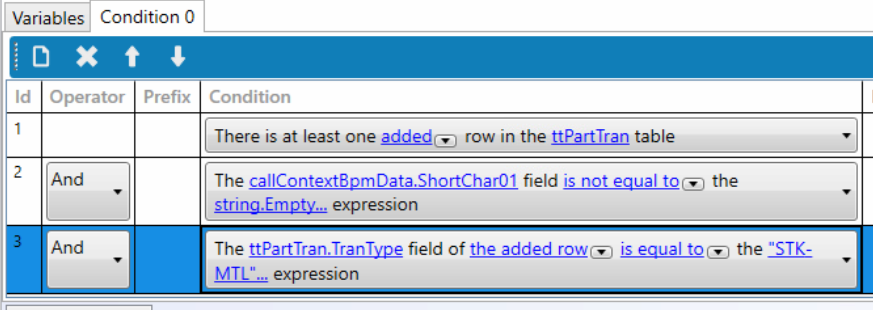
Conditions.


Set your UD field.

Clear CallContext

Would I still need to add the ShortChar01 field in the Maintenance of User Defined Columns?
image

Change ttPartTran.ShortChar01 to your field TranDelReference_c. I had to use a field that was in my data.

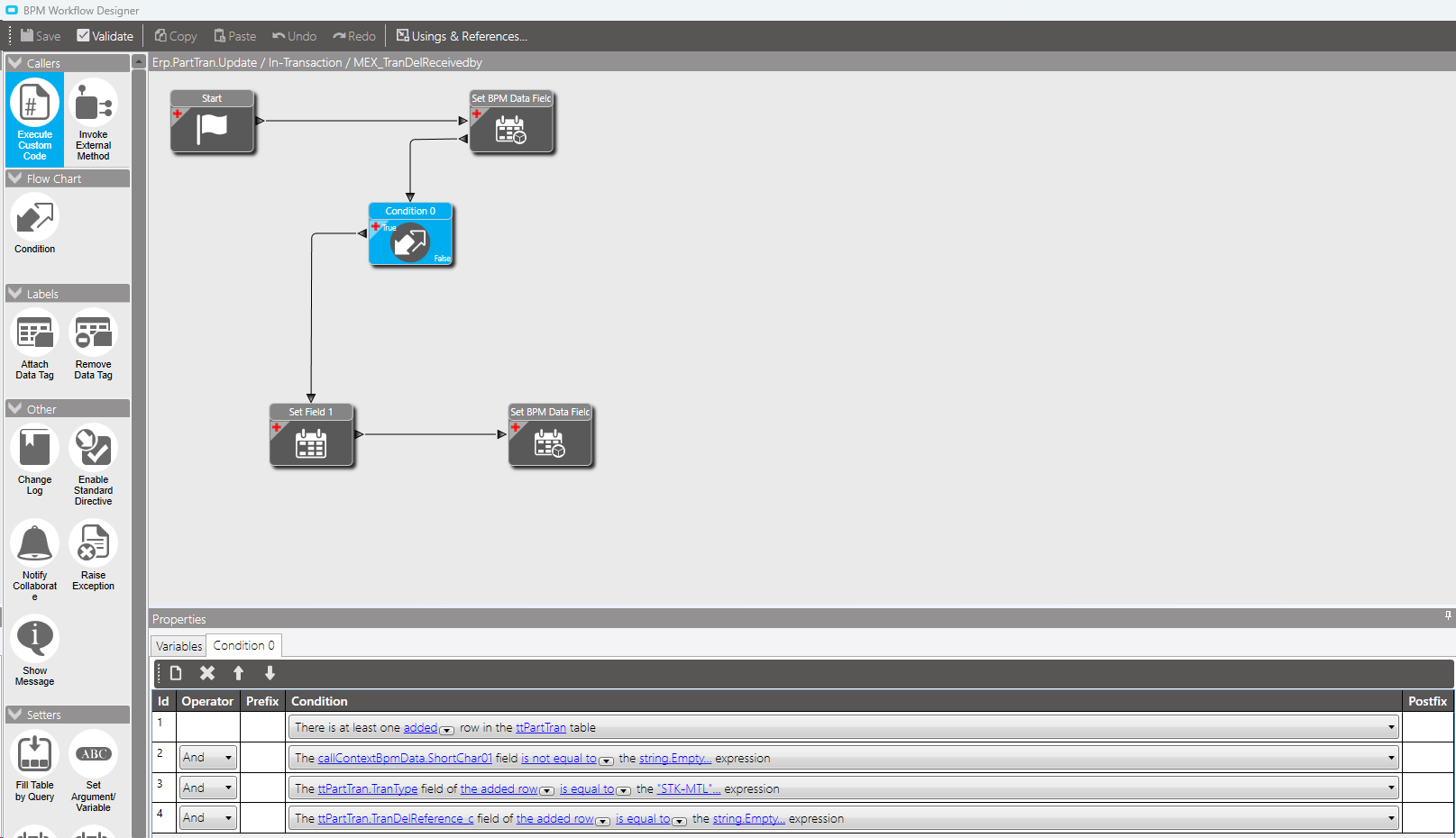
This is the configuration I have, but it doesn’t save anything in my field, any ideas?
image


image

The added assumption was wrong. PartTran is already added and is modified in the data directive. The below has been tested and I used another UD field, so you just need to remove the hardcoding of SC01 and change my UD to yours.

E10 Add User.bpm (22.4 KB)

This is from my serverlog.
<Trigger table=“PartTran” type=“Modified” pk=“PartTran<~>a129487b-fc97-4a0f-a5e3-a3abebda30f7”
rowId=“a129487b-fc97-4a0f-a5e3-a3abebda30f7” duration=“23.5243” runningTriggers="Modified PartTran
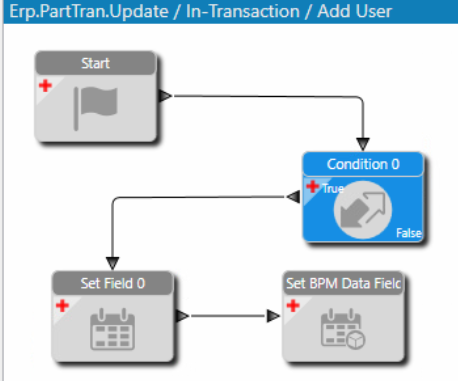
<BpmDirective Type="0" ID="abd69d1b-ebec-4929-90b4-3271da9e4fa7" Name="Add User" VisibilityScope="0"

Ooops, I didn’t understand now.

Down the attached bpm and compare it to yours and make changes.

I added the content of the Set BPM Data Field but the content of Set Field 1 does not place it, it leaves due to the false condition
Any idea?

Change the Added to Updated and try it. That is the biggest change I made.

This statement doesn’t work: string.Empty, you have to put quotes

Thanks a lot @gpayne

1 Like