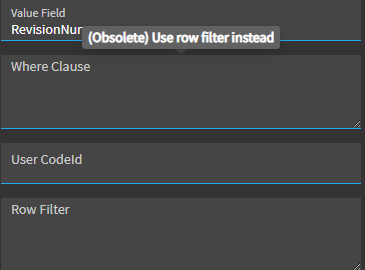
When doing development in BPMs and App Studio you will occasionally get warnings (debug for app studio and compile for BPMs) stating that you are using a deprecated/obsolete feature. I am fine with Epicor obsoleting components however the way it is being done is quite frustrating to me.
For instance, in 2025.2 the dataview-clear widget in App Studio is deprecated, and you are supposed to use data-clear instead. If I don’t see the debug warning (or don’t use debug when testing) I will miss the warning stating that the widget is obsoleted. Is there any way for me to see if a widget is obsolete before I use it?
Agreed it would be nice if they could implement this type of warning a little more! But even that is pretty easy to miss if you’re not mousing over it.
Could be some legacy controls that have settings there, so I kinda get why they don’t necessarily want to HIDE the property… but, not sure why they don’t disable it.