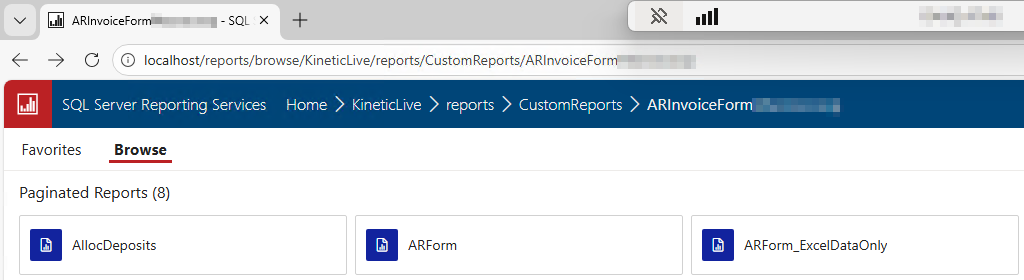
Well, this is a weird one. On 2024.2. One of our companies with a custom report style for ARForm (AR invoice) has been unable to print/preview their AR invoices since Monday morning. It shows up in the history in System Monitor with an error: “The item ‘/KineticLive/Reports/CustomReports/ARInvoiceForm[Redacted]/ARForm’ cannot be found”
Report Style Maintenance shows all the files for that report style are present and accounted for. I can download and re-upload the SSRS files just fine. ARForm.rdl looks fine from what I can tell.
On the server itself, the file is there, the path is spelled correctly, and the security settings are the same as every other report…
If you create a new report style and upload the RDLs it should fix itself. It’s a known issue due to the common dB stuff they did. We’ve had this happen a lot since moving to 24.2.
Do you have a case number or PRB number for @ckoch to reference? MAybe @ckoch can also put in the case so that if it’ snot resolved yet it’s one more person adding tha they are affected.
I neve bothered creating a ticket. I think @aosemwengie1 did, maybe? I think Nathan wrote something about the common dB causing the issue on one of those mega SSRS threads. I’d have to go back and look for it. I just knew it was an issue and how to fix.
I think there are several problems for it. Unfortunately it’s impossible to search the problem repository effectively. I’m looking to see if I can find them on here or in EpicCare.
We talked about it here some. That also links to another post about SSRS issue. It comes down to an issue with their new common dB. Which I think relates to PRB0300772.
Had to be sure to use a new folder name, too, not just copy the report style with the same folder name. (Doing that still had the same issue, but I was able to change the folder name and reupload the files afterwards.)
Still bizarre and I still wonder which bit(s) got flipped the wrong way during our patch from .19 to .31 over the weekend.
Yeah, that’s the key. The folder it lands in must be different. I didn’t explicitly mention that. When I copy the report style I changed the name as I left the broke version initially. Now I just delete it. We ended up with a lot of because of this. Sort of a mess now.
It’s an issue across several versions. I think into 25.1 and maybe some 25.2 early releases.