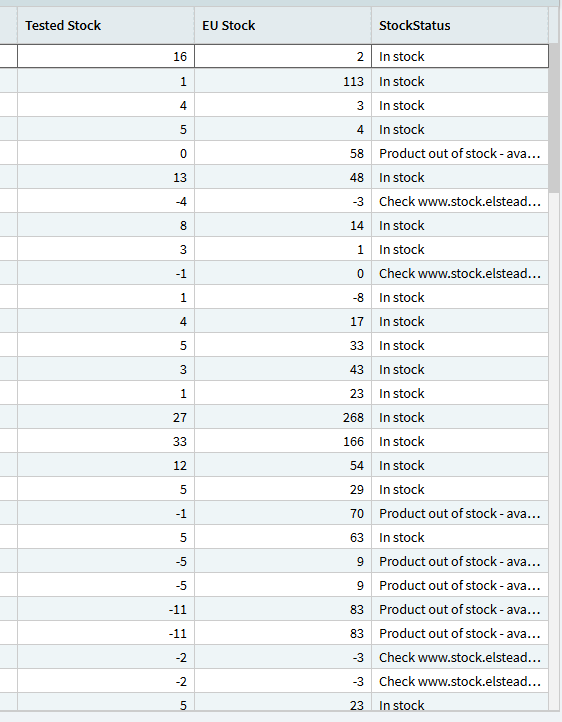
Hello, We currently have Order Ack email out, just wondering how easy it would be to build a BAQ that I can add to the report where it says Line 2 out of stock due to “”“” this would check my BAQ which simply has the Order the Line the SKU and an out of stock reason like this
I have tried doing this through a BPM and I got to a point however it triggered based on the order being saved but instead of returning the record relating to the order it kept returning line 1 on the BAQ
You will need to filter the BAQ to get the sales order it’s processing. Otherwise if you’re just returning the whole baq dataset you’ll only ever get the top record.
I would pass the part numbers from the Order into an Epicor Function, and have the function call the query and return the message to add to the email.
Create an epicor function that takes a String-type parameter called PartsList, and returns a string parameter “InvStatus” or something like that.
BPM Code:
var AllParts = Db.OrderDtl.Where( x => x.Company == Session.CompanyID && x.OrderNum == iOrderNum ).ToList();

PartsList = String.Join('~', AllParts);
Use an Invoke Function widget to pass PartsList to the new function.
Function Code:
/*
   In: PartsList (String) - Out: InvStatus (String)
   Add the Ice.BO.DynamicQuery in Reference > Services
*/
//
// Get Query Results as DataSet
//
var Results = new System.Data.DataSet();

CallService<DynamicQuerySvcContract>( svc => {

    var dsQuery = svc.GetByID( YOUR_BAQ_NAME );  // BAQ Name

    if ( dsQuery == null ) return;

    var p = svc.GetQueryExecutionParameters( dsQuery );
    Results = svc.Execute( dsQuery, p );
});

if ( Results.Tables[0].Rows.Count == 0 ) return;


//
// Filter results to Parts passed in from BPM
//
var OrderParts = PartsList.Split('~').ToList();
var MatchingResults = Results.Tables[0].AsEnumerable().Where( x => OrderParts.Contains(x.Field<string>("Part_PartNum")) );


//
// Loop through remaining rows to add status for each part
//
var sb = new System.Text.StringBuilder();

foreach ( var row in MatchingResults )
{
    string PartNum = row.Field<string>("Part_PartNum");
    string Status = row.Field<string>("Calculated_StockStatus");
    sb.AppendLine( $"{PartNum} - {Status}" );
}

InvStatus = sb.ToString();
In the var MatchingResults declaration, make sure the PartNum field matches what is in your BAQ for PartNum in the Display columns. It’s formatted “TableName_FieldName”, with calculated fields “Calculated_FieldName”