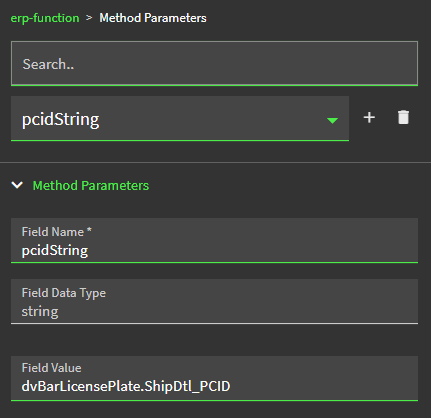
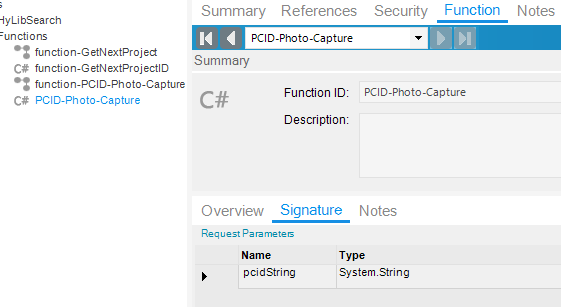
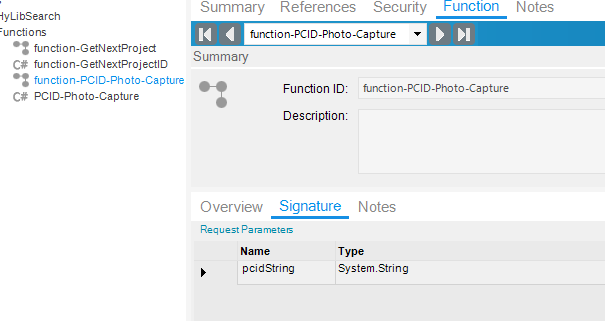
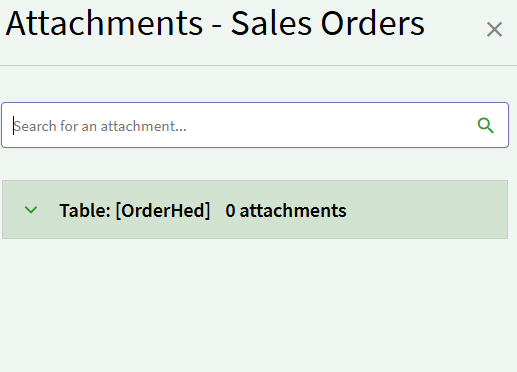
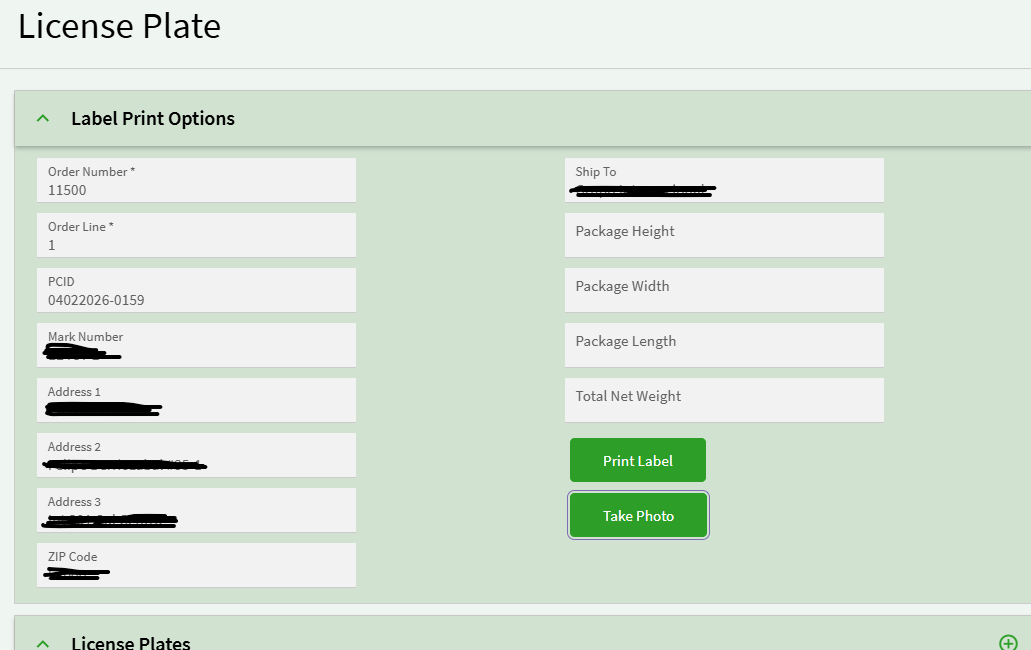
The ask is to create automation for when a License plate label is printed (on a custom screen) for a specific PCID (container number), an image is captured as .jpeg, via API, from the assigned crating area and have that image attached to all Sales Orders that are assigned that PCID # at the OrderHed level.
Here is the first version of what I was trying to do: Step 2 was moved to the top to see if the steps before it were breaking the function but it was originally after step 1 (naturally).
Step 0 will be modified later since the all the cameras have yet to be set up and API’s built for them.
// ================================================================
// CONFIGURATION
// ================================================================
//string company       = Session.CompanyID;
//CurrentUser          = Session.UserID;
//CurrentWorkstation   = Session.WorkstationID;
resultMessage        = "";
string docTypeID     = "IMAGE";
//string cameraName    = "TestCamera";
string cameraApiUrl  = $"**removed for security**";

// ================================================================
// STEP 0: Look up camera name from WorkStation BAQ
// ================================================================
//try
//{
//    var wsResults = (from ws in Db.WorkStation
//                     where ws.Company == company
//                        && ws.WorkStationID == CurrentWorkstation
//                     select ws)
//                    .FirstOrDefault();
//
//    if (wsResults == null)
//    {
//        resultMessage = $"No workstation record found for WorkStationID: {CurrentWorkstation}";
//        return;
//    }
//
//    cameraName = wsResults.Camera_c?.Trim();
//
//    if (string.IsNullOrEmpty(cameraName))
//    {
//        resultMessage = $"No camera assigned to workstation: {CurrentWorkstation}";
//        return;
//    }
//
//    cameraApiUrl = $"removed for secuirty(cameraName)}";
//}
//catch (Exception ex)
//{
//    resultMessage = $"Workstation lookup error: {ex.Message}";
//    return;
//}

// ================================================================
// STEP 2: Call the camera API and retrieve raw JPEG bytes
// ================================================================
byte[] imageBytes = null;

try
{
    using (var httpClient = new System.Net.Http.HttpClient())
    {
        httpClient.Timeout = TimeSpan.FromSeconds(30);
        //httpClient.DefaultRequestHeaders.Add("x-functions-key", "**removed for security**");

        var response = httpClient.GetAsync(cameraApiUrl).Result;

        if (!response.IsSuccessStatusCode)
        {
            resultMessage = $"Camera API failed: HTTP {(int)response.StatusCode} {response.ReasonPhrase}";
            return;
        }

        var contentType = response.Content.Headers.ContentType?.MediaType ?? "";
        if (!contentType.Contains("image") && !contentType.Contains("octet-stream"))
        {
            resultMessage = $"Unexpected content type: {contentType}";
            return;
        }

        imageBytes = response.Content.ReadAsByteArrayAsync().Result;

        if (imageBytes == null || imageBytes.Length == 0)
        {
            //resultMessage = $"Camera API returned empty image for camera: {cameraName}";
            return;
        }

        resultMessage = $"Image captured successfully | Size: {imageBytes.Length} bytes";
    }
}
catch (Exception ex)
{
    resultMessage = $"Camera API error: {ex.Message}";
    return;
}


// ================================================================
// STEP 1: Find Sales Orders linked to the PCID
// ================================================================
List<int> orderNums = new List<int>();

try
{
    var orders = (from hdr in Db.PkgControlHeader
                  join itm in Db.PkgControlItem
                      on new { hdr.Company, hdr.PCID }
                      equals new { itm.Company, itm.PCID }
                  where hdr.Company == company
                     && hdr.PCID == pcidString
                     && itm.OrderNum != 0
                  select itm.OrderNum)
                 .Distinct()
                 .ToList();

    if (orders == null || orders.Count == 0)
    {
        resultMessage = $"No Sales Orders found for PCID: {pcidString}";
        return;
    }

    orderNums = orders;
    resultMessage = $"Found {orderNums.Count} order(s): {string.Join(", ", orderNums)}";
}
catch (Exception ex)
{
    resultMessage = $"Order lookup error: {ex.Message}";
    return;
}


// ================================================================
// STEP 3: Upload to DocStar via AttachmentSvc.DocStarUploadFile
// ================================================================
string uploadedFilePath = "";
string attachFileName   = $"PCID_{pcidString}_{DateTime.Now:yyyyMMdd_HHmmss}.jpg";

try
{
    var metaData = new System.Collections.Generic.Dictionary<string, string>
    {
        { "PCID",     pcidString },
        { "Camera",   cameraName },
        { "DocType",  docTypeID }
    };

    using (var attachSvc = Ice.Assemblies.ServiceRenderer
               .GetService<Ice.Contracts.AttachmentSvcContract>(this.Db as Ice.IceDataContext))
    {
        uploadedFilePath = attachSvc.DocStarUploadFile(
            attachFileName,  // fileName - file name without path
            imageBytes,      // data - raw JPEG bytes
            docTypeID,       // docTypeID - "IMAGE"
            "OrderHed",      // parentTable - table where file is attached
            metaData         // metadata
        );
    }

    if (string.IsNullOrEmpty(uploadedFilePath))
    {
        resultMessage = "DocStarUploadFile returned empty file path.";
        return;
    }

    resultMessage = $"DocStar upload success | Path: {uploadedFilePath}";
}
catch (Exception ex)
{
    resultMessage = $"DocStar upload error: {ex.Message}";
    return;
}

// ================================================================
// STEP 4: Link image to each Sales Order via GetNewOrderHedAttch
// ================================================================
List<string> successOrders = new List<string>();
List<string> failedOrders  = new List<string>();
int orderIndex = 1;

foreach (int orderNum in orderNums)
{
    try
    {
        // Get the OrderHed record
        var orderHedRow = (from oh in Db.OrderHed
                           where oh.Company == company
                              && oh.OrderNum == orderNum
                           select oh).FirstOrDefault();

        if (orderHedRow == null)
        {
            failedOrders.Add($"{orderNum} (OrderHed record not found)");
            orderIndex++;
            continue;
        }

        using (var soSvc = Ice.Assemblies.ServiceRenderer
                   .GetService<Erp.Contracts.SalesOrderSvcContract>(this.Db as Ice.IceDataContext))
        {
            // Get full Sales Order dataset
            var soDS = soSvc.GetByID(orderNum);

            if (soDS == null || soDS.OrderHed.Count == 0)
            {
                failedOrders.Add($"{orderNum} (Sales Order not found)");
                orderIndex++;
                continue;
            }

            // Use GetNewOrderHedAttch to properly initialize DocStar fields
            soSvc.GetNewOrderHedAttch(ref soDS, orderNum);

            // Find the newly added row
            var newAttach = soDS.OrderHedAttch
                                .FirstOrDefault(r => r.RowMod == "A");

            if (newAttach == null)
            {
                failedOrders.Add($"{orderNum} (no new attachment row found)");
                orderIndex++;
                continue;
            }

            newAttach.Company   = company;
            newAttach.OrderNum  = orderNum;
            newAttach.DrawDesc  = $"PCID Camera Capture | PCID: {pcidString} " +
                                  $"| Camera: {cameraName} " +
                                  $"| Order: {orderIndex} of {orderNums.Count} " +
                                  $"| {DateTime.Now:yyyy-MM-dd HH:mm:ss}";
            newAttach.DocTypeID = docTypeID;
            newAttach.FileName  = uploadedFilePath;
            newAttach.RowMod    = "A";

            soSvc.Update(ref soDS);

            successOrders.Add(orderNum.ToString());
        }
    }
    catch (Exception ex)
    {
        failedOrders.Add($"{orderNum} (error: {ex.Message})");
    }

    orderIndex++;
}

// ================================================================
// STEP 5: Build result summary
// ================================================================
resultMessage = $"PCID: {pcidString} | " +
                $"Camera: {cameraName} | " +
                $"Image: {attachFileName} | " +
                $"Attached to orders: {(successOrders.Count > 0 ? string.Join(", ", successOrders) : "none")}";

if (failedOrders.Count > 0)
    resultMessage += $" | FAILED orders: {string.Join(", ", failedOrders)}";
Because I couldn’t figure out why this function was not working originally, I decided to try the route of having one of our SE’s build a separate API to do the work that steps 3, 4, and 5 are supposed to do. But considering we cant figure out why its not hitting at all we are trying to first figure out how to get it to hit an API.
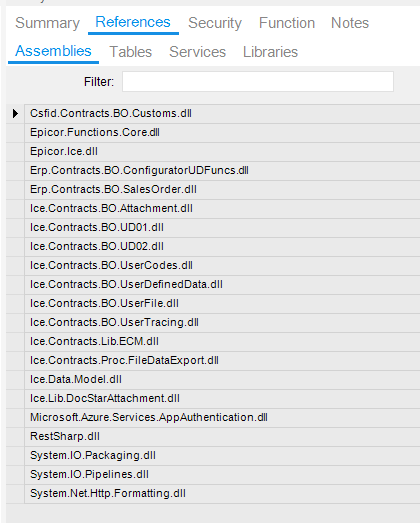
These are the Assemblies that I have added since I started working/testing this function, I understand that not all of them are necessary but I am trying everything: