Hi folks,
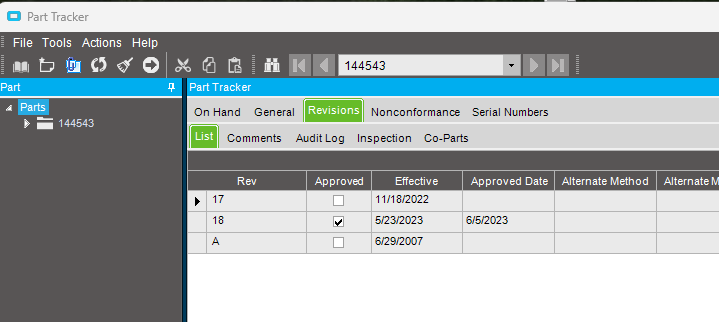
When using Part Tracker, under the Revision list tab my default selected row is not correct. I’d like to be able to configure/sort. I understand it sorts by effective date by default. I’ve attempted to write a BPM post processing for Part.GetbyID and try and filter by approved only but failed. If you look in this screenshot it selects Rev 17 since that comes before 18, but overall I’m lost on having the Revision list pick the row with an approved Rev, Effective date DESC. Does this have to do with the Process Mode being set to Sequential? I’d prefer to not have to create a BAQ nor do I understand much C# expressions.