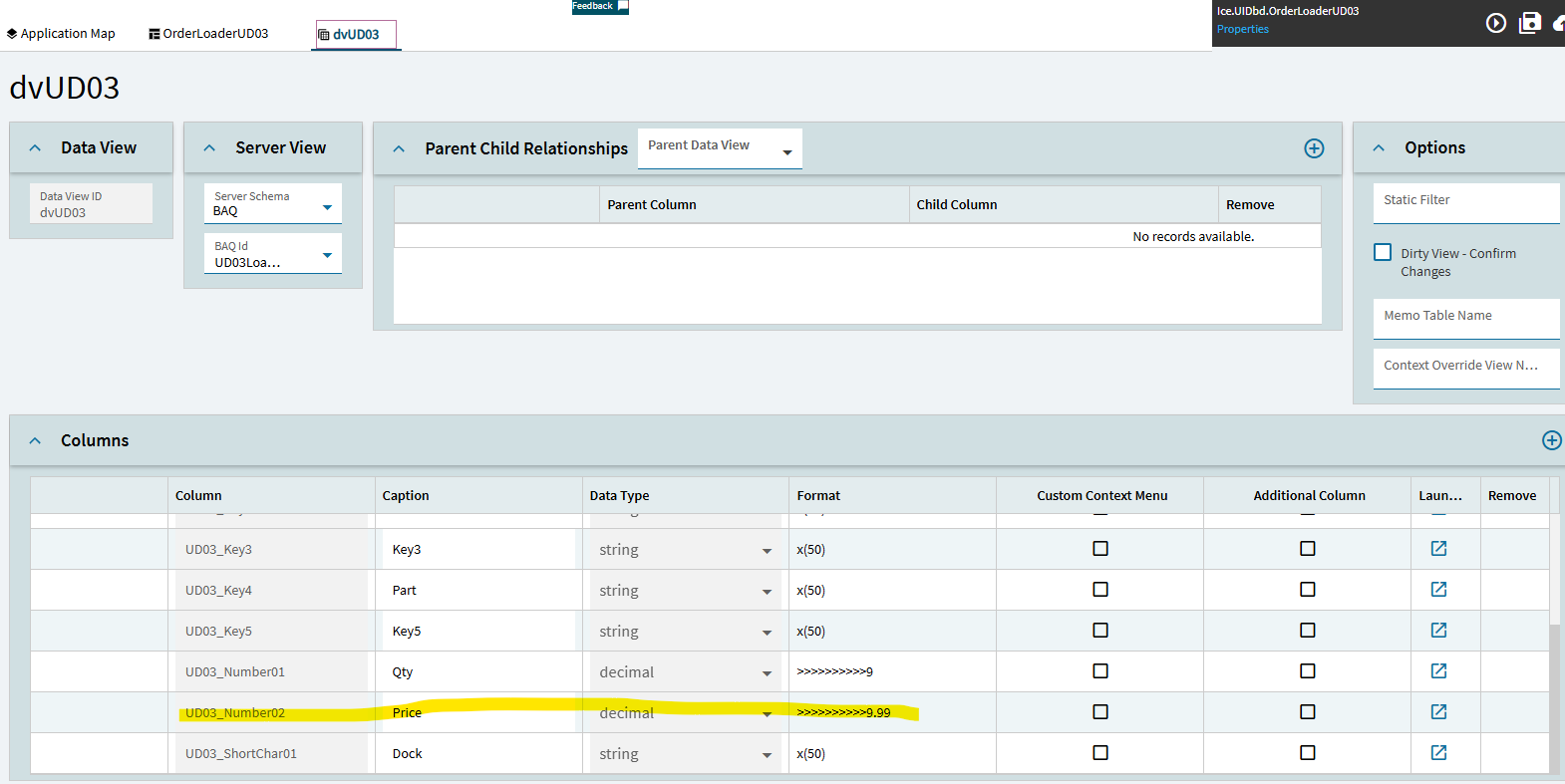
I have a UBAQ that updates UD03. Everything is working as expected, except for one little bug. We paste in values that include decimal places in the price field. This pastes into the dashboard ok, with decimals intact. But, after I click save (using the stock UD03 save method), the decimal places in my price field get rounded up. We can’t figure out where this rounding is happening because the UBAQ doesn’t use a custom update action, just a custom action for DeleteAll. I am not sure what I can show you to prove this.
UD03_Number02 is my price field. It held decimal places without issue in Classic.
Here is what I have:
BAQ SQL:
/*
 * Disclaimer!!!
 * This is not a real query being executed, but a simplified version for general vision.
 * Executing it with any other tool may produce a different result.
 */

select
	[UD03].[Company] as [UD03_Company],
	[UD03].[Key1] as [UD03_Key1],
	[UD03].[Key2] as [UD03_Key2],
	[UD03].[Key4] as [UD03_Key4],
	[UD03].[ShortChar01] as [UD03_ShortChar01],
	[UD03].[Date01] as [UD03_Date01],
	[UD03].[Number02] as [UD03_Number02],
	[UD03].[Number01] as [UD03_Number01],
	(convert(int, UD03.Key1)) as [Calculated_SortKey],
	[UD03].[Key3] as [UD03_Key3],
	[UD03].[Key5] as [UD03_Key5]

from Ice.UD03 as [UD03]
order by SortKey
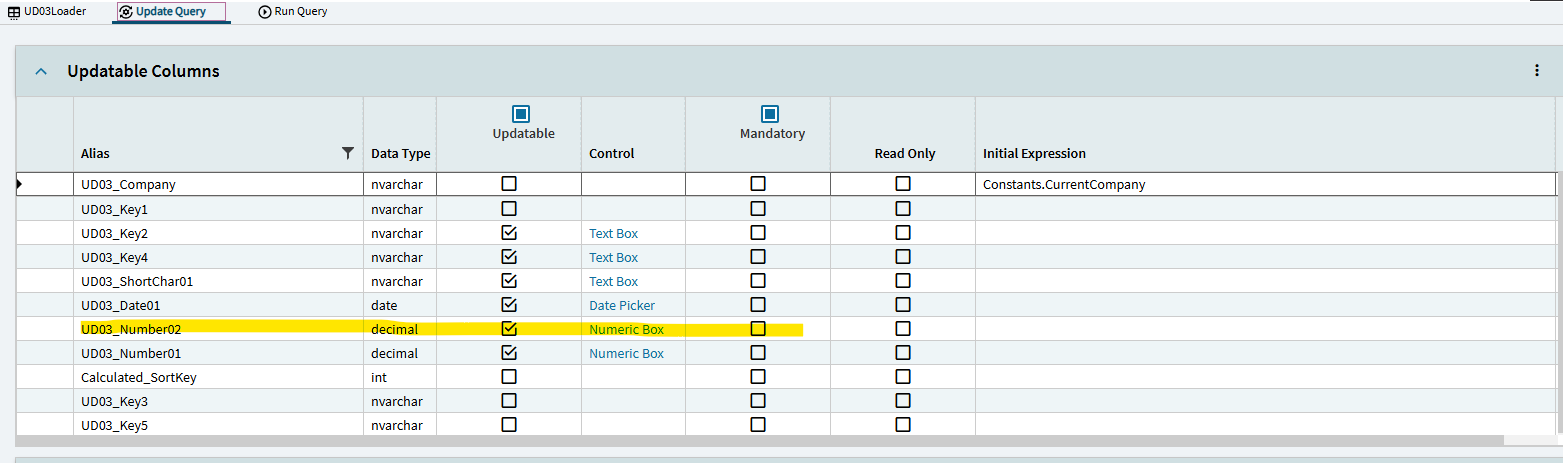
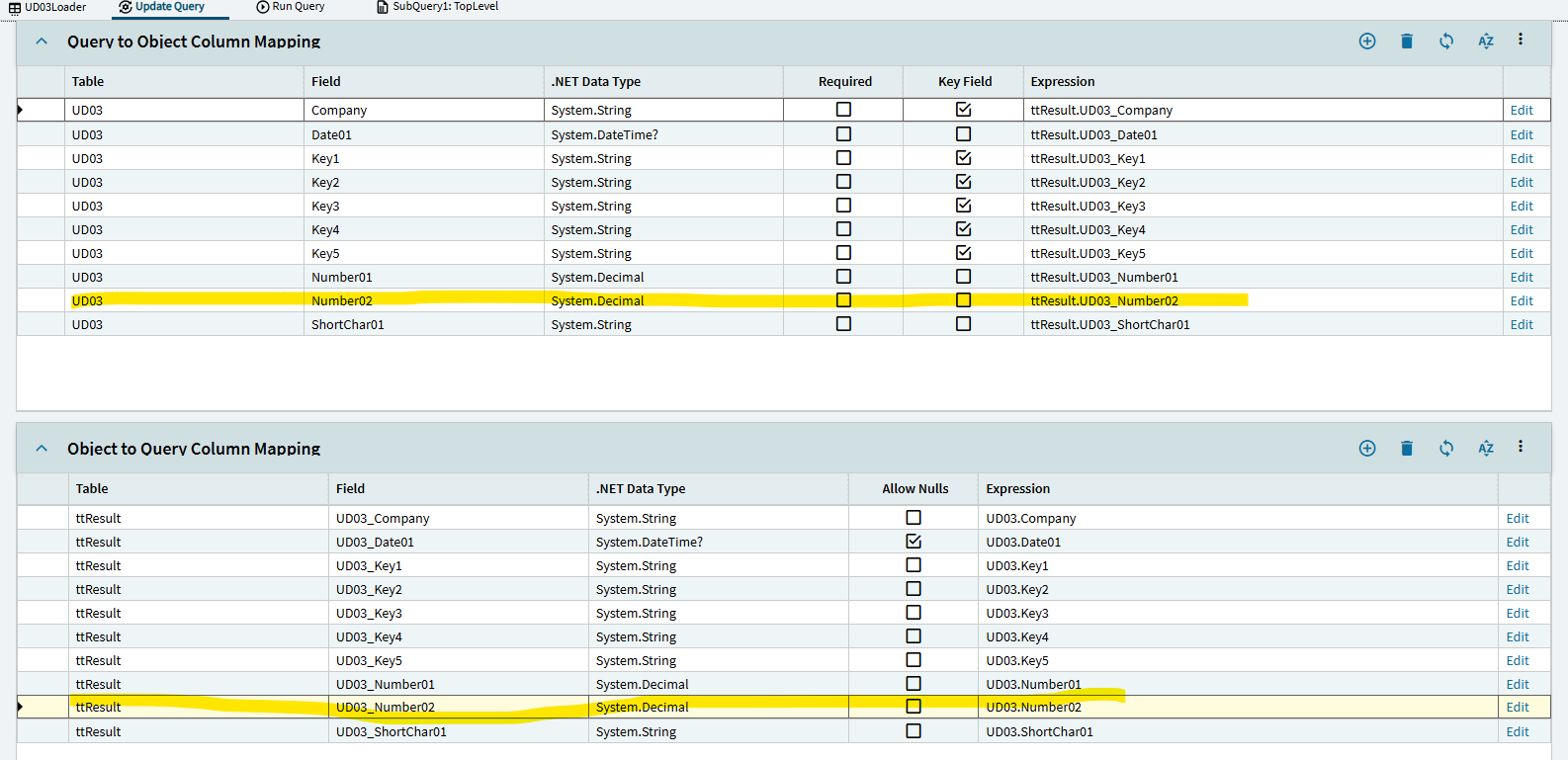
UBAQ settings:

BAQ Output:
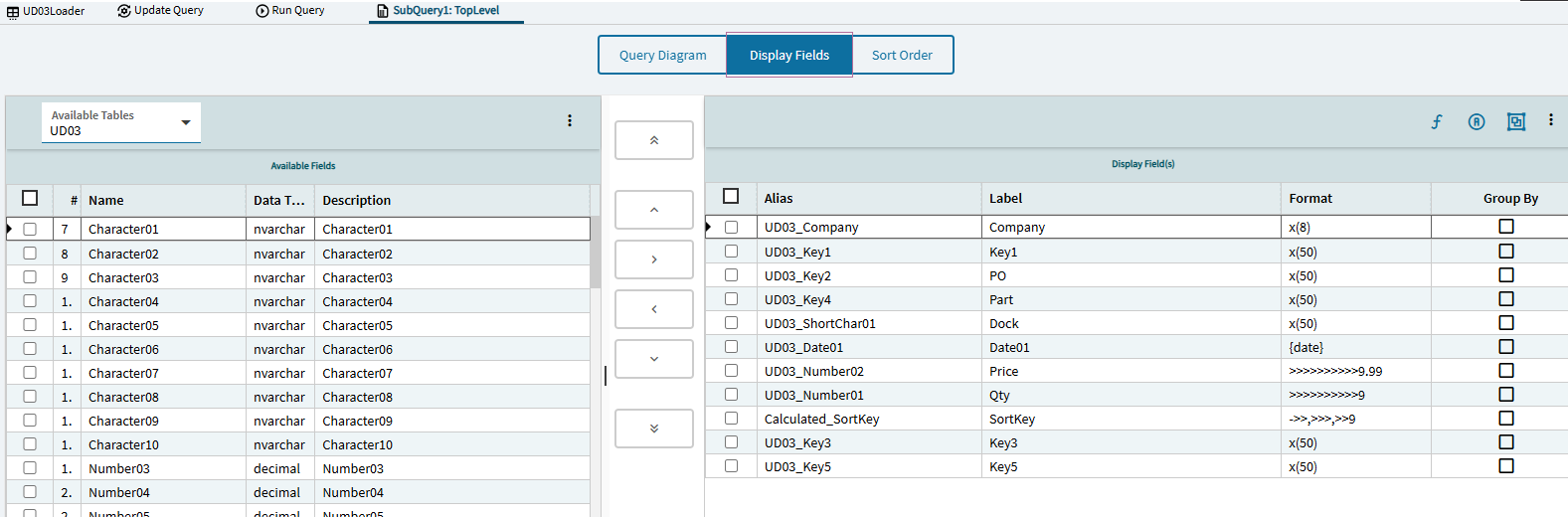
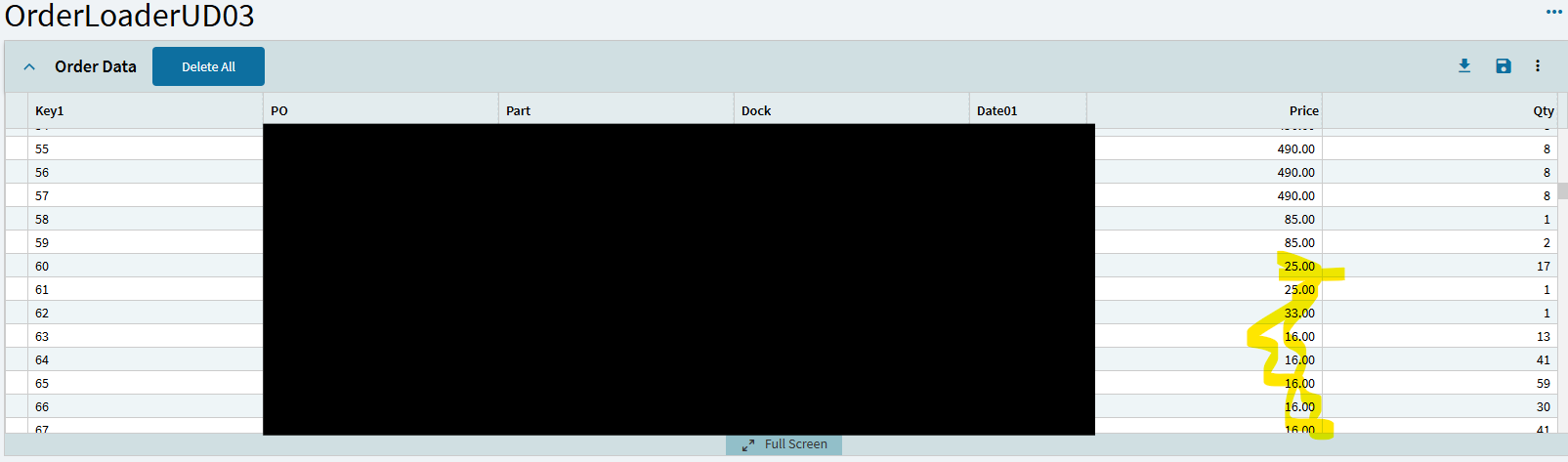
The price is consistently rounded up to the nearest integer. I am not sure where else to look.
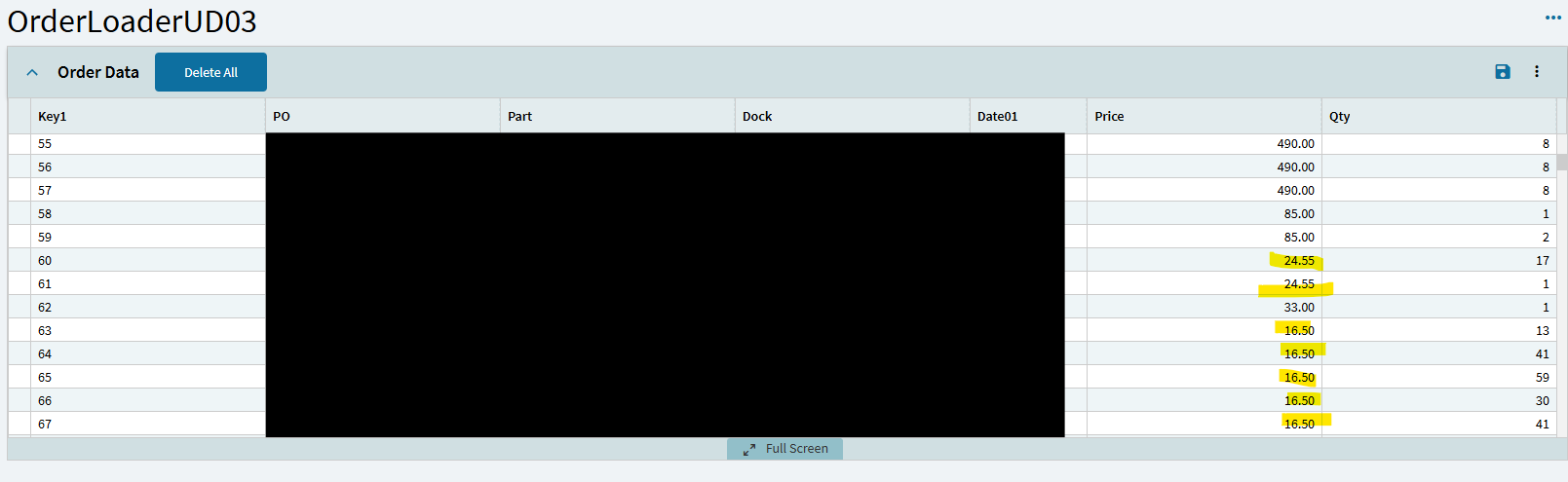
UBAQ after Paste New, before Save:
UBAQ after Save and Refresh:
When I manually insert a new row in the UBAQ editor, I can enter a decimal value in the price field, and Update, and it saves like it should. It is just in the Application Studio Dashboard version that the decimals seem to be dropped on save.
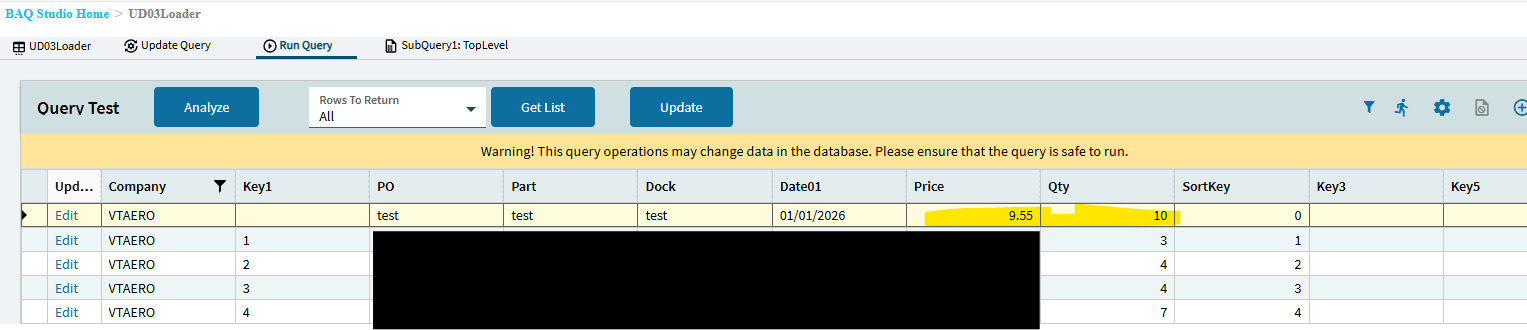
After that save I can also see the decimal values in the dashboard:

I think this proves that the App Studio grid is OK. It can display decimals. I don’t know how the UBAQ could be messing up the decimals since I am not using a custom update.
Here is the dv for my grid: