I have a feeling that this is really just an excel thing, but maybe someone else here has tackled this problem.
We have a report that needs to get transmitted via CSV, it’s only once a quarter, but one of the fields need 2 decimals, and 1 needs 0 decimals.
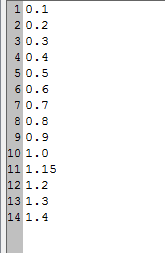
I can get it to display correctly in the BAQ and Dashboard, but when you copy paste it out of there into notepad, it’s grabbing 3 decimal places for the one that should have 2 and 2 for the one that should have none.
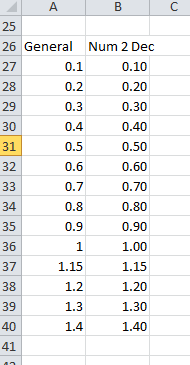
When I paste it into excel, it seems to take the correct number of decimals, but if the 2 decimal value has a trailing 0 then it cuts it off by default, and the user has to set excel to display 2 decimals.
Is there a way to force the correct number of decimals so that no matter what, they are correct? Should I just convert it to strings for more control?
We would be creating the CSV from excel. (currently). I might make the CSV in code instead just to have better control over it, or just do some training. It would be one user who would understand what has to happen. I just didn’t know if there would be something I could do from the SQL/BAQ/Dashboard side.
Actually i’m looking at it wrong. If you convert to text within excel and save the report it will flow with however many decimals you have in the text since it’s just a string.
When you re-open it, it will remove all trailing zeroes.
does it just need to be to the decimal place in the csv file or human-readable (opened back up in excel)?
You don’t even need that part, if the whole column is already formatted, it seems to keep it when you paste using control V.
The column with 0 decimals works fine, I think I’ll just have the user change the formatting on the column that needs 2 before she does a save as to CSV. (Or I’ll get bored and code the export so I can control the formatting better than using excel)
For an outside the box solution, make a calculated field that is the CSV formatted concatenation of the fields you copy and paste. then just copy that one column and paste it into a text file that you save as xxx.CSV.