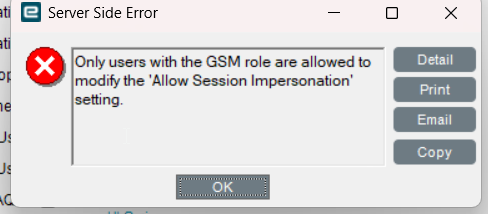
anyone can help me identify the error? is this a rights privilege issue?
info: 11/10/2025 08:36:01 -06:00 Edge.Informants.EpicorMessageHub.EpicorMessageHubInformant [0] Message Edge-AgentMessage received from message hub SaaS810
info: 11/10/2025 08:36:01 -06:00 Edge.Informants.EpicorMessageHub.EpicorMessageHubInformant [0] [OnAgentMessageReceived] Message name ‘Edge-AgentMessage’ received
info: 11/10/2025 08:36:01 -06:00 Edge.Informants.EpicorMessageHub.EpicorMessageHubInformant [0] Getting report bytes from application server SaaS810
info: 11/10/2025 08:36:01 -06:00 Edge.Informants.EpicorMessageHub.EpicorMessageHubInformant [0] Getting report for the user s.alderete@xxx.us.com.
fail: 11/10/2025 08:36:02 -06:00 Edge.Informants.EpicorMessageHub.EpicorMessageHubInformant [0] Unable to get report bytes for message with Correlation ID 3828cc3d-dbe4-44ce-8eb2-7bebb2f8f78b|SaaS810.
System.AggregateException: One or more errors occurred. (Unauthorized{“HttpStatus”:401,“ReasonPhrase”:“REST API Exception”,“ErrorMessage”:“User account is not set to ‘Allow Session Impersonation’”,“ErrorType”:“System.UnauthorizedAccessException”,“CorrelationId”:“1daa9875-e142-44fb-be97-4a4c65fbf8a7”})
—> System.Net.Http.HttpRequestException: Unauthorized{“HttpStatus”:401,“ReasonPhrase”:“REST API Exception”,“ErrorMessage”:“User account is not set to ‘Allow Session Impersonation’”,“ErrorType”:“System.UnauthorizedAccessException”,“CorrelationId”:“1daa9875-e142-44fb-be97-4a4c65fbf8a7”}
at Edge.Informants.EpicorMessageHub.RestClient.GetReportBytesAsync(ServerConnectionSettings settings, String sysRowId, HttpClient httpClient, PrintJobData printJobData) in C:\agent_work\2\s\src\informants\Edge.Informants.EpicorMessageHub\RestClient.cs:line 105
at Edge.Informants.EpicorMessageHub.RestClient.GetPrintJobDataForMessage(AgentMessage message, ServerConnectionSettings settings, ILogger logger) in C:\agent_work\2\s\src\informants\Edge.Informants.EpicorMessageHub\RestClient.cs:line 52
— End of inner exception stack trace —
at System.Threading.Tasks.Task.Wait(Int32 millisecondsTimeout, CancellationToken cancellationToken)
at Edge.Informants.EpicorMessageHub.EpicorMessageHubInformant.OnAgentMessageReceived(AgentMessage agentMessage, String messageName, String serverName) in C:\agent_work\2\s\src\informants\Edge.Informants.EpicorMessageHub\EpicorMessageHubInformant.cs:line 268
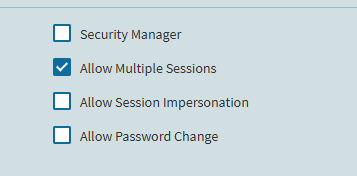
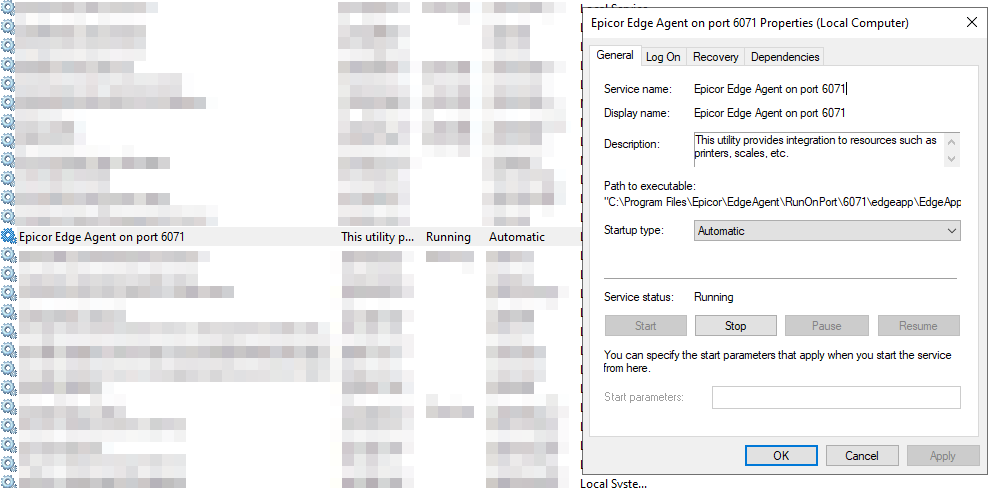
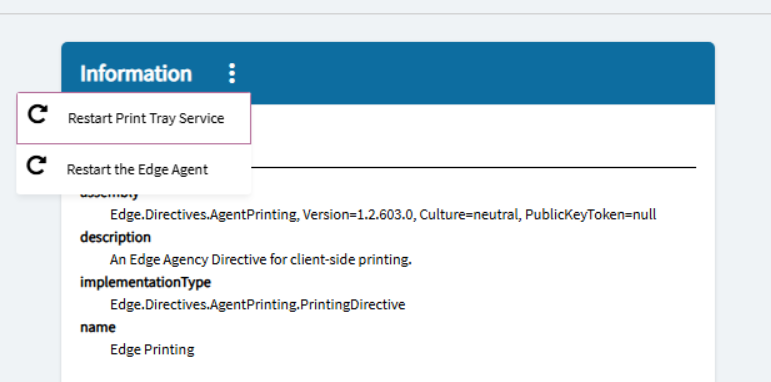
We had this error last week…Network Edge Agent somehow lost that session impersonation setting on the dedicated account we’re using. Reenabled it, restarted the agent, printing resumed.
Starting to ask myself that on a multitude of issues now.
All I know is that our Network Edge Agent stopped, I checked the session-impersonation setting on the designated user account (how/why it got unchecked is a mystery), restarted the Agent and it’s worked OK ever since.
Same here - but according to our Pilot environment, which was refreshed from production before Pilot upgrade, the session-impersonation was not checked then, therefore, I am thinking something changed with Edge Agent that started requiring that to be checked.
Entirely possible. We added NEA into our Production cloud environment (2025.1.11) on the fly. The Epicor tech told us to set it up that way from the start though…how it got un-set is unknown.
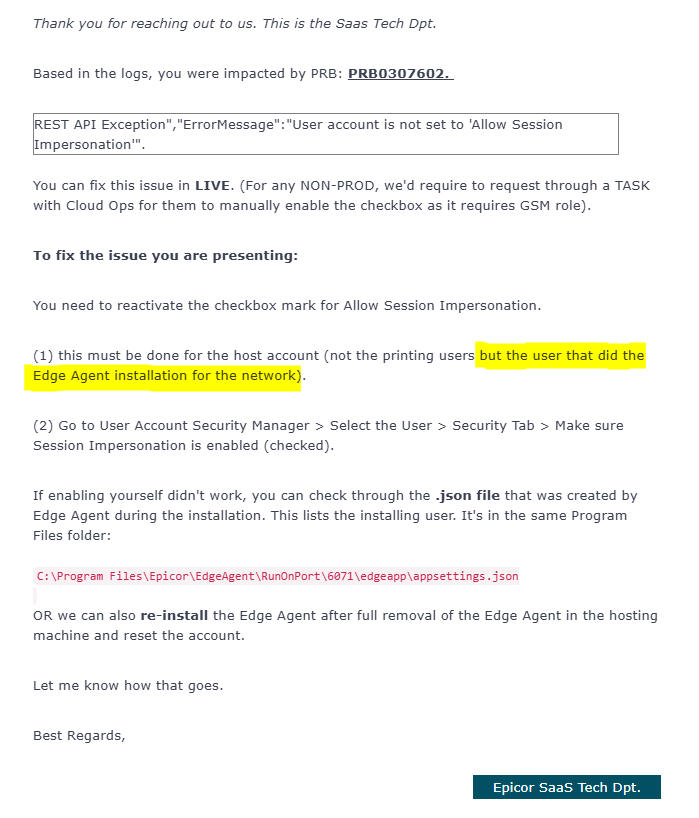
Yes you can - if you open up this file on the server where the NEA is installed…the last line of the text file should tell you which user needs to be fixed in Kinetic (by checking that ‘session impersonation’ box, then restarting the NEA).
@salderete did you happen to upgrade to 25.2? There seems to be a known issue where Epicor removes the Impersonation permission. And it can’t be added back.