Does anyone know how to get Epicor to print tags for all lines on a receiver? I see that labels have a print all checkbox, but I need to be able to print all tags. I know there are times where they may need to break up the labels by quantity, but it would make life easier if we could just tell it to print all tags with the received quantities.
Did this every have a solution? We have the same problem. Mutiple PO lines and can only print tags 1 at a time…
1 Like
The way I ended up implementing it was to add a button to the Receipt Entry form, then created a BAQ Report to print the tags.
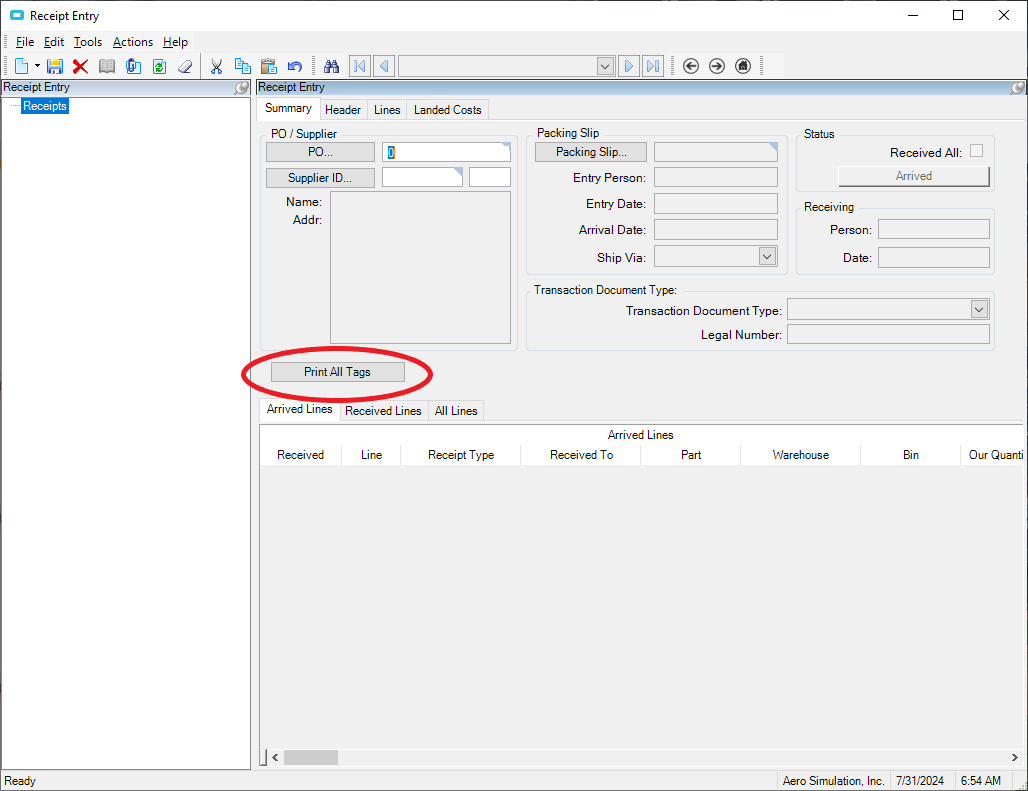
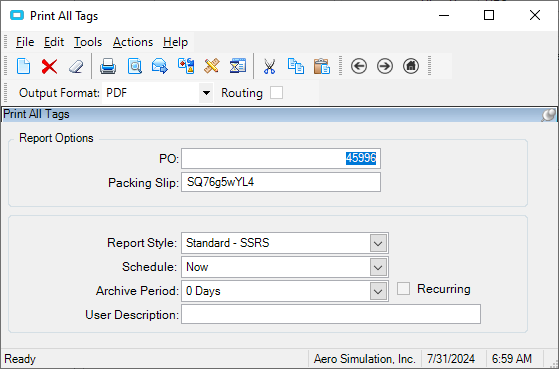
Then I added a custom form to the parameters for it so I could call it from the button click event:
	private void epiButtonC1_Click(object sender, System.EventArgs args)
	{
		// ** Place Event Handling Code Here **
		Ice.Lib.Framework.EpiTextBox strPO = (Ice.Lib.Framework.EpiTextBox)csm.GetNativeControlReference("db39366d-5b70-4914-a1e7-3318176c7492");
		Ice.Lib.Framework.EpiTextBox strPack = (Ice.Lib.Framework.EpiTextBox)csm.GetNativeControlReference("17fb79b9-2a5d-474a-b9d1-5e5233a16cde");
		Ice.Lib.Framework.EpiCheckBox chkReceived = (Ice.Lib.Framework.EpiCheckBox)csm.GetNativeControlReference("8b5c4643-5523-46bf-87dc-288737ef839b");

		if (chkReceived.Checked == true)
		{
			LaunchFormOptions lfo = new LaunchFormOptions();
        	lfo.ContextValue = strPO.Text; // ** this is where you would set the value to pass to BAQReport
			lfo.ValueIn = strPack.Text;
        	ProcessCaller.LaunchForm(oTrans, "ASITGAOH", lfo);
		}
		else
		{
			MessageBox.Show("Not all lines have been marked received. Please receive all lines before printing tags.", "Tag Error", MessageBoxButtons.OK, MessageBoxIcon.Error);
		}
	}
Hope this helps!
1 Like
What did your BAQ consist of and how did you handle the barcode?
1 Like
See the snapshot of the query below. This gets the information we need to print the tag.
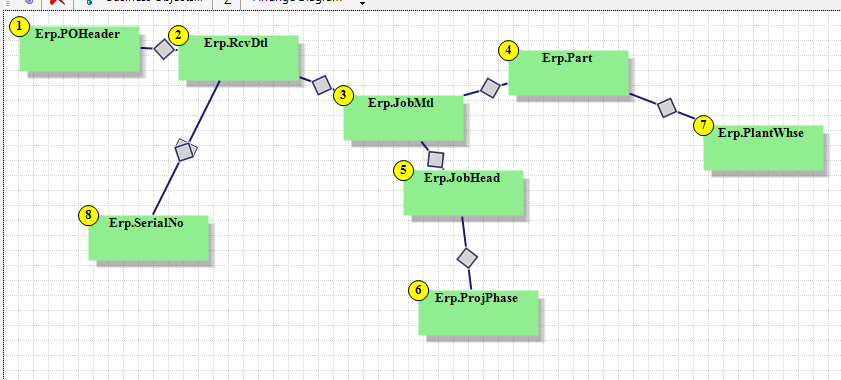
The barcode is simply the barcode font (DataWorks Bar 3) on a text box in the report. If you use the font you need to add an asterisk before and after the data you want to print (like part number).
1 Like
Ok we are working to get this in place, but I have another question that is related to the print tags menu option of native Epicor. There is a field called Number of Tags that is greyed out and set to 1. Can this be a selectable field to print multiple copies of the same tag? How do you ungrey this field?
1 Like
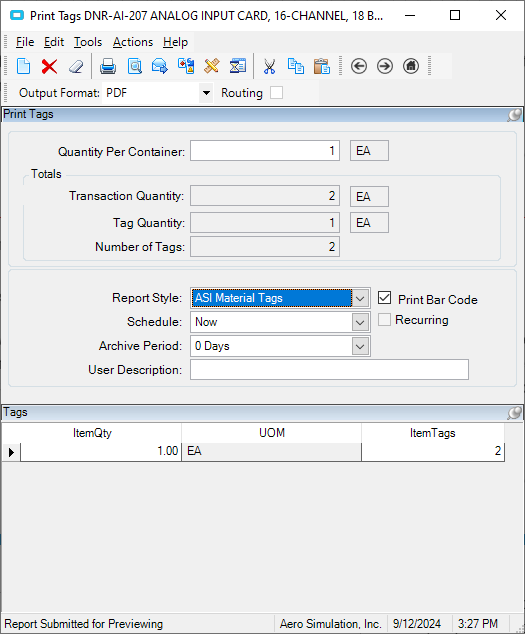
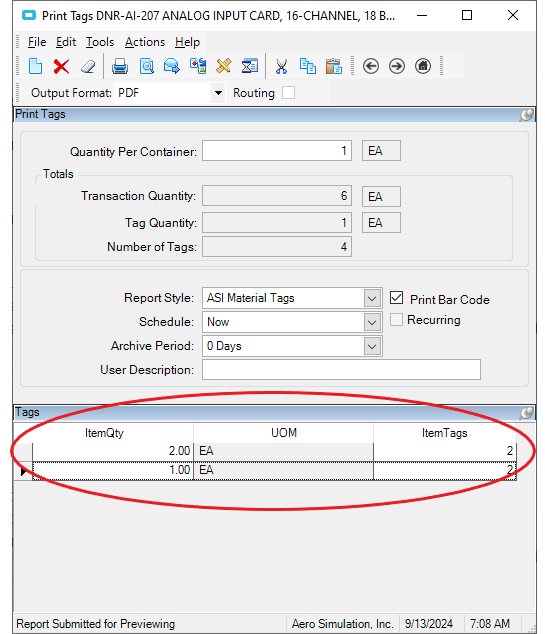
If I understand your question, the process for printing all tags puts the quantity all on one tag. If you want to print tags with a quantity of 1 for the total number of tags you will have to print that tag individually from the Print Tag the actions menu, then enter the quantity per container as 1. You will see in the lower portion of the print form it changes the item quantity to 1 and the number of item tags to 2.
1 Like
That’s exactly what I am talking about, however I just ried that method and it shows 4 tags (52 total: 3 x 15 and 1 x 7) but only prints 2 tags (2 x 15) is there a setting that is set that’s preventing us from printing the 4 tags?
What you need to do is put a 1 in the top quantity, then at the bottom put in the first line the 3 x 15 then do a New Line and add int the 1 x 7. In my example here there is a total quantity of 6, so I printed quantity 2 on 2 tags, then quantity 1 on 2 tags for a total of 6 parts.
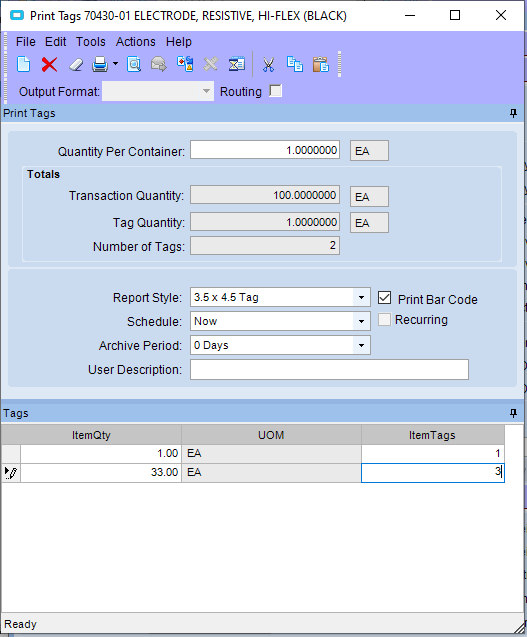
Perhaps you need to move off the last record to get the 3 tags? Looks like it is in edit mode. Maybe try putting the 33 in first (just a guess).
When I did my example I got 4 tags - 2 with qty 2 and 2 with qty 1. You can see from my PDF (I did this from print preview to be able to show the results) that there are 4 pages (tags) with the first one having a qty of 2. I have also attached the PDF.
Tag Example.pdf (79.8 KB)
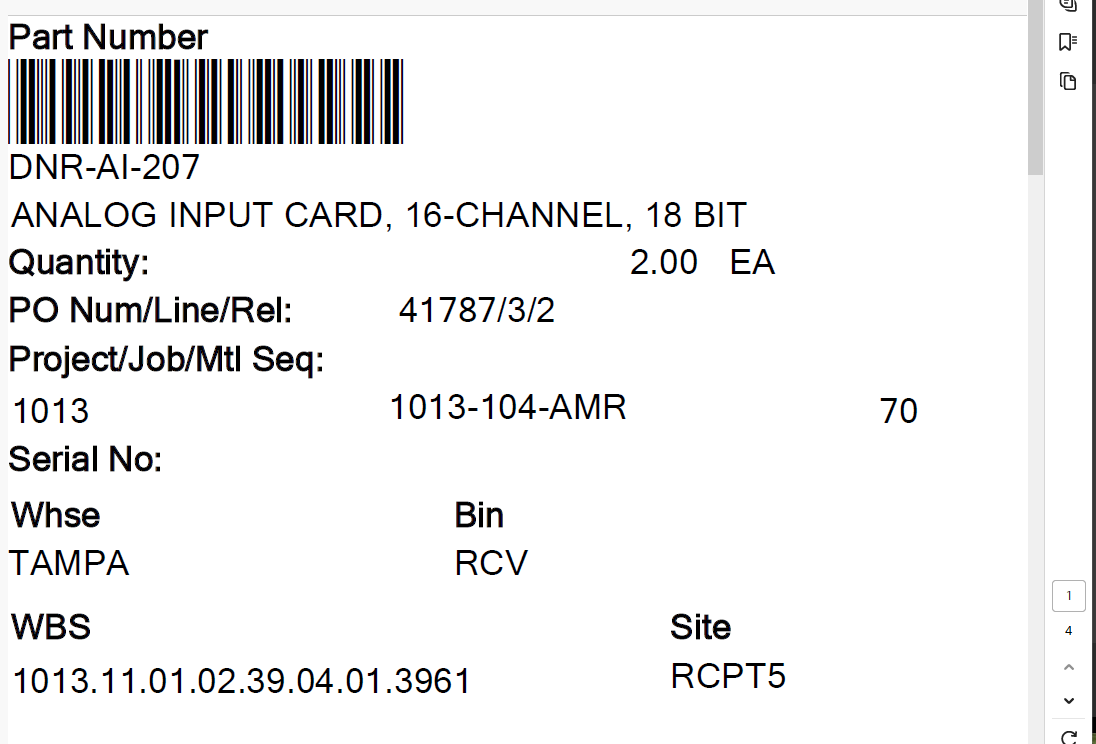
From that I suspect our report style is formatted incorrectly. Let me see if I can view the parameter and settings of it.