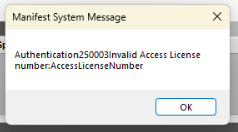
My users are getting the following error and no one in the building can ship parcel at all. Any ideas on where to start?
Are you Quick Ship on-prem or SaaS?
Looks like the license isn’t authenticating. If on-prem check your QS server if SaaS you’ll have to open a ticket with support.
I think you’ll need to contact support if you’re SaaS. It’s something with your license.
On-Prem you go to to About and see your license status.
Jinx! 
It is saying permanent for all of my license types and no expiration date for any of them.
I’ve never seen that error before. And I don’t see anything in EpicCare for it. May have to create a ticket.
Does your QS server have access to the web? If it doesn’t, it may just need to check-in with Epicor. Not sure how Epicor does license checks for QS. It seems to check on install but after that not sure.
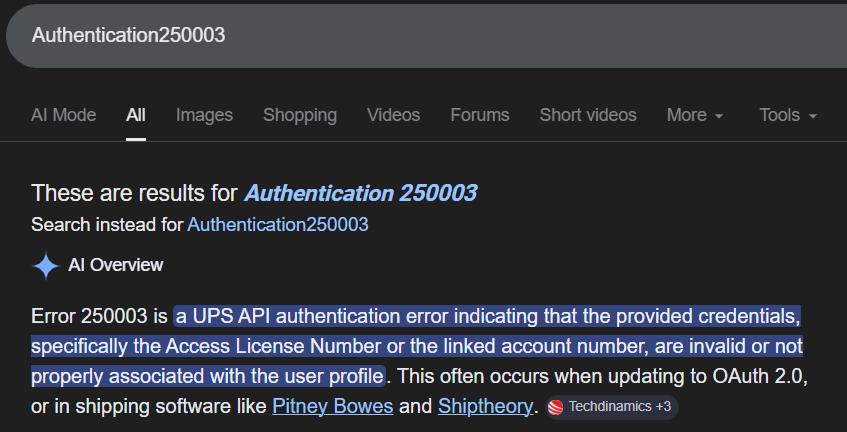
Ohhh. I wasn’t even thinking carriers.
Try reconnecting your UPS OAuth. It may have timed our or you lost access to your UPS account (someone took your OAuth user ID off the account #).
Agreed, we’ve done UPS shipments today without error
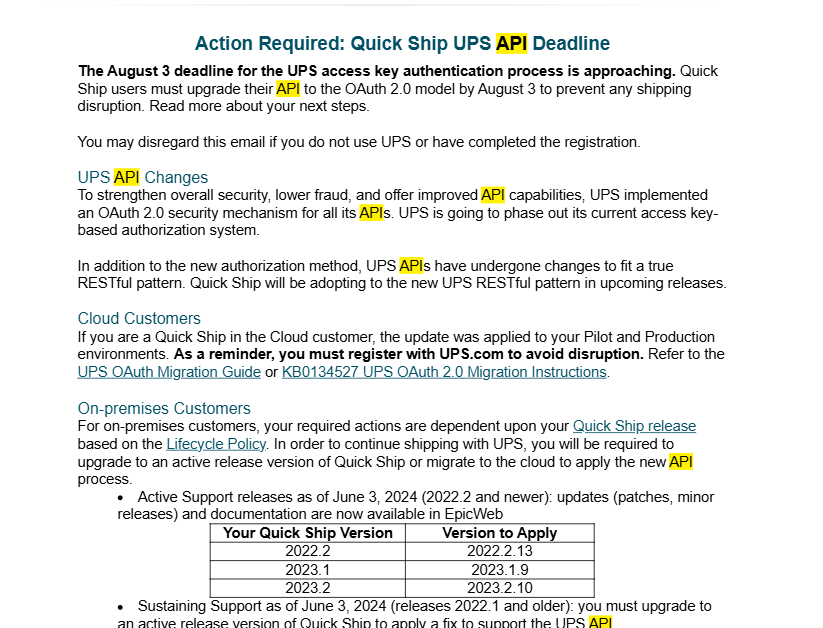
So i had to follow the KB below. In short UPS is changing there OAuth method like some of you may know and apparently it is hitting sooner than they put out. I am on version 2023.1.9 for QuickShip so i had to go to the webconfig file on my QS server and update the setting for USEUPSOAuth from false to true, restart the IIS site and then re-register UPS within quickship. It will take you to the UPS site to authenticate and do MFA and then you can ship again.