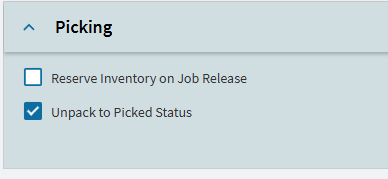
We use PCIDs for all of our products.
Before you were able to enter a SO number and put entire PCIDs onto the pack. This still works just fine.
However, we used to be able to remove the entire PCID off of the pack and keep all of the material on the PCID…
Now instead of the PCID changing status. This function just empties the PCID and leaves the PCID empty.
Now to remove something off of the pack we have to delete individual lines or the entire pack. Then all of the material is PCID-less. This really stinks and I looked in PCID configuration and I am not sure if I am missing something.
Does anyone have any update on this? We just recently went to 2025.1.14 and we were way back on 2022 something. Any help is greatly appreciated!