Hey, I want to remove / hide a dropdown filter on a panel grid. I’ve tried a couple things, but haven’t found a way to do it in the panel properties. The dropdown itself isn’t its own component, so I can’t set its properties separately. Any thoughts?
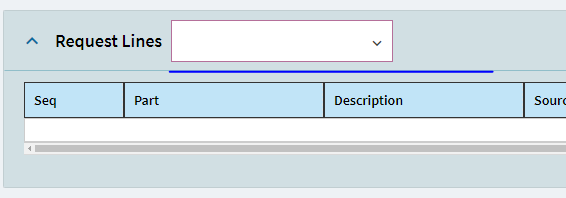
I just ran into this … again.
The only way I’ve been able to get rid of it is to delete the panel grid and recreate it - and then do not touch the View Options menu, because just opening it leaves this empty View selector.
I had that thought but was really hoping someone had an alternative, but if them’s the breaks…
Anytime you feed information in the Panel Card Grid > Advanced > View Options this will happen  . What is actually happening is that you’re telling Application Studio that your grid has different Views, therefore, it generates a dropdown for you to select as many views as you have created.
 If you want one grid only, instead of feeding the grid with info under View Options, you should go to Data > Grid Model > Provider Model.
To get rid of it you can delete whatever BAQ is in the View Options.
TLDR:If you don’t need the dropdown use only the Grid Model > Provider Model and delete anything in View Options. 