I have a production job at factory A but using materials from factory B
The part’s ‘LK0000001792’ inventory number before performing operations is 401 EA
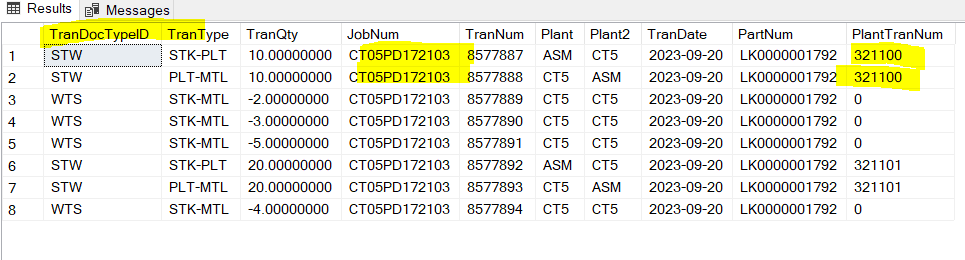
When I Issue materials to Job, the system will automatically generate 2 PartTran pairs:
TranDocTypeID is STW
TranType is STK-PLT and PLT-MTL
with 1 PlantTranNum
and the number of Onhand in PartBin updates to the correct number of decreases
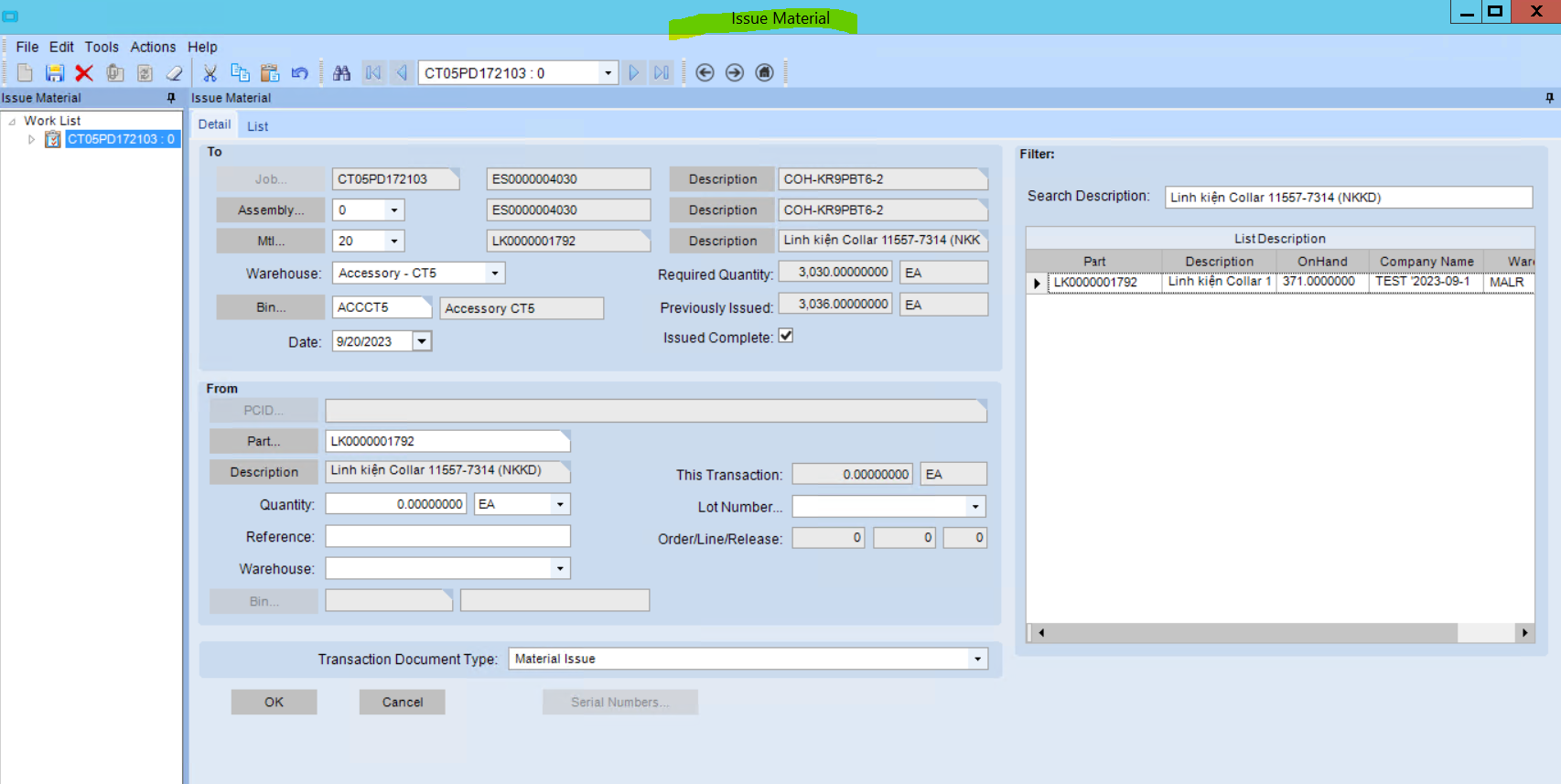

PartTran:
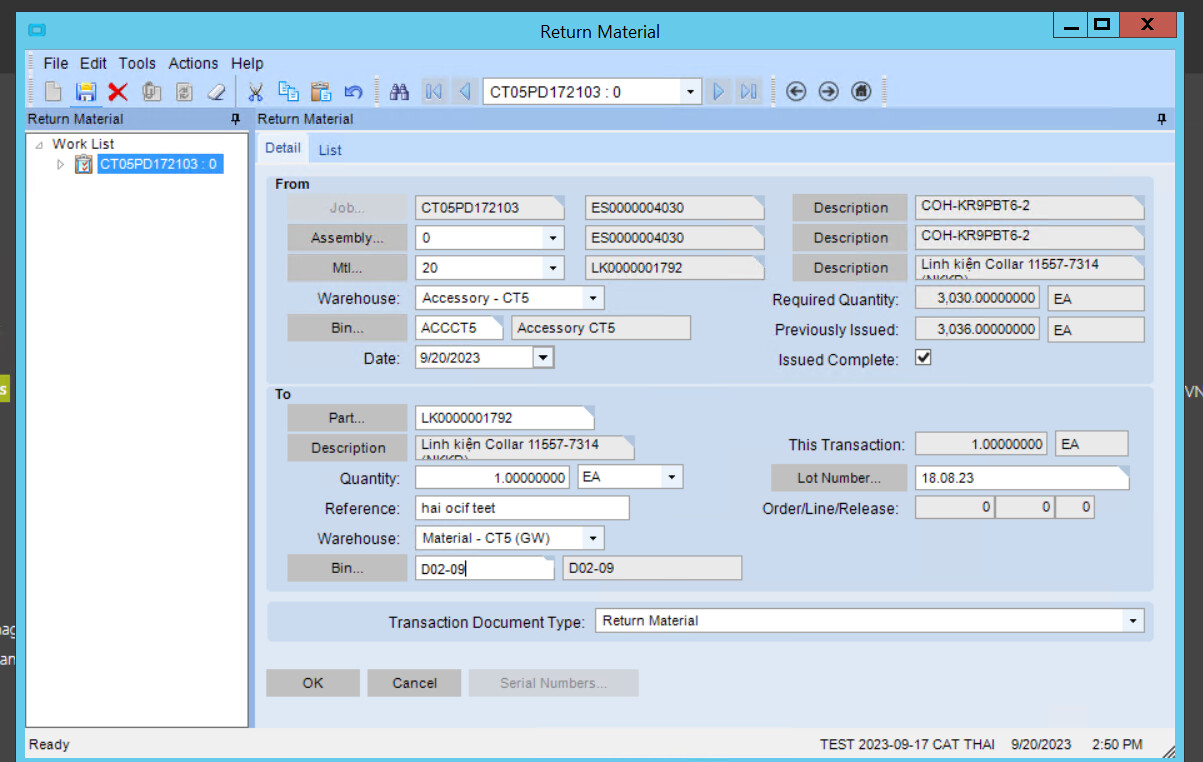
However, when I perform the operation of returning the job’s surplus materials back to the warehouse for Part materials
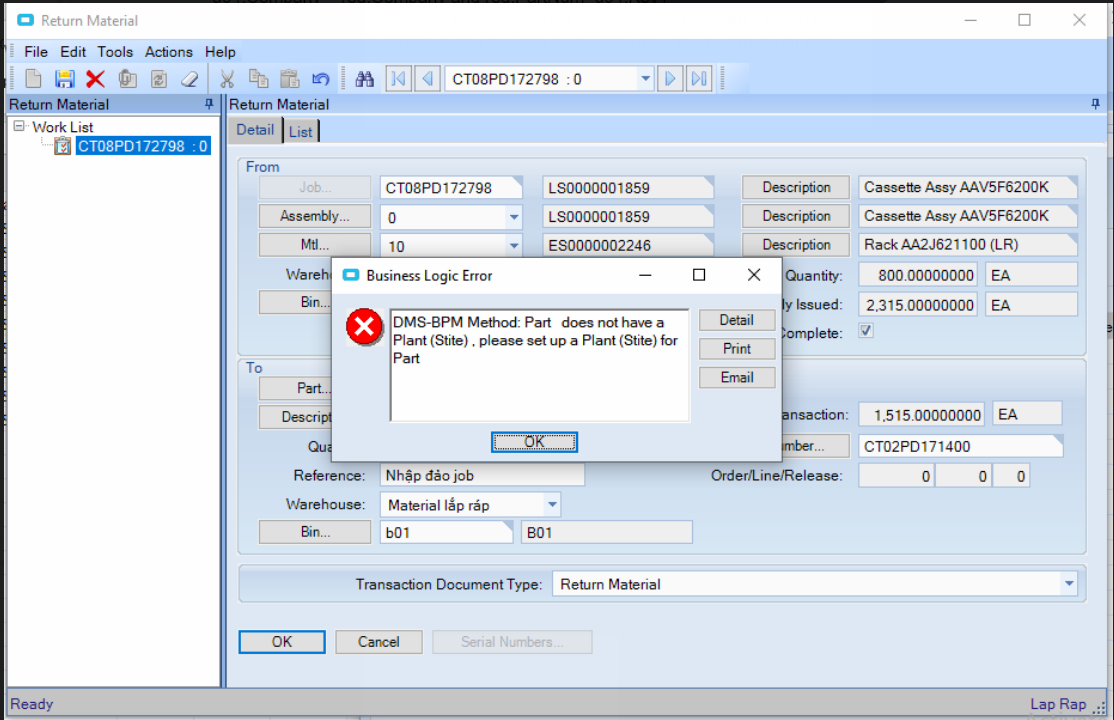
If this raw Part has not had a Plant installed, it will lead to inventory errors, unlike the Transfer Order operation if the Part has not had a Plant installed, the system will automatically generate Plants and calculate the correct inventory number.
You have to add Plant to the Part and run Refresh PartBin QOH From PartTran to get the correct inventory
TranDocTypeID is WTS
TranType is STK-MTL
with TranQty being a negative number
However, the inventory does not increase because the Return to the wrong Plant of the raw Part
I have made bpm Erp.IssueReturn.PrePerformMaterialMovement method to prevent returning raw Parts to inventory if there is no Plant setup

when returning the material, it will generate a temporary data line called MTL-STK. When saving the data, it will automatically change back to STK-MTL with a negative number.
p/s: Change the all row condition to the same row to avoid incorrect conditions when row is null
 /* chú ý khi Return nguyên liệu sẽ sinh dòng lữ liệu tạm là MTL-STK khi lưu dữ liệu sẽ tự chuyển lại STK-MTL với số âm */
"MTL-STK"
(from partPlant in Db.PartPlant.With(LockHint.NoLock) where partPlant.Company == ttIssueReturnRow.Company && partPlant.PartNum==ttIssueReturnRow.PartNum && partPlant.Plant== ttIssueReturnRow.Plant
 select partPlant.Plant).DefaultIfEmpty("NoPartPlant").First()
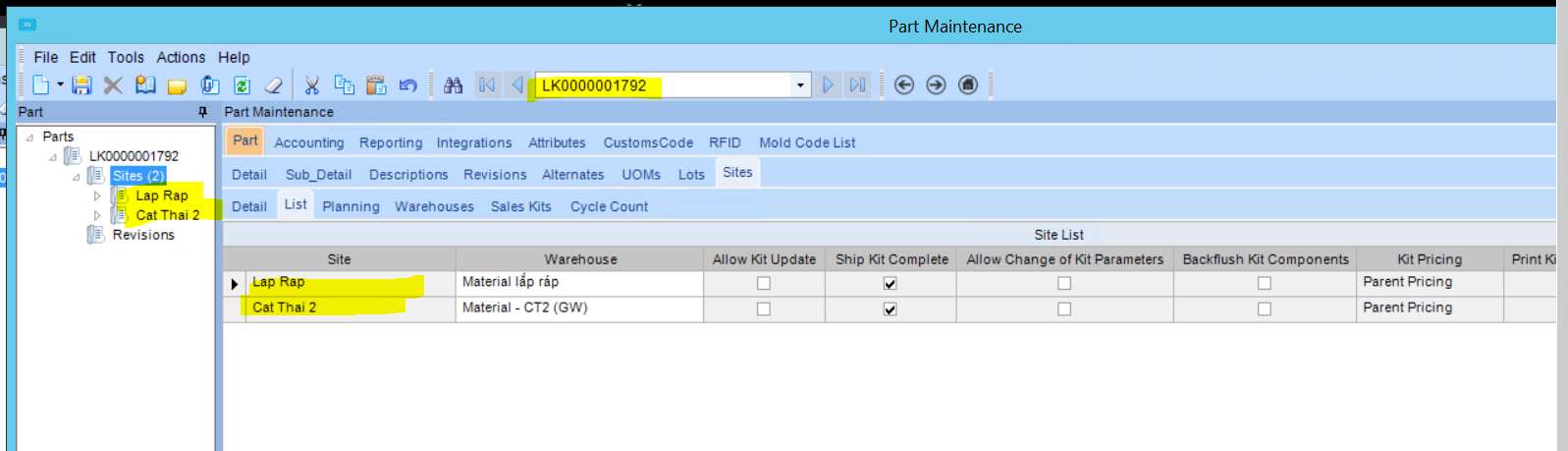
Why doesn’t the system automatically generate PartPlant as a business Transfer Order ?

Thank you very much! Have a good day! 