As we encourage users to convert to the Kinetic UX, they ask about right-click linking functionality.
Mostly about linking a data element like part or job number to the application opened with the right click.
For example, a scheduler will bring a group of jobs into Job Status Maintenance. And then right-click on job numbers to Job Entry or Part Numbers to Time Phased Inquiry. In the classic UI they click on the job number and it is linked with the Job Entry opened via the right click open with selection. In Kinetic they can open the job number with a right click and click Job Entry, but if they click on the next job number Job Entry is not updated to the newly selected job number.
I have searched the forums and Epicor Ideas without finding any discussion on this topic.
Is this feasible with Kinetic UX?
I have found this to be a bit buggy. One thing that has improved this functionality is to convert the targeted menu item to a Kinetic App (which removes the classic layer). If there is a three-way, with a classic in the middle, the right-click relationship seems to work once but won’t continue for the next record.
Seeing the same issue here.
I was told that it is supposed to work as before - EpicCare support said they tested it on their system (2023.2.3) and it worked as I had described.
Working to set up a time to figure it out with them…
yes, but you have to update it for each job entry you are targeting. If you are going after the job entry under job management, update that one. If you are targeting the job entry under service management, or project management, you would have to update each menu item separately. I have not found the easy button that fixes all menu items of the same name to have the same settings.
It’s at least a start! I’ve only gotten complaints about Part Tracker so far, but if I can get it working today, that’s a big unknown off my plate.
Thank you!
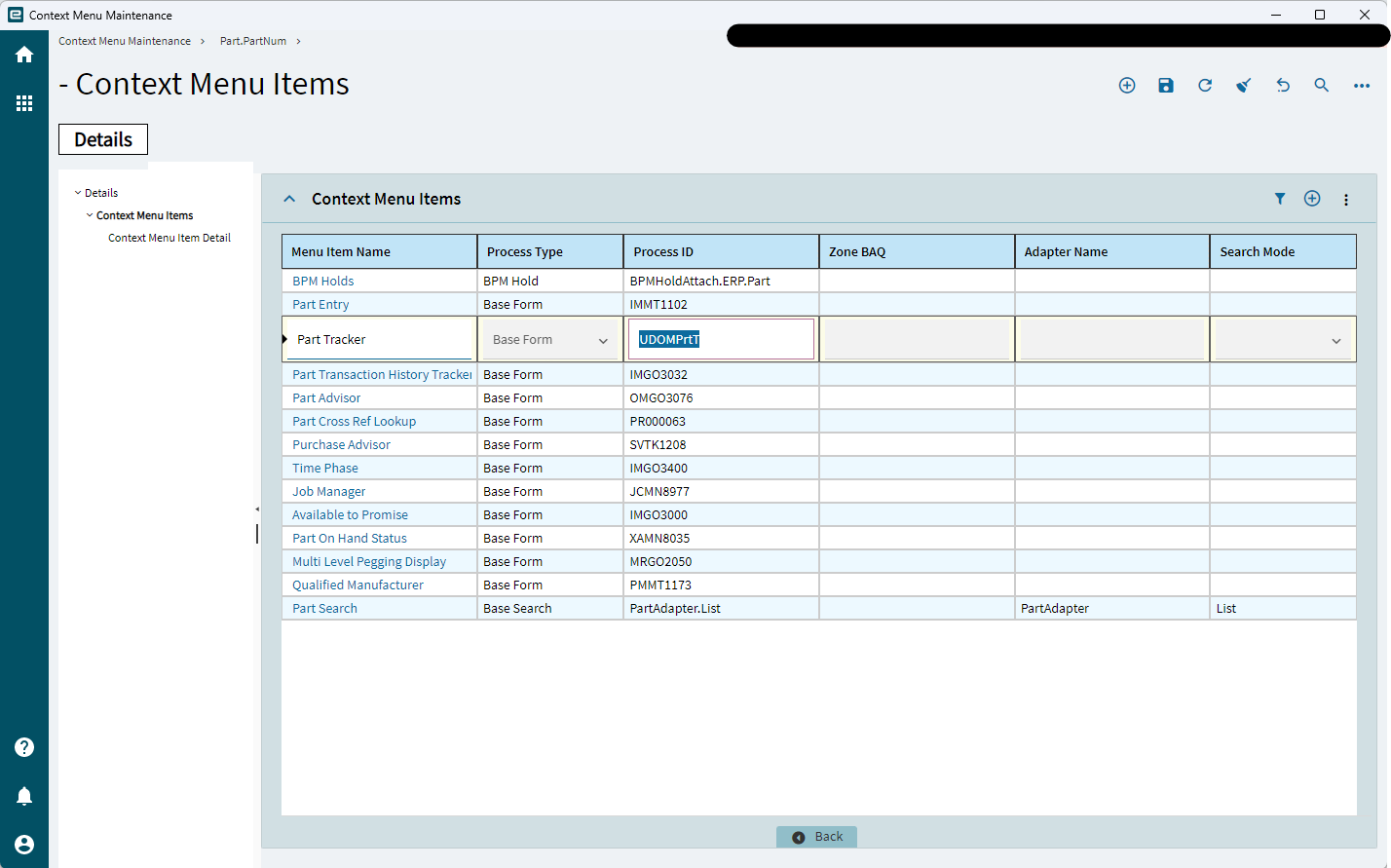
I went into Context Menu Maintenance and changed the default menu item that is added to the Part Tracker entry of the Part.PartNum context menu … and that seems to have done the trick!
The only thing is that this is the Part Tracker that I cloned under the Order Management menu - and I don’t know if that has implications beyond being a vanilla version of the Part Tracker