Hello all,
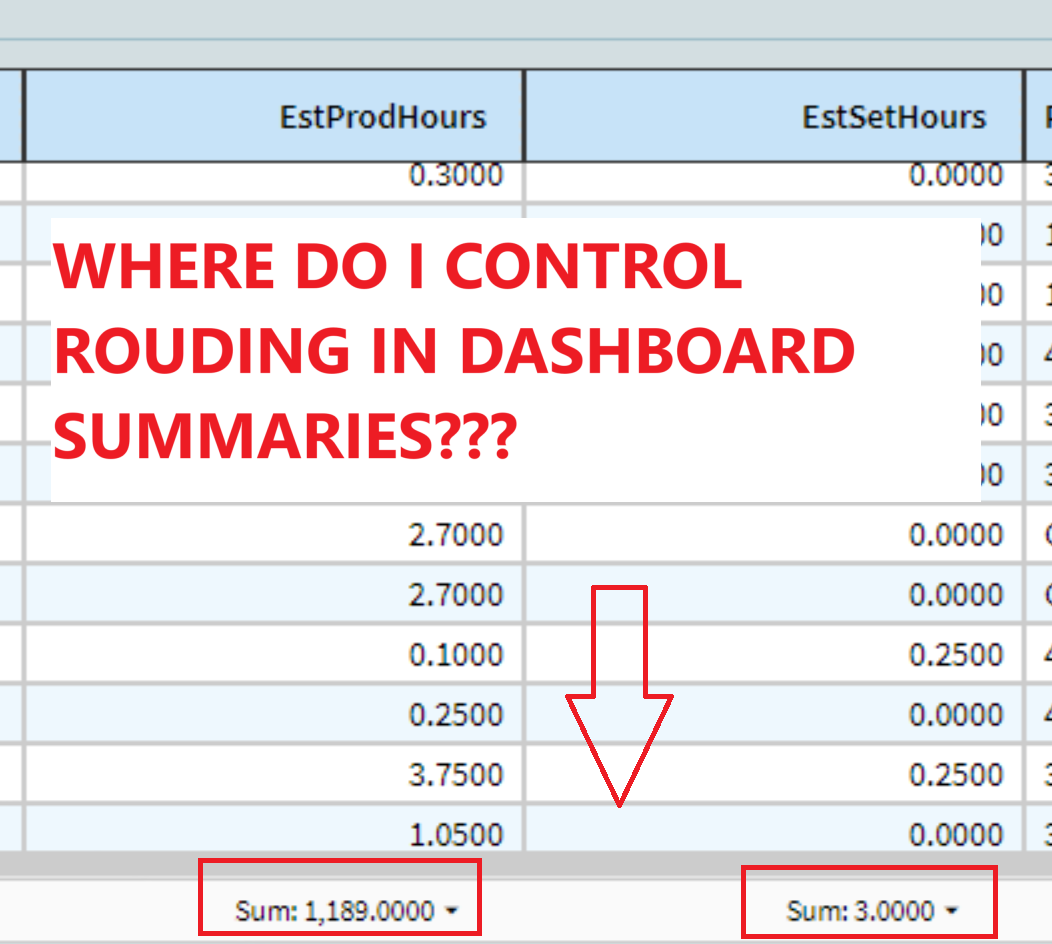
Will someone kindly help me understand where I control rounding decimal values in Dashboard summaries? The default appears to be to round to the whole number. I have the BAQ set to 4 decimal places.
Hello all,
Will someone kindly help me understand where I control rounding decimal values in Dashboard summaries? The default appears to be to round to the whole number. I have the BAQ set to 4 decimal places.
Hi Alice! Welcome aboard!
To be honest, I would’ve assumed the “default” would just be the sum.
If you click the arrow beside the value, is that what is showing?
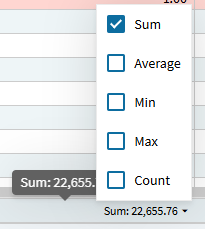
I don’t think I’ve seen these round before.
In the below image, I updated my BAQ to show 4 decimals. Its not rounding, at least not by default.
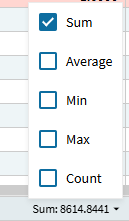
I’m using a quantity column in this example… perhaps there is some default time rounding the system uses?? Though, if there is, I would be surprised if that was set to a default of a whole number.
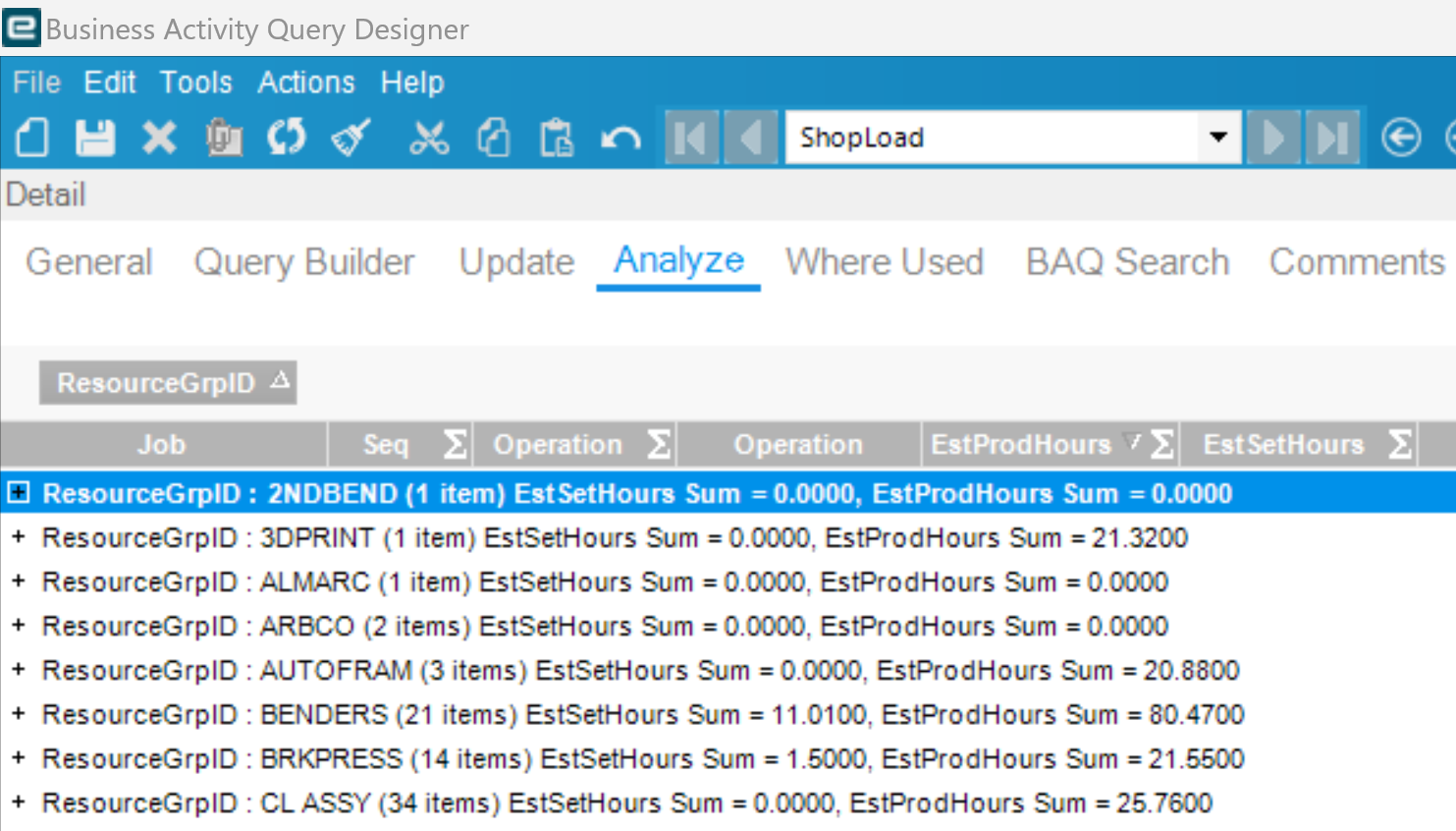
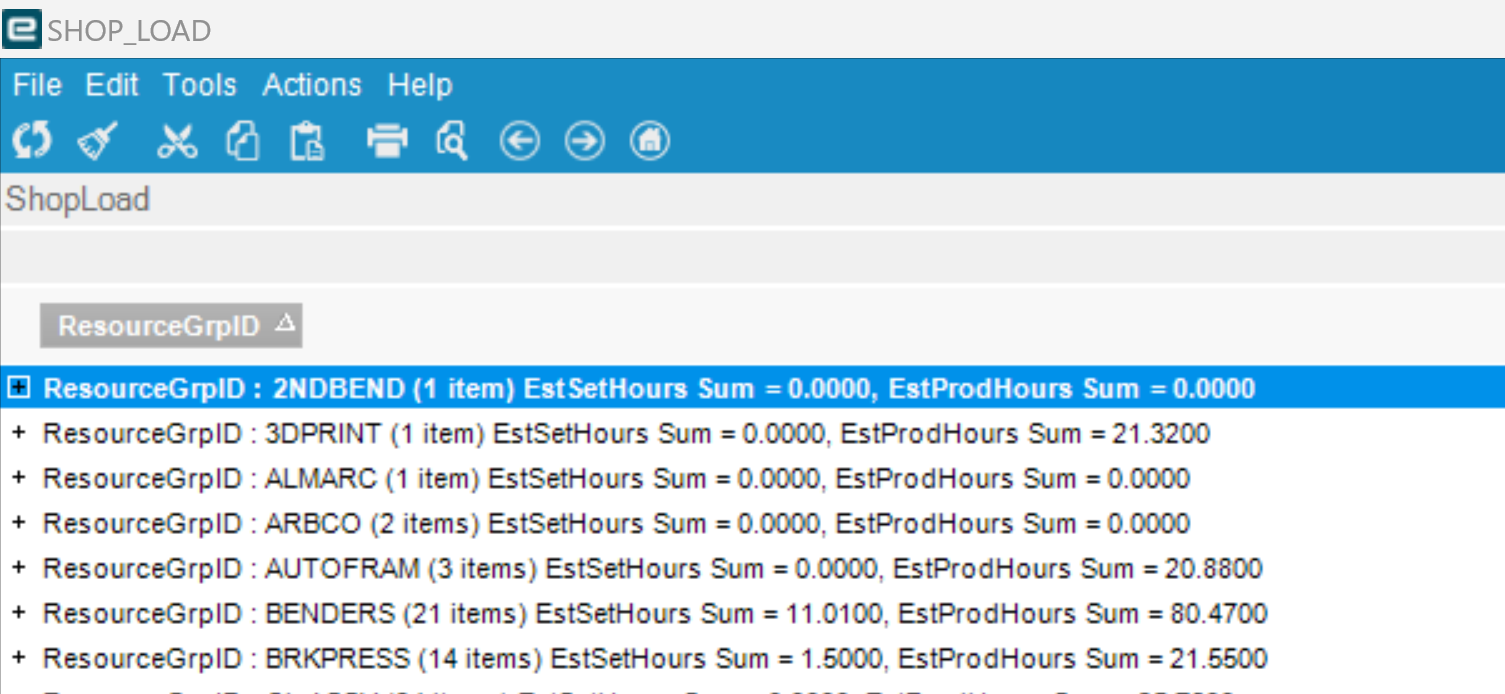
I appreciate your response, David! It’s at the Kinetic Dashboard (or Kinetic App) level that the rounding issue occurs. The BAQ uses all 4 decimal places with no issue.
AND… I just realized when I preview the classic version of the dashboard, there’s no issue. My conclusion is the Kinetic App dashboard is glitchy. Argh. We are trying not to use client on too many workstations.
Yeah, can’t really explain why you’re seeing rounding.
This is just a simple BAQ dashboard also looking at estimated and actual hours. I pushed them out to 4-decimals:

If I push to excel and sum them there, I get the same values (the 3rd column is a sum of percentages, so it doesn’t make sense to sum it… but the value is consistent (not rounded)).

puzzling…
Has anyone found a solution for this? I’m running into the same issue where the Kinetic dashboard is rounding my summed values.
Here’s the same columns in Kinetic vs Classic.


That’s not rounded, that’s truncated. Show some with all the decimal places with data and let’s see what it shows.
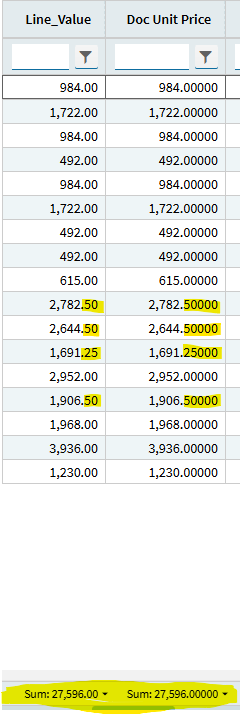
Hi Kevin, here’s the line level details for those two screenshots on my last reply.
Some of the lines have decimal values but in the Kinetic Dashboard it appears to be rounding down from 597.75 to 596.00
I’ll have to make some test data in PILOT to check what you’re saying where all five decimal places have data.
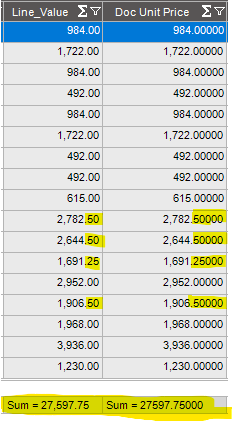
Thanks,
Hello,
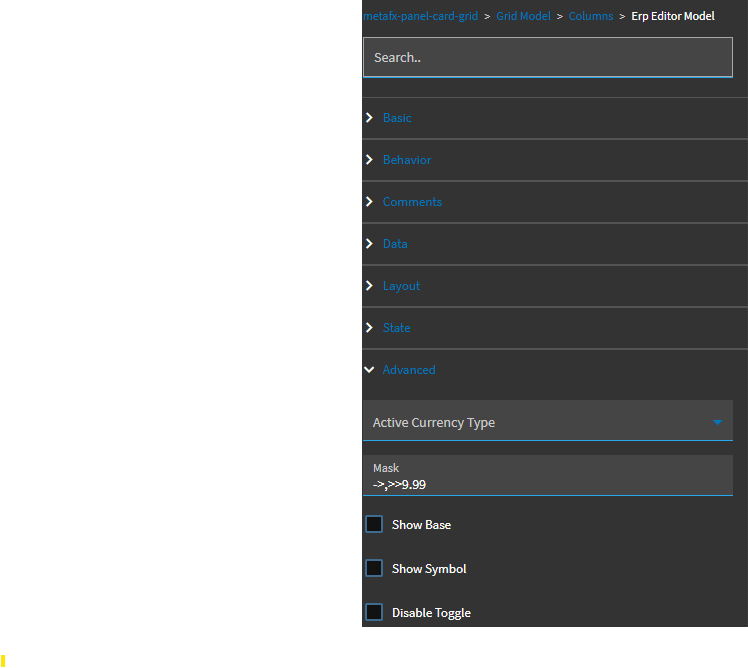
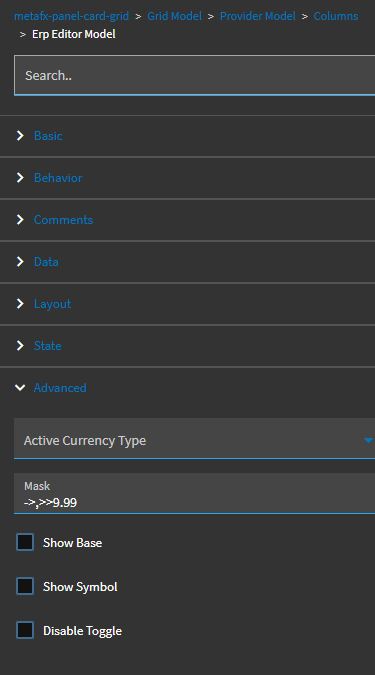
I had the same issue and was able to resolve the truncation issue by adding a data mask to the column in both the grid model and provider model in the application.
I am not sure of the root cause, but this resolved the problem on this dashboard.
One of our users recently brought up this issue, but what we discovered is that it happens when there’s more records than what was initially loaded on the grid (to prevent overloading the system.) I’ve attached a small video showing how by clicking the “download” button, the summaries are then broken down to the decimal point and no longer rounded.