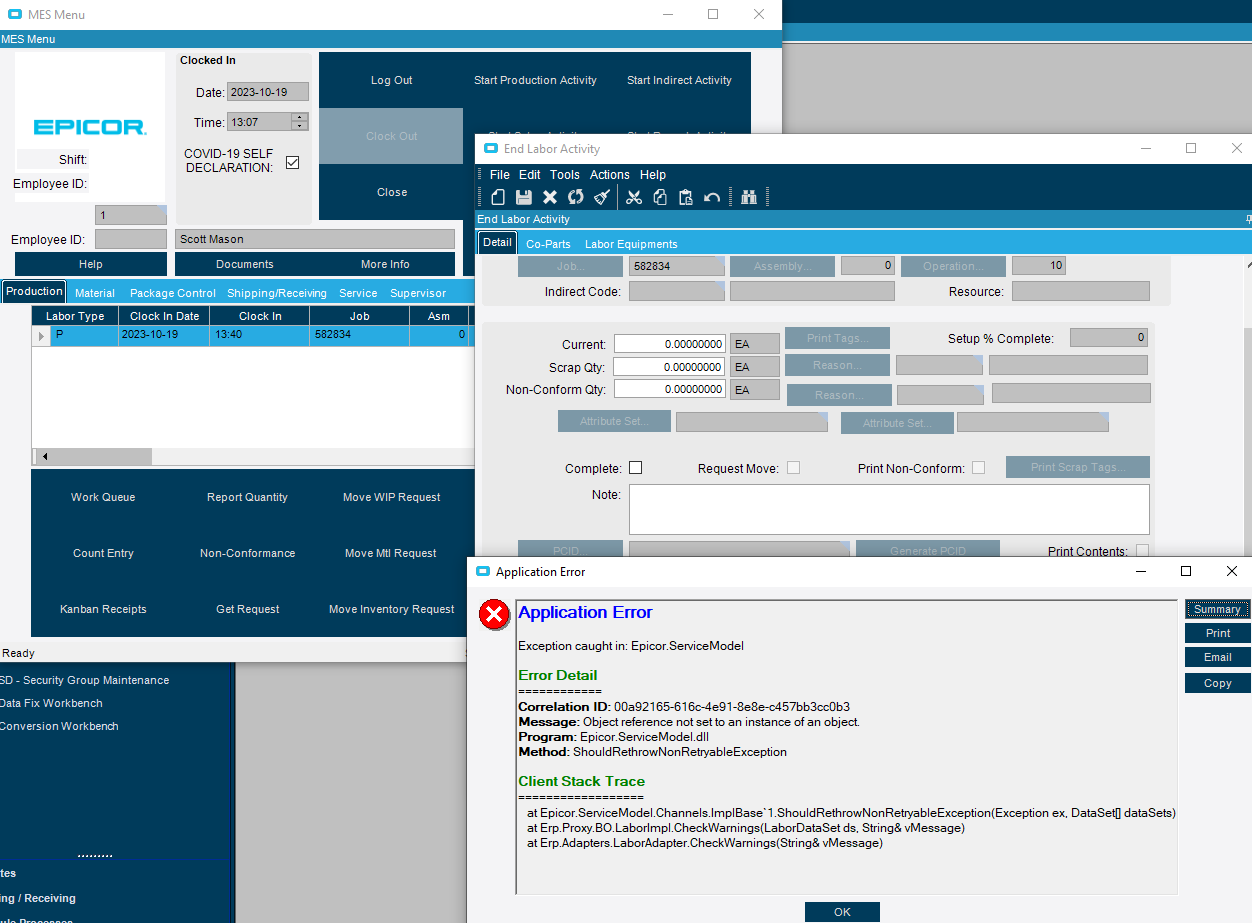
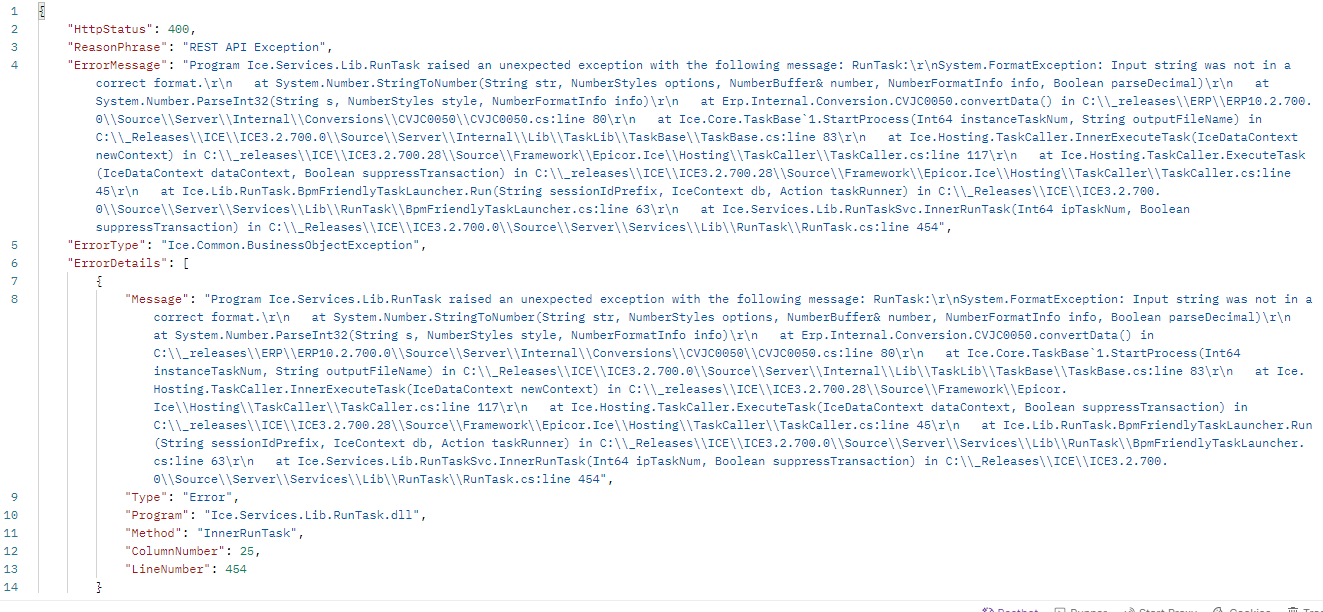
I’m trying to write a REST call that will end activity. I can get it working if all circumstances are good but in case something goes wrong and MES can’t close it normally, then my REST calls also fail. I don’t know what circumstance causes the MES object reference not set to instance of object.
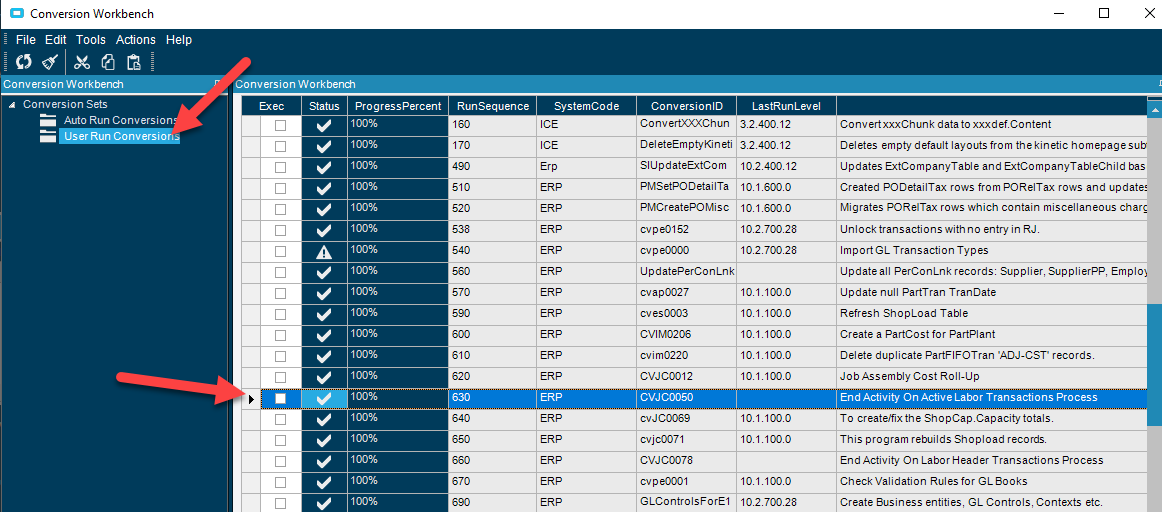
Epicor knows this is a problem so they have a conversion to repair it. The fix is to run User Run Conversion program # 630 and then fill in the job as parameters.
I know it’s a stretch, but how would you invoke this conversion from a REST call with the proper parameters? I want my front end webpage to be able to gracefully end activity even if the MES client errors.
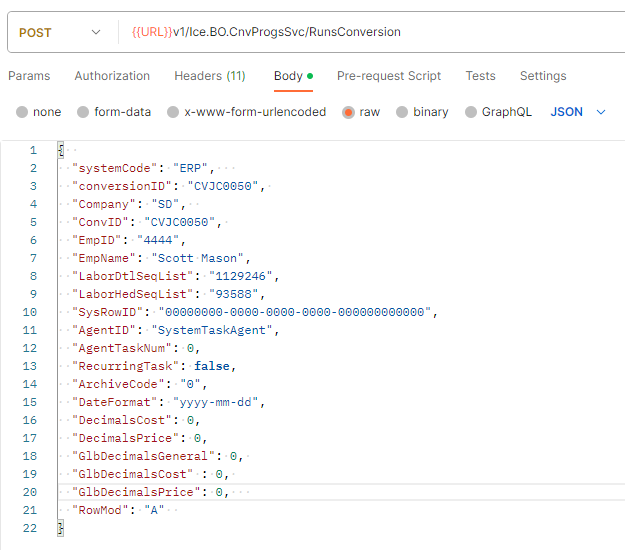
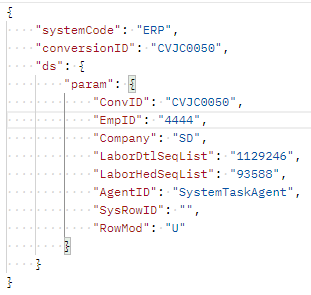
I’m testing this out with POSTMAN so it’s just the endpoint and payload. I would think if I can emulate the JSON it will do what it needs.
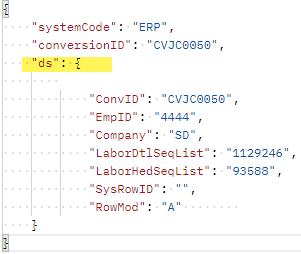
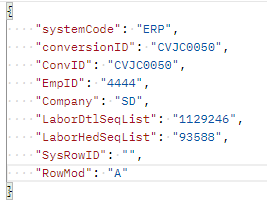
I know the LaborDtl and LaborHed sequence numbers and am trying to feed them into the payload, but I guess the consumer of the payload is expecting something else?
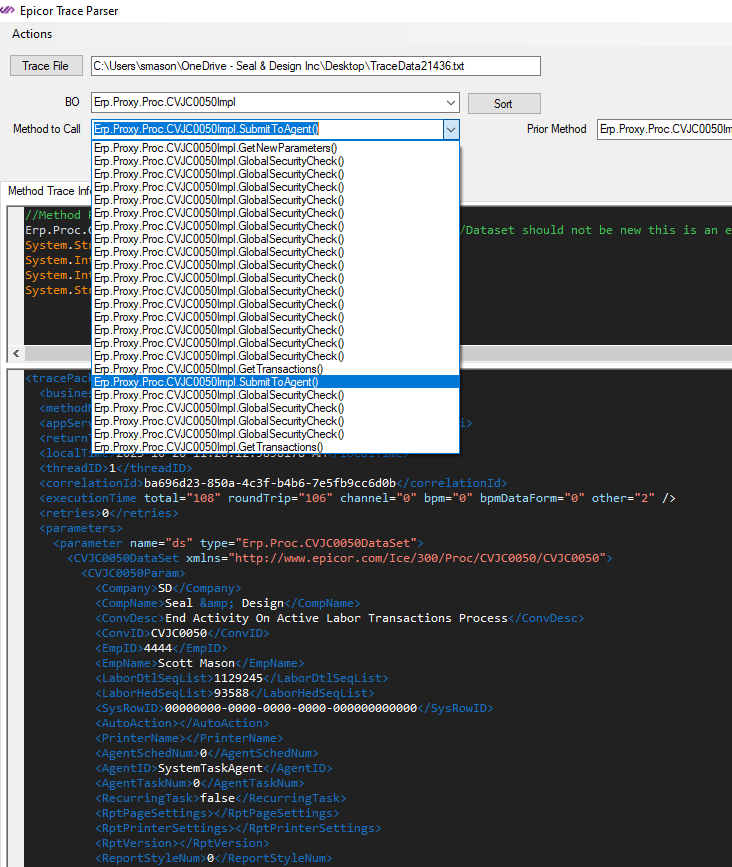
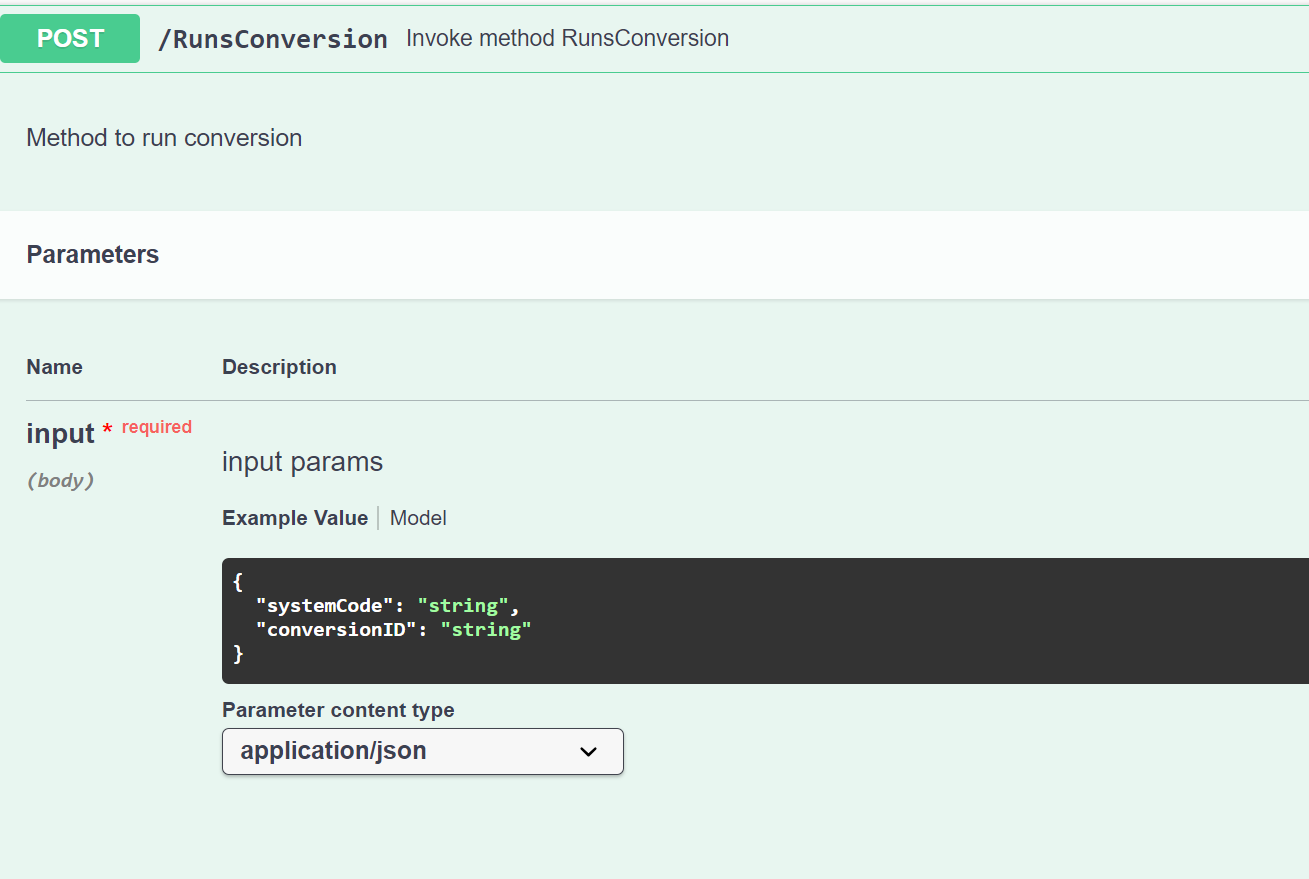
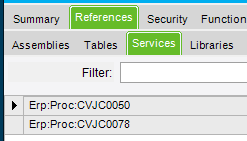
You’re showing the Swagger page method for Ice.BO.CnvProgsSvc/RunsConversion in your last post but your initial trace was ran using Proc.CVJC0050/SubmitToAgent. I would use the latter and drop the SystemCode and ConversionID parameters and use those found in the SubmitToAgent dataset.
Do it in a function. Keep Epicor logic within Epicor. The services for both end activity conversions are accessible from there. You could even schedule the function to run periodically within the system itself to close out overlong labor entries. I’m not sure why you’d even want to involve an outside application. This should be pretty self-contained.
We’re developing a webpage as a kind of front end that does all the MES stuff we need without having the users log into the, in our opinion, horribly designed MES client.
At a certain time and under certain circumstances, the webpage we have an end activity button behind which will sit a webpage I write that when clicked it calls the end labor detail service with a JSON payload that I carefully construct. I got it working great with the regular REST point. However sometimes due to whatever reason, I suspect it’s when I leave myself signed in past midnight, the record becomes locked and I can’t end activity in the usual way. This happens in the regular client too. And the fix is to run the conversion 630.
So when the error occurs the end activity REST endpoint returns an error. In those circumstances, I can dectect that on the webpage in the moment and then the plan is to fall back to another REST call right then and there to really close the labor record with the conversion that gets the job done.
So yes in that situation we are keeping the Epicor logic in Epicor. We’re not writing direct SQL calls to close the record although I bet under the hood that’s what the conversion program is doing.
Also, I don’t know how to write an Epicor function and am not sure it would be more efficient than calling the REST endpoint with a carefully crafted payload.
Might want to start with that. It can, in large part, obviate the need for “carefully constructed payloads”. It enables tiny payloads that aren’t much more verbose than internal method calls.
Not entirely though, or at least, not as much as you could. You’re still handling a fair amount on your external application. You can push the error handling inside the system. So when you start an activity from your app, you know it will actually start an activity.
TBH, any situation where you need to run an End Activity conversion is also a situation that will come up using native apps and likely require someone to manually adjust anyway. Calling that from outside is, at best, an incomplete solution.
Ultimately, it’s a tool that anyone hooking into Epicor should know. Do you have to use it? No. Can it make your life simpler? Yes.
RunProcedure property must be set before calling ExecuteTask. I’m not sure what that even means. I searched in the entirety of the trace log text and there is no match for the text “RunProcedure”.