I’ve been tasked with creating a new Sales by State report for our finance group. We had one back in E9 written in Crystal and after some prompting I learned that “well, it wasn’t that accurate”. So I’m starting from scratch.
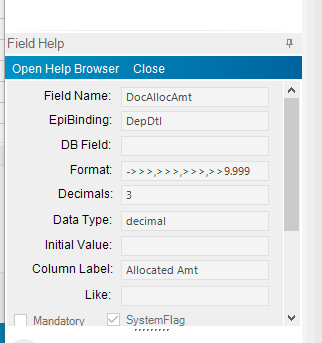
Long story short, Most of the report is straight forward except determining the deposits. I can’t seem to find the table/field that holds that data. Using Field Help and clicking the fields in Order Tracker shows the fields are Epibinding and not DB fields.
So I looked at the Advanced Billing and Deposit report in Report Builder and the fields there holding the deposit information display as OrderDtl_AllocAmt and OrderDtl_AllocBal but doing a query or looking at the Data Dictionary those fields don’t appear in that table.
Does anyone know where to find the customer deposit information for use on a BAQ report?
TIA.
1 Like
I think the table you are looking for is CashHead, that drives your cash receipts/deposits.

2 Likes
No, unfortunately that field doesn’t carry any deposit info.

What I’m trying to find is where the running balance of deposit to ship dollars are kept. Something like on the order tracker.
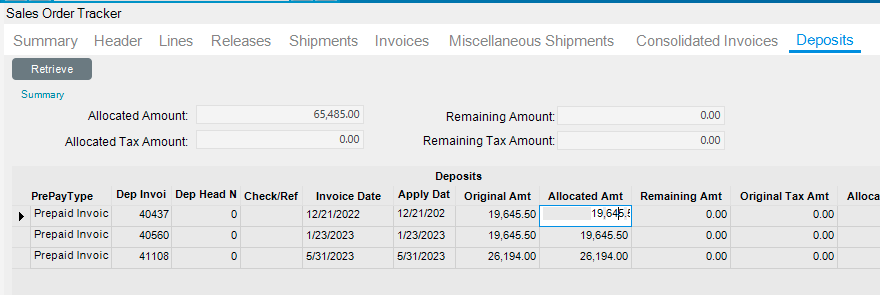
But all those fields are Epibinding and not true DB fields.
Try ARPrepaymentTran. That has the deposit transactions as well as the allocations in it.
1 Like