thanks for your response
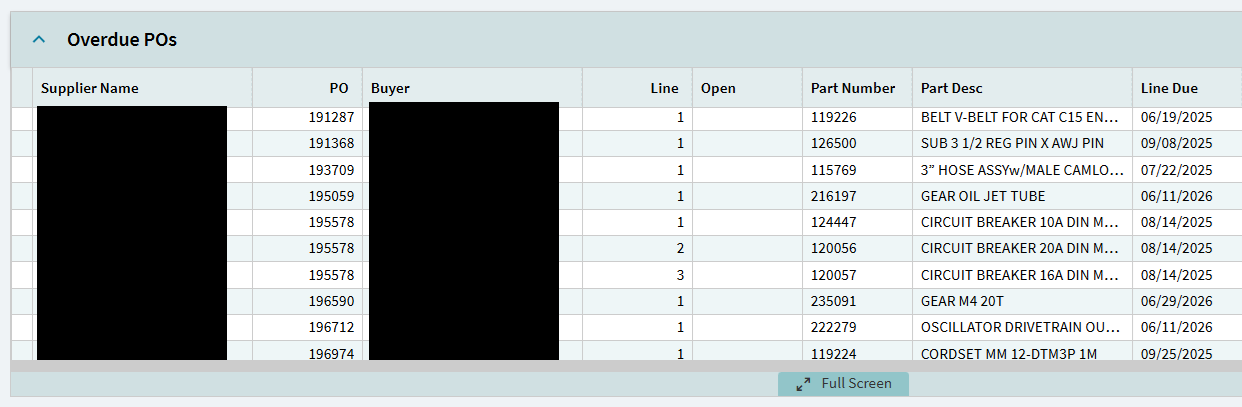
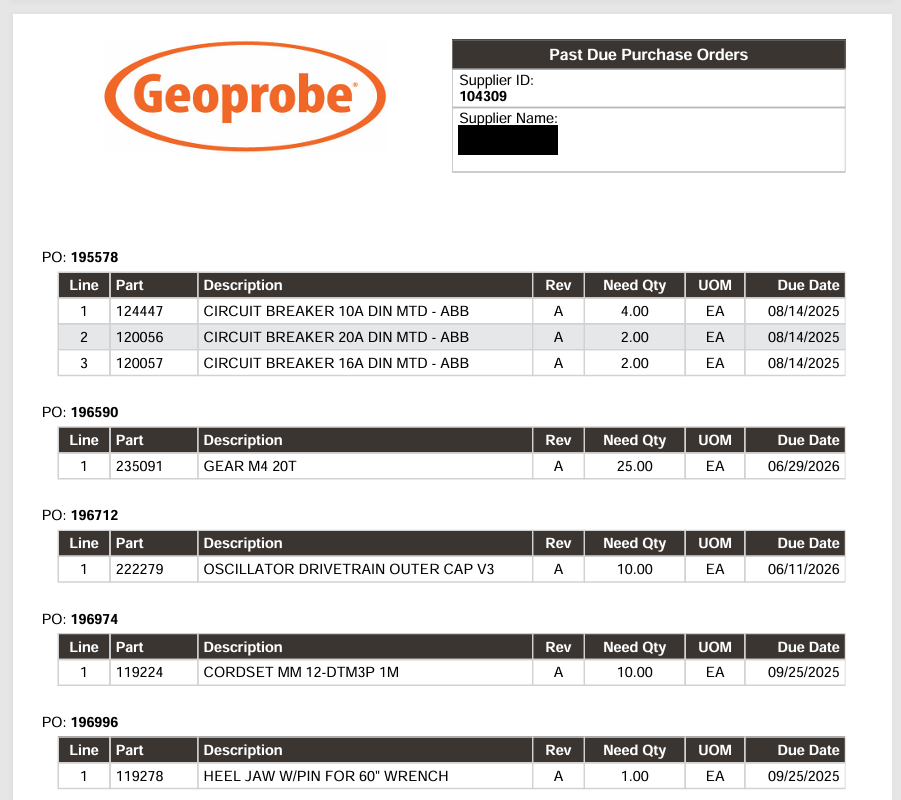
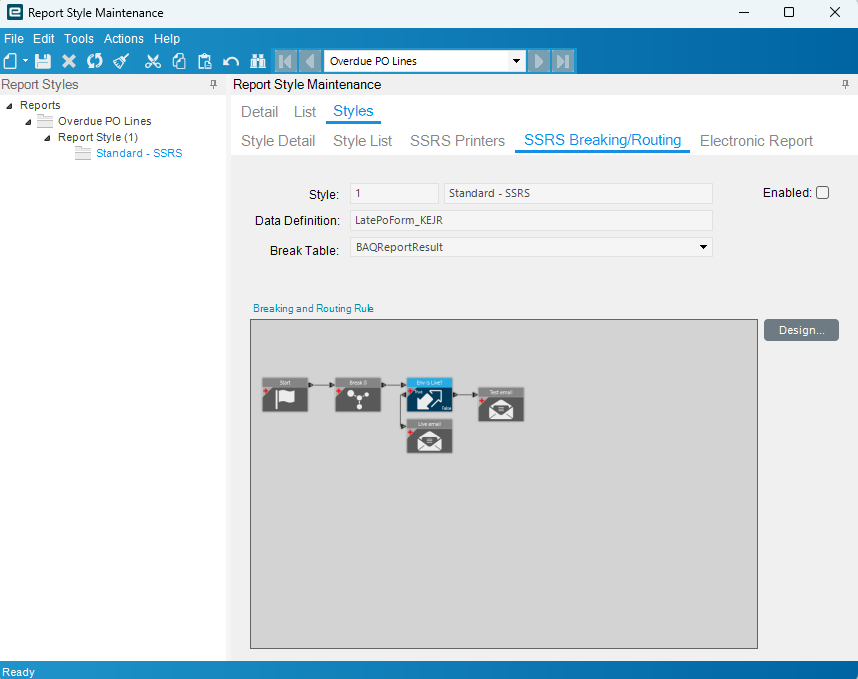
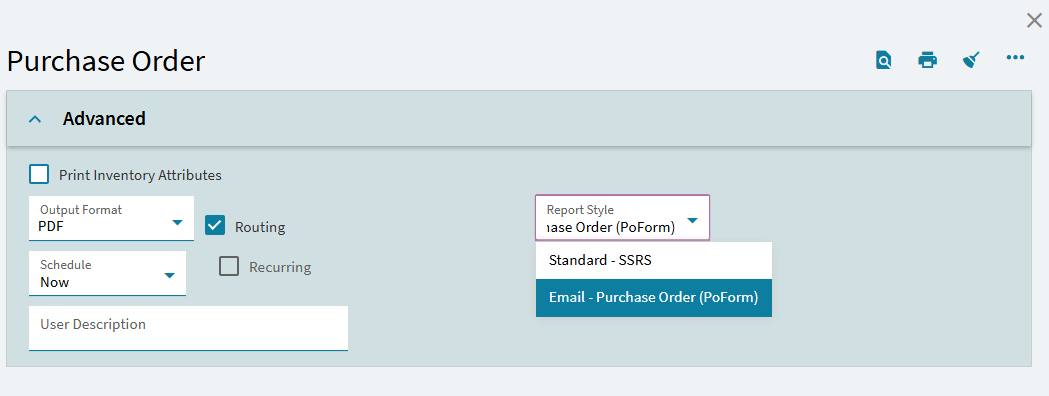
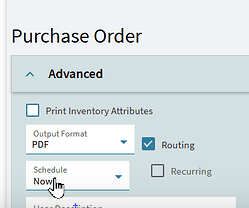
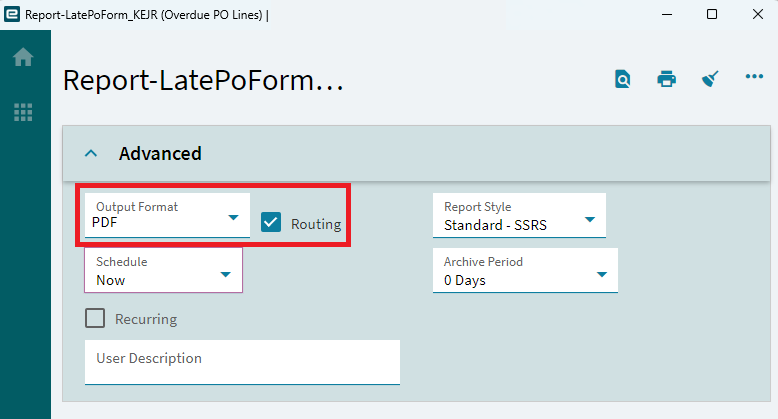
Yes, I already have a weekly schedule set up in the system agent and I understood how to attach a print task to it, but none of the print pages I was finding had the routing accessible, which would mean I’m just getting a single PDF delivered to me in the UI instead of splitting up the report and sending emails to all the corresponding suppliers.
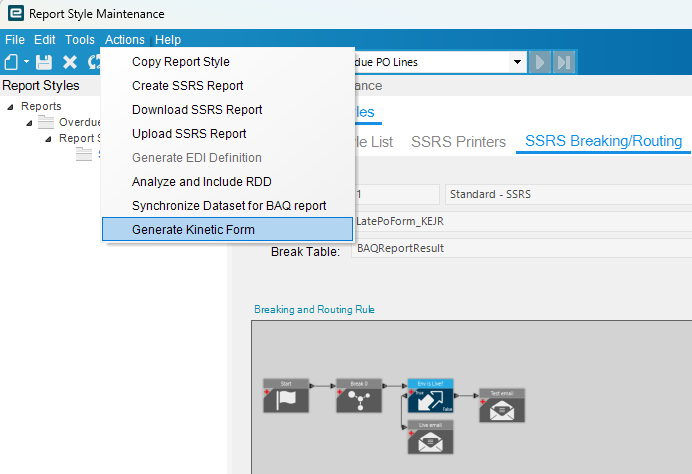
I’ve been spending most of my time in PowerTools so I’d overlooked the ‘Generate Kinetic Form’ button in there, and didn’t realize that was what pulled up the print menu we all know and love with my routing options. 

Scheduling it from Report->Report Style->Overflow->‘Generate Form’ works for this specific scenario since this triggers hundreds of emails and I don’t want users accidentally firing that off.
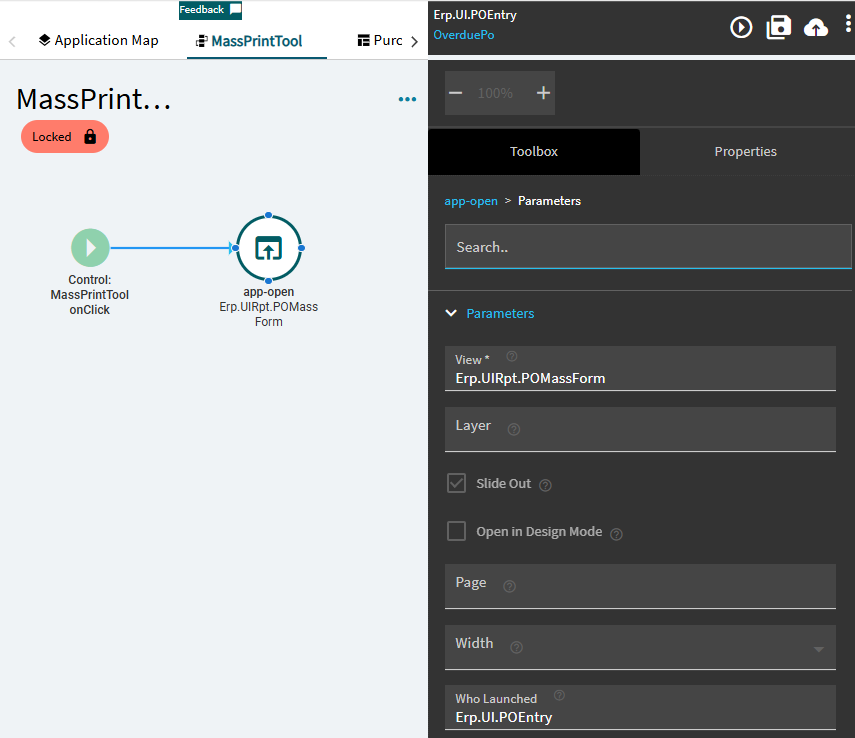
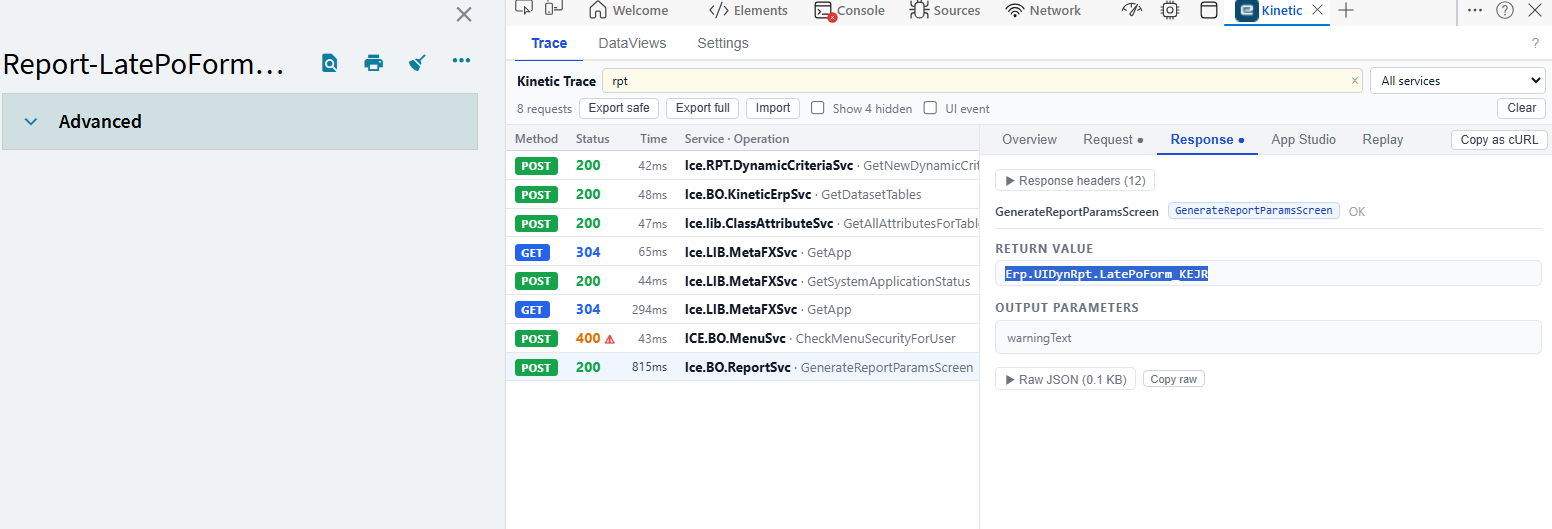
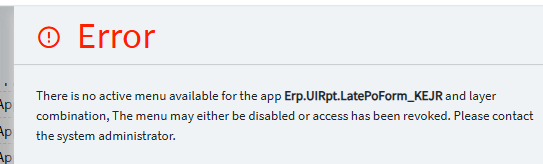
For anyone that may have the same or a similar problem, my original difficulty was that I couldn’t find the correct View reference for opening my report’s print menu in an App Studio event, since BAQ reports are under a different endpoint than Epicor’s built in reports (Erp.UIRpt):
After finding the Generate button in my report style’s overflow menu in the UI, I was able to run a browser trace to find the right name for my app-open binding.
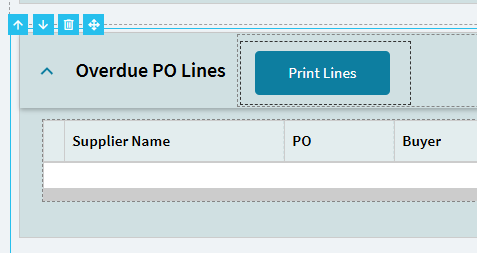
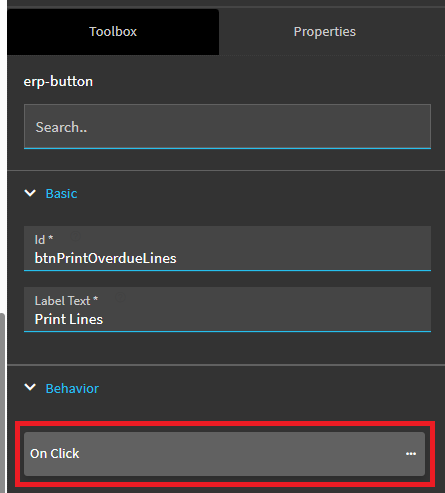
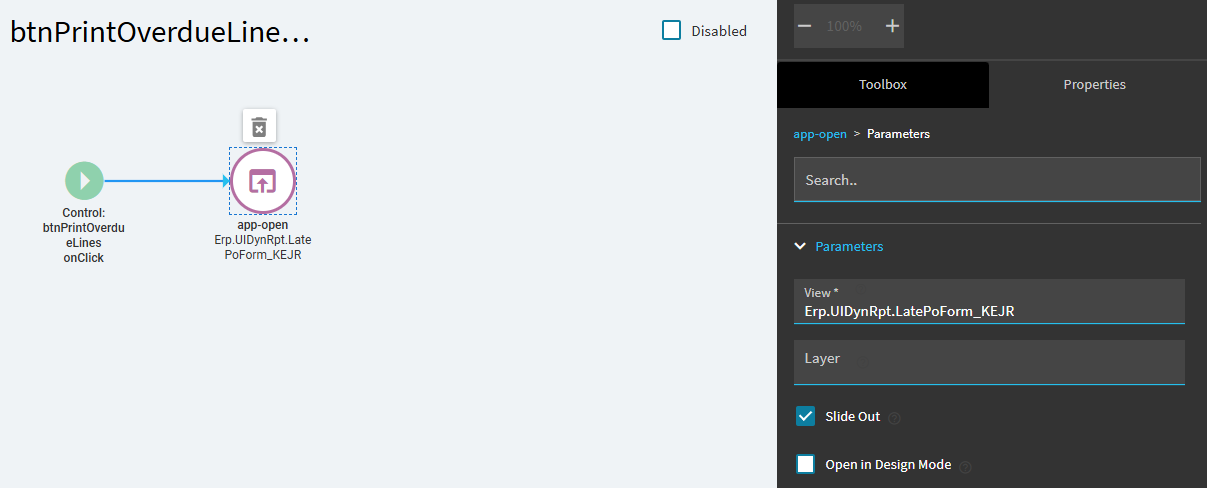
If you wanted to then call this as a slideout, you’d add a button to your panel card grid or whatever else, configure an On Click behavior, add an app-open event and bind the View to the value you got earlier.
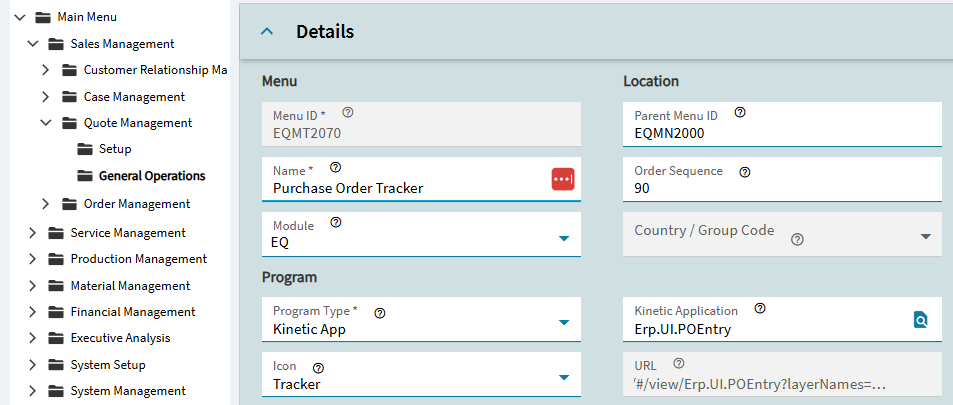
At this point the button will spawn a slideout, but you’ll still need to bind the View to the menu, which you can find the name of in the URL (I was previously running browser traces to find this because I’d never noticed).

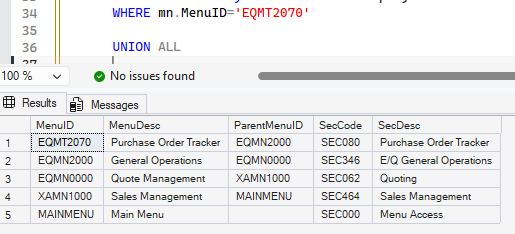
I’ve got a query for chasing your bottom level menu up the directory structure to the root, since trying to get there from the top down can be difficult with Epicor’s obscure menu IDs. Menu Description will correspond with the nesting path on the left albeit in reverse order.
WITH menuSearch
AS (
	SELECT
		mn.MenuID, mn.MenuDesc, mn.ParentMenuID,
		sc.SecCode, sc.Description AS SecDesc
	FROM Ice.Menu mn
	JOIN Ice.Security sc ON '' = sc.Company AND sc.SecCode = mn.SecCode
	WHERE mn.MenuID='YOURMENU'

	UNION ALL

	SELECT
		mn.MenuID, mn.MenuDesc, mn.ParentMenuID,
		sc.SecCode, sc.Description AS SecDesc
	FROM Ice.Menu mn
	JOIN Ice.Security sc ON '' = sc.Company AND sc.SecCode = mn.SecCode
	JOIN menuSearch ON mn.MenuID = menuSearch.ParentMenuID
	)
SELECT * FROM menuSearch
I believe from this point the correct course of action would be to create a new menu in this same location and associate the Kinetic Application with the Erp.UIDynRpt of my BAQ, and bind it to the same security code as EQMT2070.
Let me know what I got wrong.